Chapter 11: Monitoring Your Storage Space
●
115
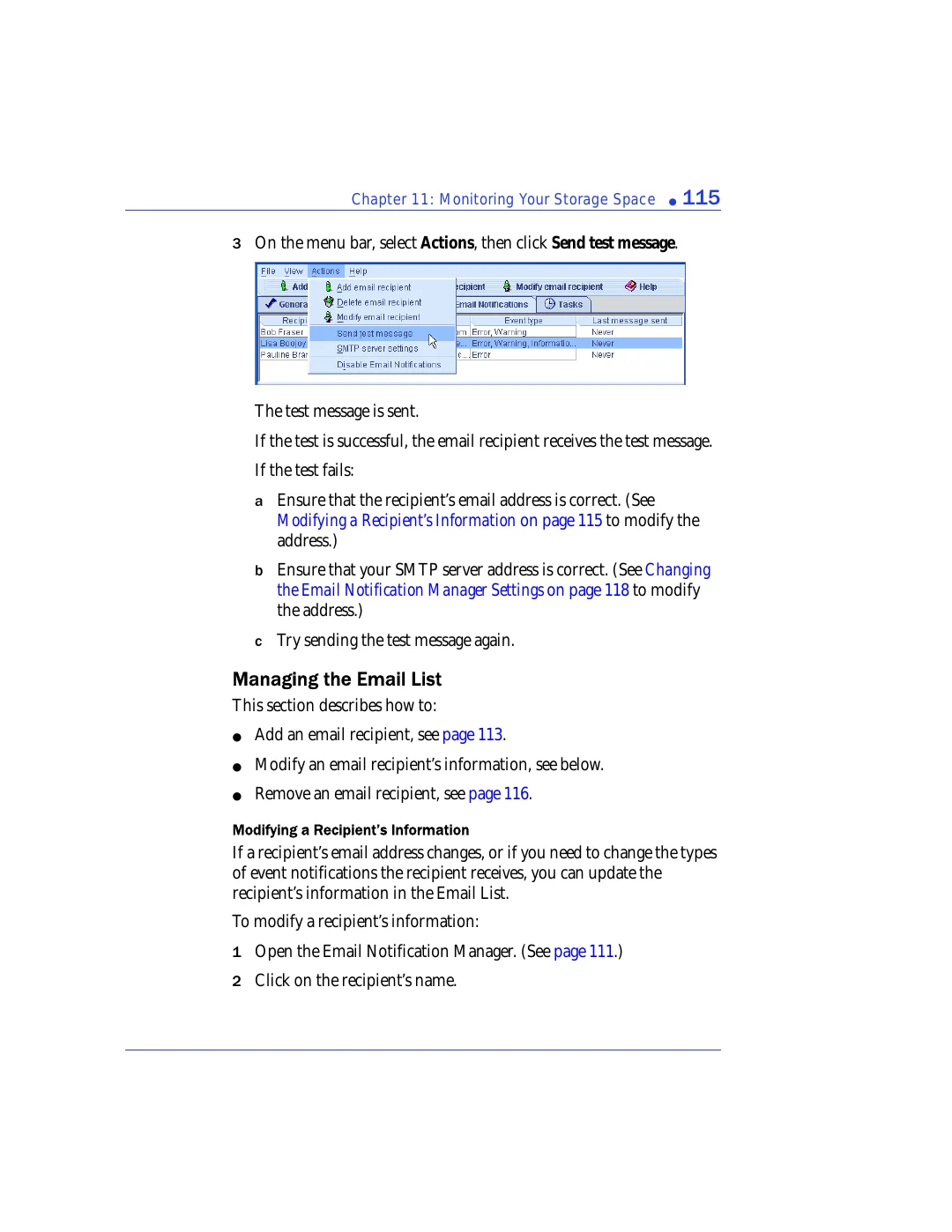
3
On the menu bar, select
Actions
, then click
Send test message
.
The test message is sent.
If the test is successful, the email recipient receives the test message.
If the test fails:
a
Ensure that the recipient’s email address is correct. (See
Modifying a Recipient’s Information on page 115
to modify the
address.)
b
Ensure that your SMTP server address is correct. (See
the Email Notification Manager Settings on page 118
to modify
the address.)
c
Try sending the test message again.
Managing the Email List
This section describes how to:
●
Add an email recipient, see
●
Modify an email recipient’s information, see below.
●
Remove an email recipient, see
Modifying a Recipient’s Information
If a recipient’s email address changes, or if you need to change the types
of event notifications the recipient receives, you can update the
recipient’s information in the Email List.
To modify a recipient’s information:
1
Open the Email Notification Manager. (See
.)
2
Click on the recipient’s name.