Chapter 14: Working with Display Groups
●
136
Viewing Display Group Status
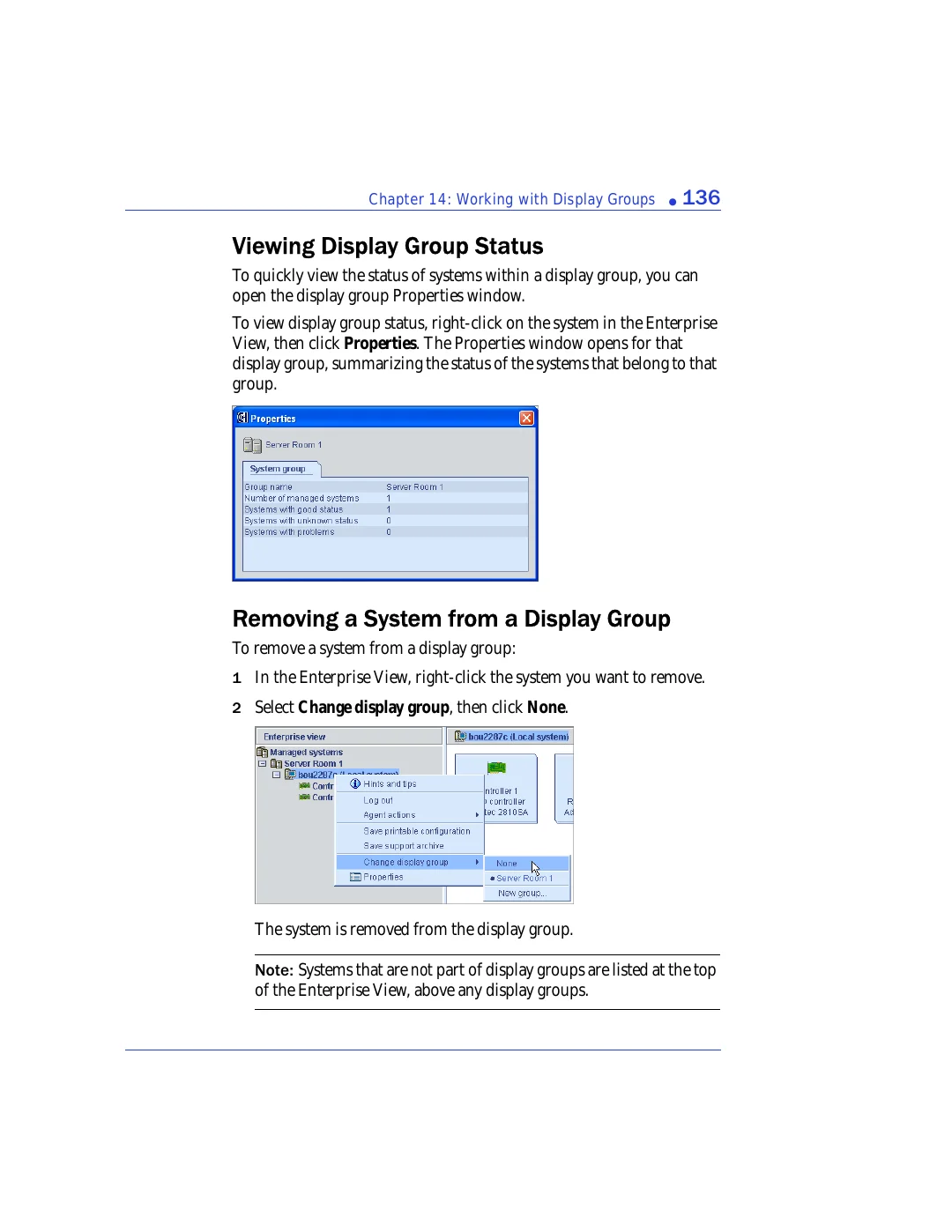
To quickly view the status of systems within a display group, you can
open the display group Properties window.
To view display group status, right-click on the system in the Enterprise
View, then click
Properties
. The Properties window opens for that
display group, summarizing the status of the systems that belong to that
group.
Removing a System from a Display Group
To remove a system from a display group:
1
In the Enterprise View, right-click the system you want to remove.
2
Select
Change display group
, then click
None
.
The system is removed from the display group.
Note:
Systems that are not part of display groups are listed at the top
of the Enterprise View, above any display groups.