Step 5: Customizing Adaptec Storage Manager
●
65
Display groups are sorted alphabetically and appear in the Enterprise
View below any systems that are not part of a display group.
A system can belong to only one display group at a time; you can’t
include the same system in multiple display groups.
For more information, see
Working with Display Groups on page 134
Setting Preferences and Changing Views
You can customize Adaptec Storage Manager by:
●
Sorting the systems in the Enterprise View (see below).
●
Selecting the standard unit of measure shown for disk drives (see
).
●
Excluding the tool bar or status bar from the main window, or
turning off the Tool Tips (see
).
Sorting Systems in the Enterprise View
You can set Adaptec Storage Manager to sort systems in the Enterprise
View alphabetically or chronologically. By default, systems are listed in
alphabetical order. The local system always appears first when you sort
objects alphabetically.
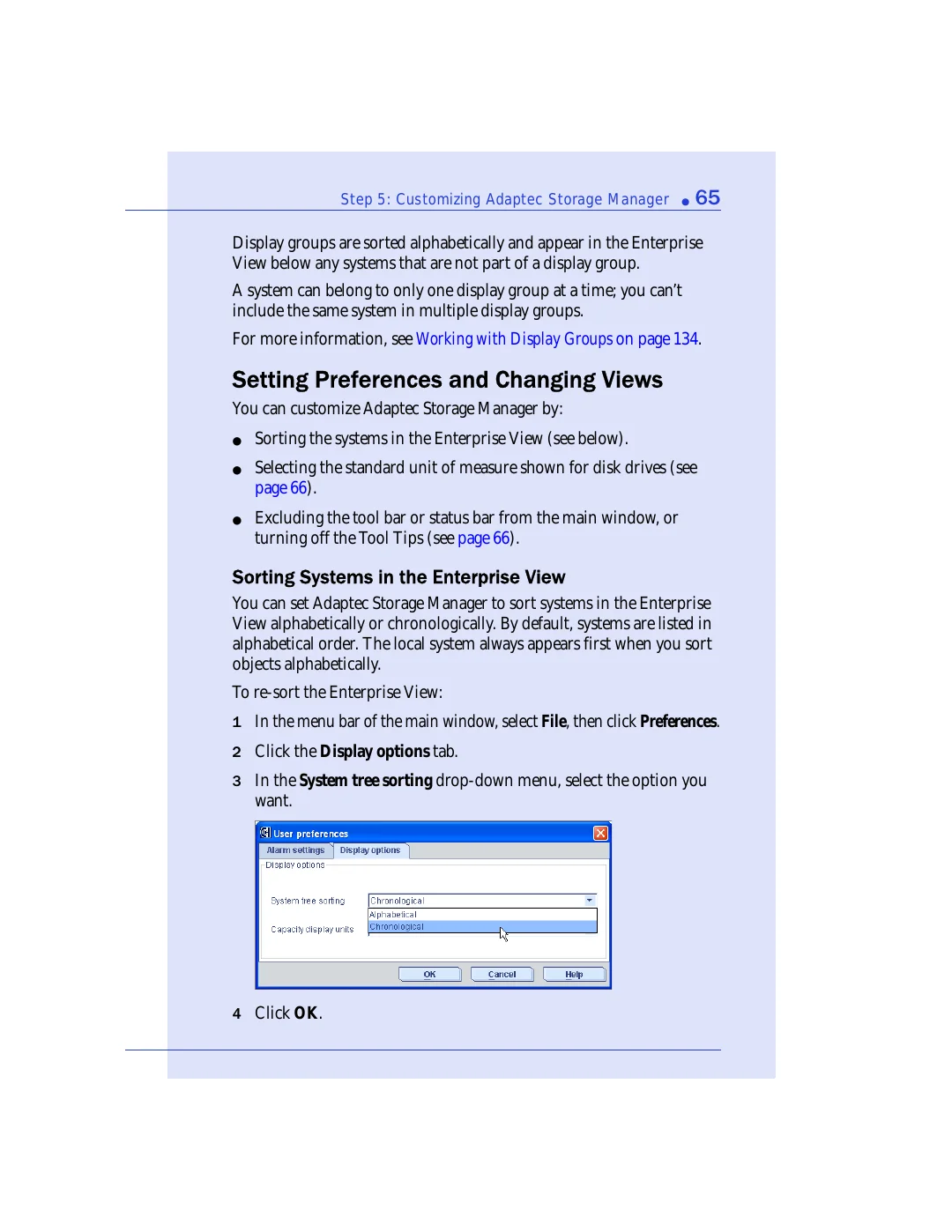
To re-sort the Enterprise View:
1
In the menu bar of the main window, select
File
, then click
Preferences
.
2
Click the
Display options
tab.
3
In the
System tree sorting
drop-down menu, select the option you
want.
4
Click
OK
.