Problem |
| Check | Page | |
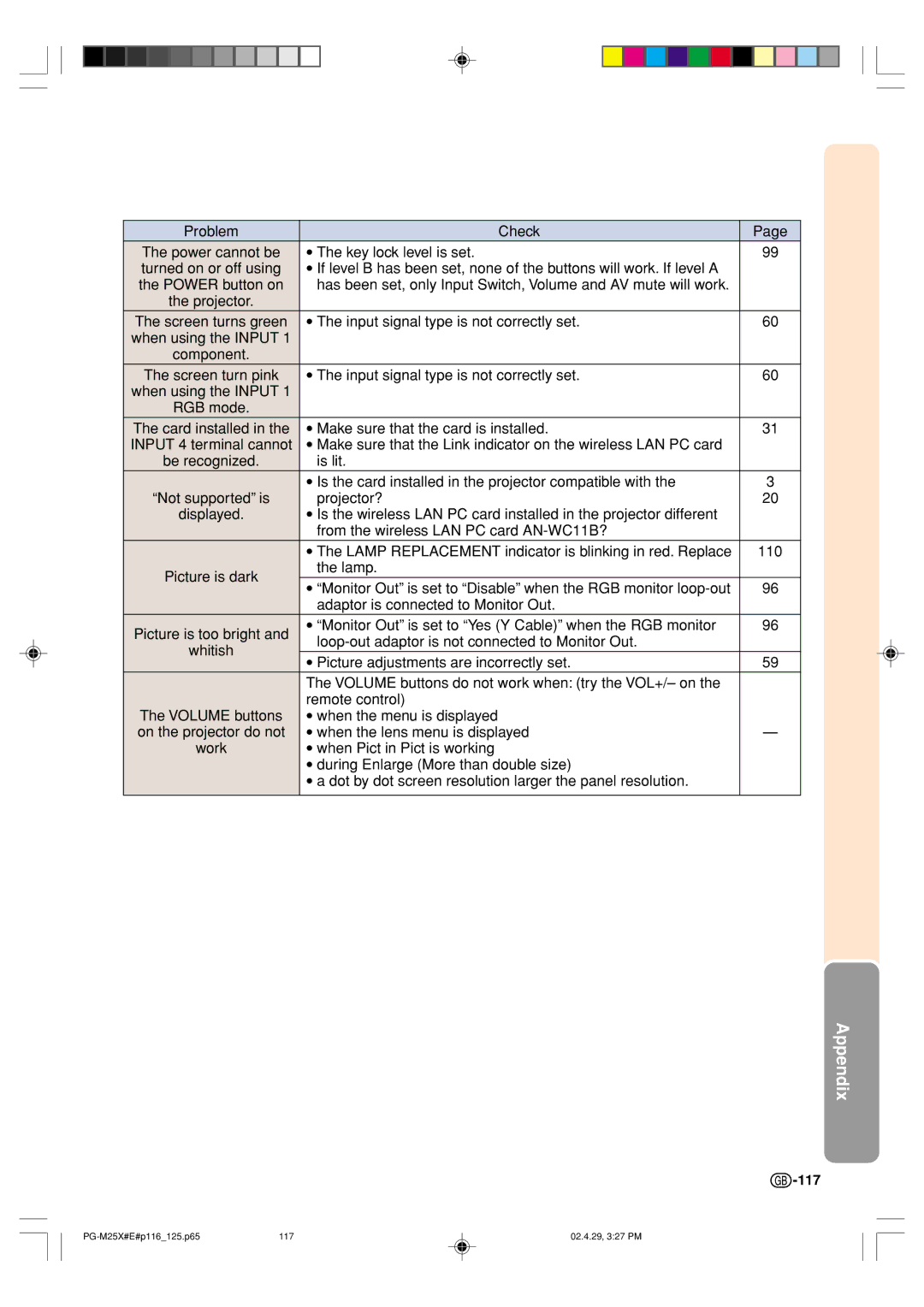
The power cannot be | • | The key lock level is set. | 99 | |
turned on or off using | • | If level B has been set, none of the buttons will work. If level A |
| |
the POWER button on |
| has been set, only Input Switch, Volume and AV mute will work. |
| |
the projector. |
|
|
| |
The screen turns green | • | The input signal type is not correctly set. | 60 | |
when using the INPUT 1 |
|
|
| |
component. |
|
|
| |
The screen turn pink | • | The input signal type is not correctly set. | 60 | |
when using the INPUT 1 |
|
|
| |
RGB mode. |
|
|
| |
The card installed in the | • | Make sure that the card is installed. | 31 | |
INPUT 4 terminal cannot | • | Make sure that the Link indicator on the wireless LAN PC card |
| |
be recognized. |
| is lit. |
| |
| • | Is the card installed in the projector compatible with the | 3 | |
“Not supported” is | • | projector? | 20 | |
displayed. | Is the wireless LAN PC card installed in the projector different |
| ||
|
| from the wireless LAN PC card |
| |
| • | The LAMP REPLACEMENT indicator is blinking in red. Replace | 110 | |
Picture is dark |
| the lamp. |
| |
• | “Monitor Out” is set to “Disable” when the RGB monitor | 96 | ||
| ||||
|
| adaptor is connected to Monitor Out. |
| |
Picture is too bright and | • | “Monitor Out” is set to “Yes (Y Cable)” when the RGB monitor | 96 | |
|
| |||
whitish |
|
| ||
• | Picture adjustments are incorrectly set. | 59 | ||
| ||||
| The VOLUME buttons do not work when: (try the VOL+/– on the |
| ||
| remote control) |
| ||
The VOLUME buttons | • | when the menu is displayed |
| |
on the projector do not | • | when the lens menu is displayed | — | |
work | • | when Pict in Pict is working |
| |
| • | during Enlarge (More than double size) |
| |
| • | a dot by dot screen resolution larger the panel resolution. |
| |
|
|
|
| |
Appendix
 -117
-117
-117117 | 02.4.29, 3:27 PM |