Http//intranet
Select Automatic Proxy Configuration
Click LAN Settings Tick Use automatic configuration script
Web Proxy
Without delays caused by Wpad
Auto-Discovery
Web Proxy Auto-Discovery Wpad protocol is not supported by
Auto-Discovery
Web Proxy
Resources
Third-party Tools
Software Upgrade and Installation
System Diagnostics
Chapter Managing the Webcache System Time Security
Chapter System Events Performance Monitoring
Page
Software Interfaces
Management
Admin user name is case-sensitive
Default User
Logging in as a
Interface
Accessing the Web Interface
Banner
Understanding the The Web Interface
Summary View
Toolbar
Device View
Help View
Console Port Hotspot
Device Mimic
LAN Port Hotspot
Unit Hotspot
Device Summary
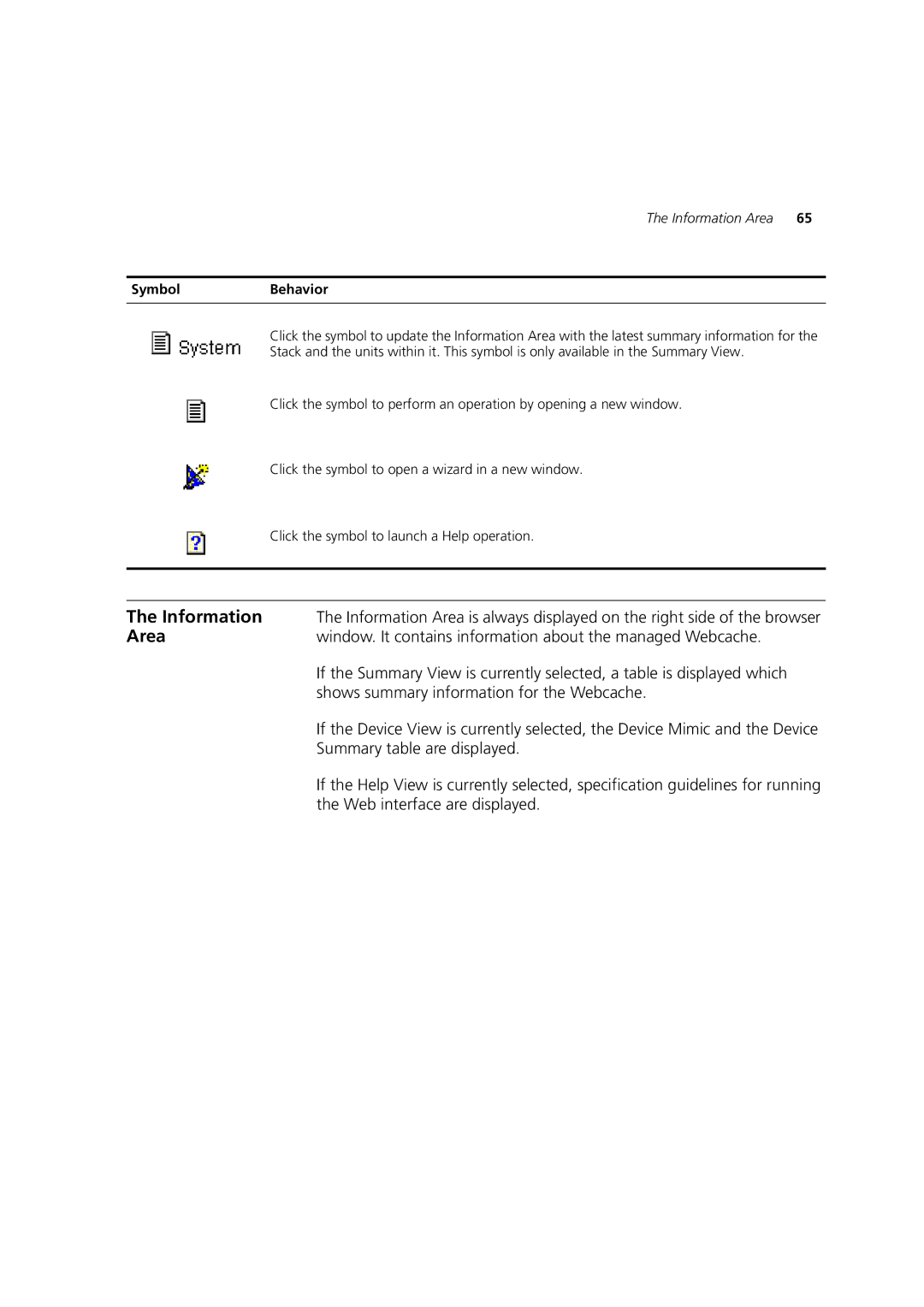
SymbolBehavior
Area
Information
Managing the Webcache
System Time
Protocol?
Network Time
Choosing a
Protocol Server
Protocol
Configuring
System Time
Manually
System Time
Setting Passwords
Passwords?
What are
Username as soon as possible
Access to the management interfaces
Account no password
Enabled on the Webcache
Security of the Webcache. When password recovery is enabled
Performing
Password Recovery
Password for the admin username
Security
WEB Access
Example Domain Name Rules
Check Enable Web Site Blocking
Site Blocking
What is Web Client Blocking?
Log in to the Web interface Click Device View on the Toolbar
Client Blocking
Access log to the FTP server
See Proxy Auto Configuration PAC File Scripts on
Access logs contain the following fields
Bypass the Webcache entirely after reading the Browser
Field Description
Logging
Analyzing
Access Logs
Log
Controlling and Monitoring WEB Access
Notification
System Events
New software upgrade is available
Check Enable Email Notifcation of System Events
Software upgrade has succeeded Software upgrade has failed
Webcache has failed its Power On Self Test
Snmp Traps
It. You can configure the network management station to log
Cache storage device has failed Click OK
System events occur. An Snmp trap is a message generated by
Traps
Caching
Monitoring?
Request Rate sec-1
Bandwidth Saving %
Hit and Miss Rate %
Hit and Miss Latencies msec
System
Throughput Kbits/sec
CPU Load %
Network Packets sec
Disk Activity sec
New TCP Connection sec
DNS Lookups sec
What are System
Diagnostics?
Pinging Other
Devices
Addresses
Tracing IP
Performing a Trace
Route
System Log
Administrator and 3Com support personnel to troubleshoot
That worked are displayed
System Log is primarily intended to be used by your System
Special.asp
Log
System Diagnostics
Installation
For more information about Snmp Traps, see Snmp Traps on
Upgrades
Performing an Automatically Detected Software Upgrade
Performing a Software Upgrade
Upgrade Now
View Upgrade Version Release Notes
Upgrade Later
Discard Upgrade
Performing a Manual Software Upgrade
Installation?
What is a Software
Installation
Performing a
Configure the settings of the replacement Webcache
Configurations
Saving
Restoring
Example
Restoring a
Matching configuration file to restore the settings
Interface
Web interface
Click Restore. The restore process begins
III
Command Line Interface
108
Accessing Command Line Interface
Command Line Console port
Accessing
Command Line Interface
Logout command
GettingStarted command
Protocol menu
Security menu
To enter multiple commands
To enter a simple command
To enter commands that require values
To enter abbreviated commands
Quick Guide to
Commands
Following prompt is displayed
Basic setup information for the Webcache
Enter a valid IP address Following prompt is displayed
Enter a valid subnet mask Following prompt is displayed
Enter a valid domain name Following prompt is displayed
Enter the new password for the admin user
Enter a valid date Following prompt is displayed
Enter a valid time
Exiting
Command on the Top-level menu
Displaying Changing IP-related Information
Automatically log you out
Enter a valid domain name
Specify an IP address to be traced
Enter a valid gateway IP address
Enter a valid Domain Name System DNS Server IP address
Resetting IP Information to Factory Default Settings
Enter yes to reset the IP address for the Webcache
To display the IP information, at the Top-level menu, enter
Information
Password
Changing the Admin
No password
Displaying
Following example prompt is displayed
Displaying Changing Webcache Information Functions
What Happens During an Initialization?
What Happens During a Reboot?
To specify the name At the Top-level menu, enter
Specifying a
Management menu
To set the community string At the Top-level menu, enter
Enter a community string for the admin user name
Following read-only fields are displayed
System Name
Contact
Time Since Reset
Software Version
Hardware Version
Problem Solving
128
Accessing the Webcache via the Console Line
Interface Problems
Accessing the Webcache via Telnet
You cannot access the Webcache using Telnet
Solving Web
You cannot access the Web interface
System Time does not update in the Web interface
Line Interface
Solving Command
Problems
Solving Webcache The performance of the Webcache is poor
PerformanceCheck Problems
No Web sites can be accessed using the Webcache
Solving Webcache Performance Problems
Problem Solving
Appendices and Index
138
Safety Information
Power Cord Set
Important Safety
This must be approved for the country where it is used
Personnel only
France and Peru only
Only
Cordon électrique
Consignes importantes de sécurité
Il doit être agréé dans le pays dutilisation
Calibre 18 AWG Type SV ou 5J Conducteurs
Consignes importantes de sécurité
Netzstecker
Wichtige Sicherheitsinformat ionen
Das Gerät muß geerdet sein
Bezeichnung Neutral tragen †Impédance à la terre
Appendix a Safety Information
Category
PIN -OUTS
Null-Modem Cable
Pin-outs
Pin to RS-232 25-pin
PC-AT Serial Cable
Modem Cable 9-pin to RS-232 25-pin
Pin Number Signal Function
Appendix B Cable Specifications and PIN-OUTS