Primergy TX300 S6 Server
Comments… Suggestions… Corrections…
Copyright and Trademarks
Certified documentation according to DIN EN ISO
For your safety
High safety use
Radio interference
Aluminum electrolytic capacitors
Measures against momentary voltage drop
Harmonic Current Standards
Only for the Japanese market About Sata hard disk drives
Only for the Japanese market
Options Guide
Contents
Contents
Multibay 1
Completion 11.1 Installing the fan carrier Floorstand model
Contents
Preface
Concept and target groups
Documentation overview
Concept and target groups Preface
PrefaceDocumentation overview
Further sources of information
Accessible drives
Expansions and conversions
Expansions and conversions Preface
Main memory
Battery Backup Unit
Additional expansion cards in the PCI Express slots
Trusted Platform Module TPM
Notational conventions
Notational conventions Preface
USB Flash Module UFM
Conversion from a floorstand model to a rack model
Procedure
Procedure Options Guide
Safety instructions
Installation and operation
Before starting up
Vcaution
Vcaution
Batteries
Working with CDs/DVDs/BDs and optical drives
TX300 S6
Laser information
ESD label
TX300 S6
Preparation
Floorstand model
Opening the server
Floorstand model Preparation
Removing the front cover
Removing the drive cover and the HDD cover
Pull out the two green locking buttons
Removing the server feet
Removing the server feet
Rack model
Rack model Preparation
Pulling the server out of the rack and opening the server
Removing the server from the rack and opening the server
Unlocking the server and lifting it out of the rails
Removing the rack front cover
Removing the rack front cover
Disconnecting the power cable
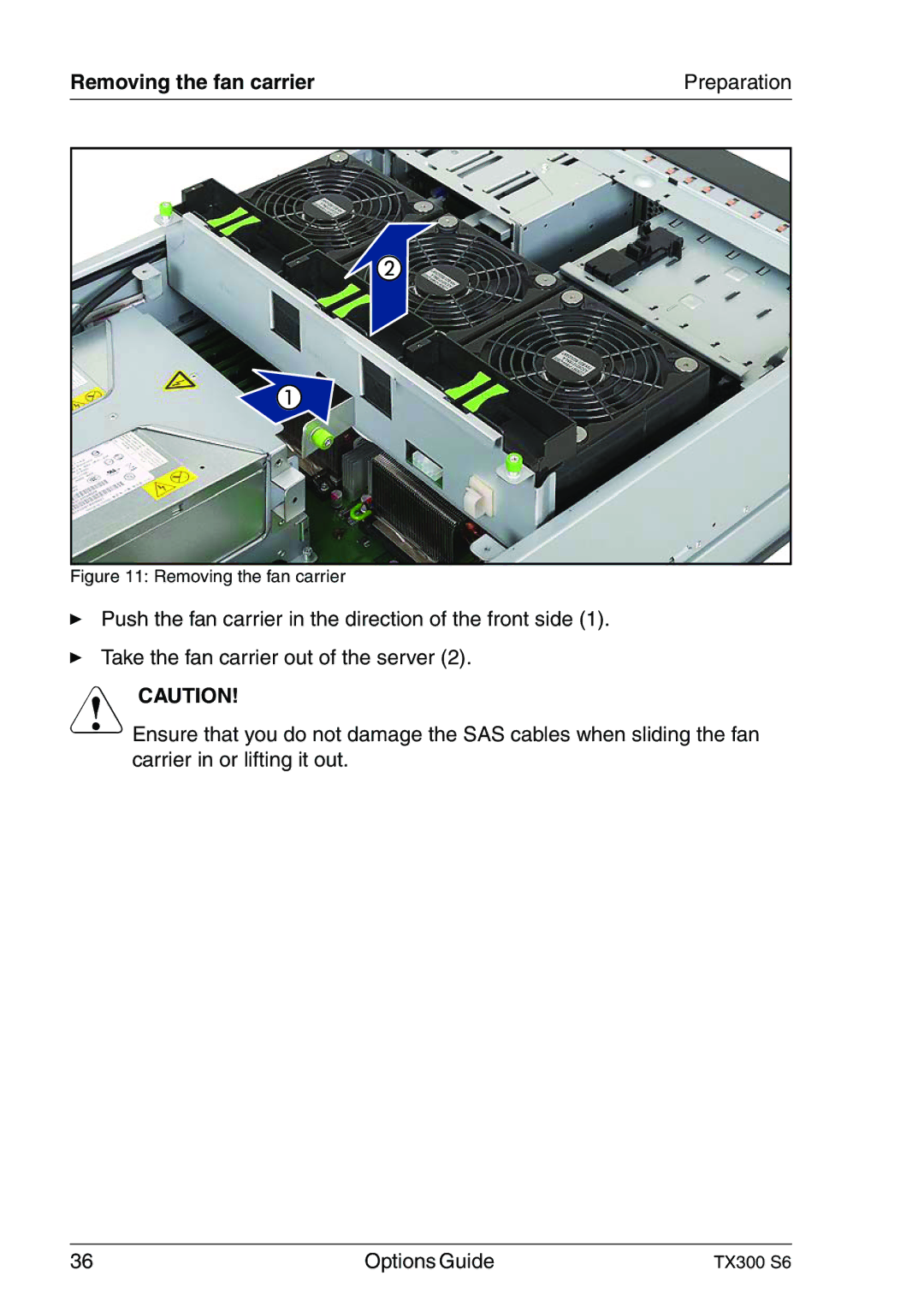
Removing the fan carrier
Removing the fan carrier Preparation
Removing the fan carrier
Main memory
Memory modules
Memory modules
Memory modules
Expanding the main memory
Expanding the main memory
Processors
Installing a second processor
Installing a second processor
Processors
Opening the processor holder and removing the socket cover
Inserting and locking the processor
Removing the protective cover
Mounting and locking the heat sink
Replacing the processor
Removing the heat sink
Replacing the processor
Removing an old processor
Inserting and locking a new processor
Inserting and locking a new processor
Applying and distributing thermal paste