Expansion cards and BBU | Installing a BBU |
8.2Installing a BBU
V CAUTION!
●Do not connect the cable using excessive force, the connector is weak.
●Follow the safety instructions in the chapter "Safety instructions" on page 19.
The Battery Backup Unit (BBU) backs up the memory contents of the SAS/SATA RAID controller in the event of a power failure.
One BBU can be installed for each SAS/SATA RAID controller. A maximum of three BBUs can be installed for each system.
ÊOpen the server and remove the fan carrier as described in the chapter "Preparation" on page 27.
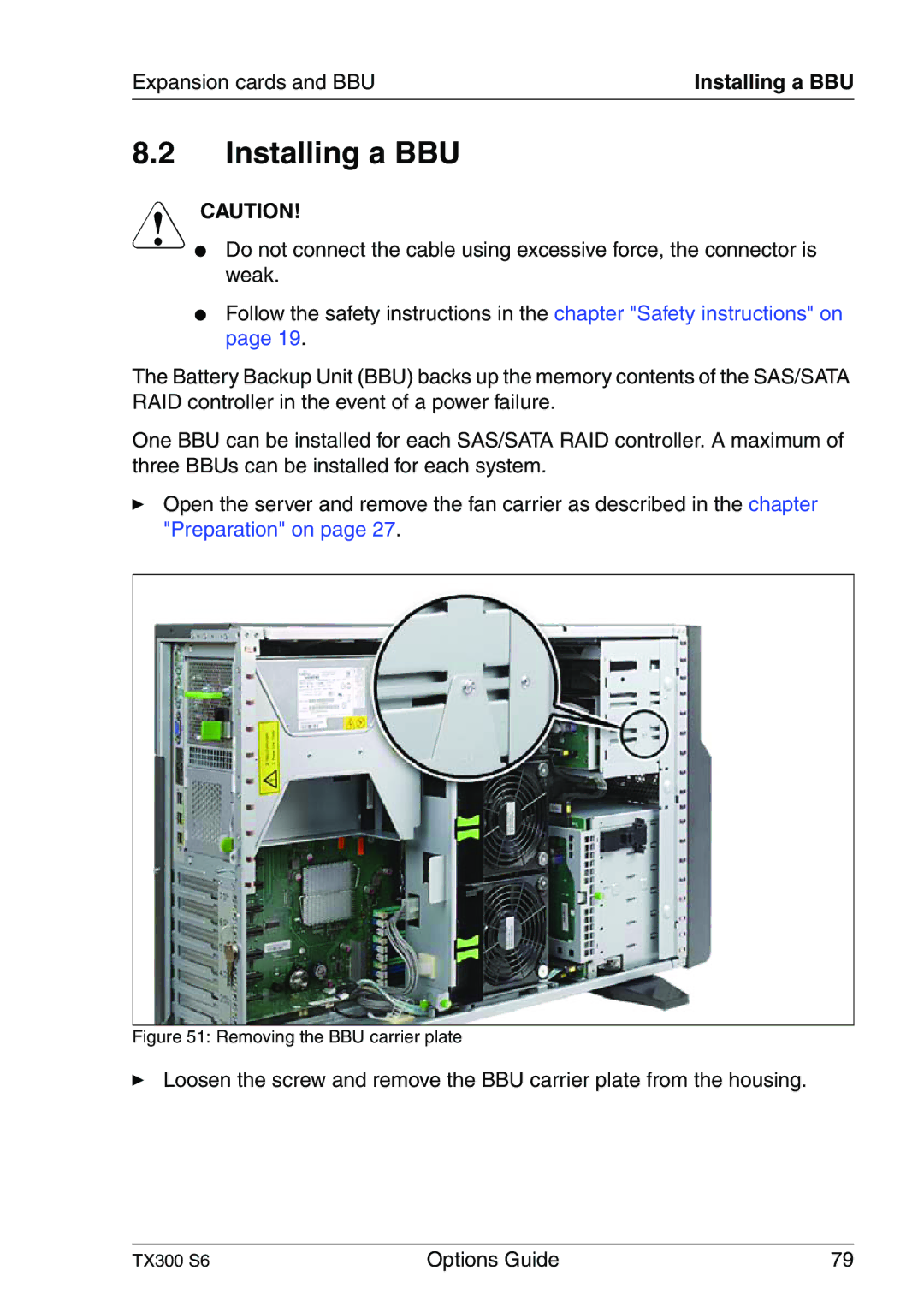
Figure 51: Removing the BBU carrier plate
ÊLoosen the screw and remove the BBU carrier plate from the housing.
TX300 S6 | Options Guide | 79 |