Getting Started
1.3A First Look at the Printer
1.3.1 Front View
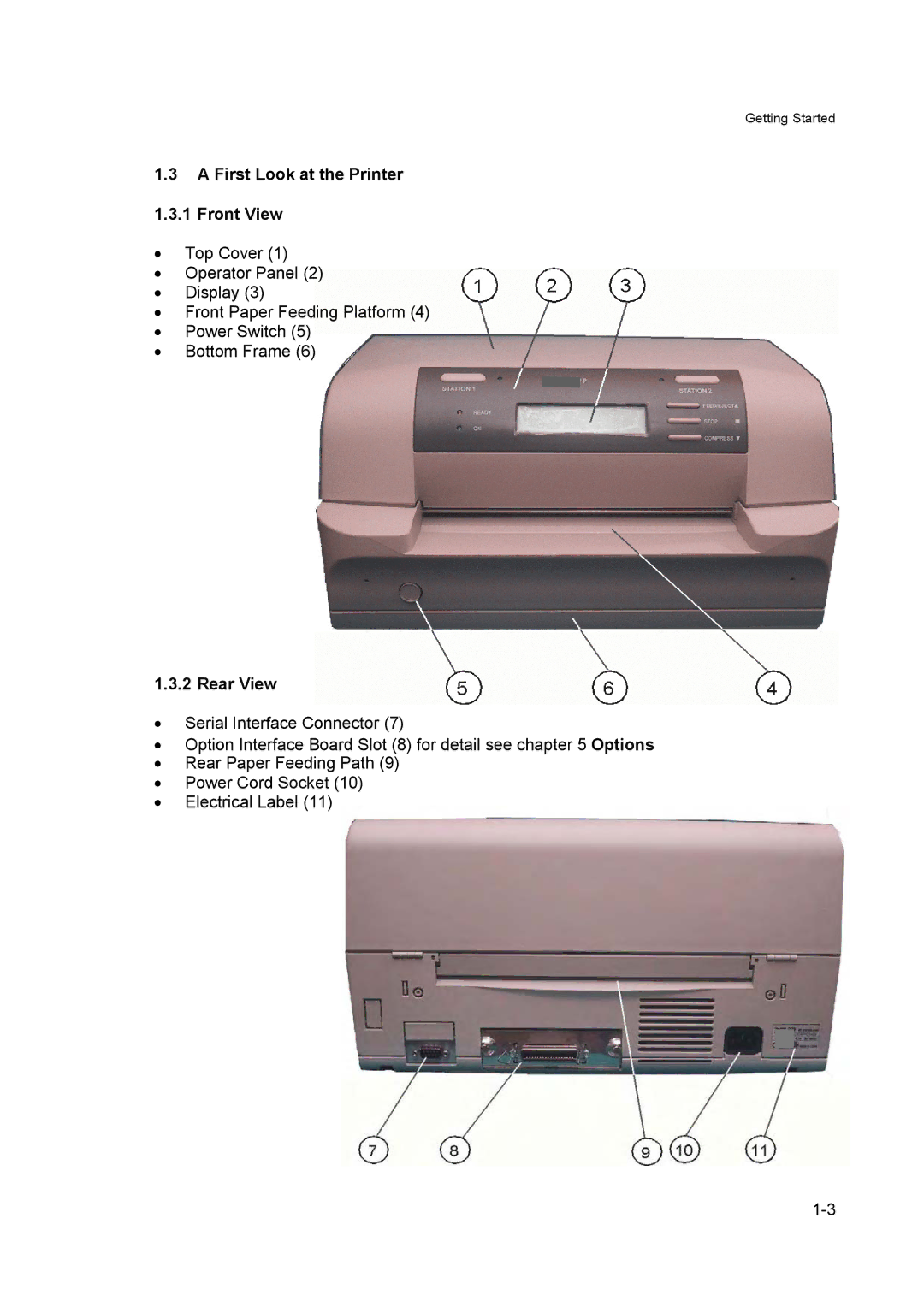
•Top Cover (1)
•Operator Panel (2)
•Display (3)
•Front Paper Feeding Platform (4)
•Power Switch (5)
•Bottom Frame (6)
1.3.2 Rear View
•Serial Interface Connector (7)
•Option Interface Board Slot (8) for detail see chapter 5 Options
•Rear Paper Feeding Path (9)
•Power Cord Socket (10)
•Electrical Label (11)