Inkjet Printer Scanner, Fax, Copier
About the User’s Guide
Contents
Quick Tour
Contents
Maintenance
Welcome Contents Identifying Parts
Introduction
Welcome
Fax
Print
Scan
Use Samsung SmarThru software
Contents
Identifying Parts
Document input support
Document guides
Automatic document feeder Document output support
Paper output tray Paper input tray Paper guides
Manual paper feeder
Identifying Printer Path Parts
Identifying Front Panel Features
Flash/Status
Start/Enter
Setting Up Your Machine
Choosing a Location
Preparing Your Machine for Use
Remove all tapes Remove all packing materials
Document Input Support
Attaching the Supports
Document Output Support
To a Wall Jack that Has Two Phone Lines on
Connecting to the Phone Line
To Connect to a Wall Jack that has Only One Phone Line
To Connect to a Wall Jack that Has Two Phone Lines
Plugging In the Power
Connecting to the Computer
To turn off, unplug the power cord
Loading Paper
14System Options’ on page 4.35. Getting Started
Installing Print Cartridges
Remove the print cartridges from their individual packages
Color cartridge
Getting Started
OLD Color select for the color cartridge you have used
Cartridge Alignment
Cartridge type Part number
Testing the Machine
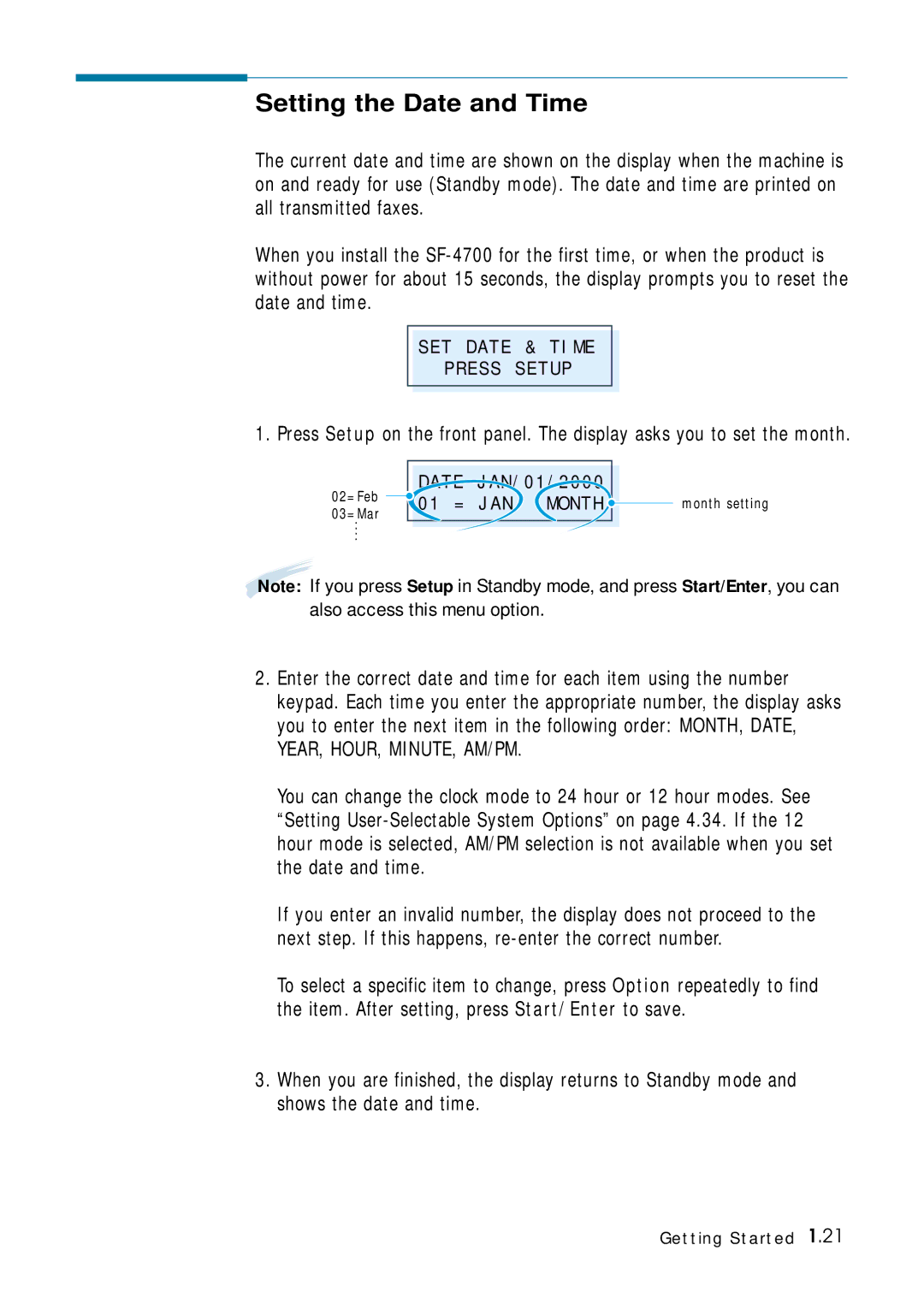
Setting the Date and Time
Setting Your Fax Number and Name
If there is a number already set, the number appears
Enter the telephone number your machine is connected to
If there is a name already set, the name appears
Memo
Samsung SmarThru
Samsung SmarThru
About Samsung SmarThru Software
MFP Driver
SmarThru Software
OCR Software AnyPage Lite
Acrobat Reader
Installing Software
Disk space 120 MB for installation
System Requirements
Memory 32 MB
Installing the Samsung Software
Click Install the Samsung Software on your PC
Compact Only the MFP driver will be installed
Configuring the Fax Gate on Your PC
SmarThru Add New Fax Modem dialog box appears. Click Next
When you are finished, click Finish
Configuring the Internet Gate on Your PC
Installing Samsung Software
Installing Samsung Software
Installing Samsung Software
Installing Bonus Software
Making Installation Diskettes
Click Install the Bonus Software on Your PC
Click Make your own Diskette set of software
Installing Software from Diskettes
Un-installing Samsung Software
When un-installation is done, click OK
Un-installing the MFP Driver
Start Windows if not already started
Un-installing the SmarThru Software
Select Samsung SmarThru, then select SmarThru 2 Uninstall
Installing Samsung Software
Click Uninstall the Samsung software on your PC
Using the SmarThru CD-ROM
Memo
Page
Dial the fax number on the number keypad
Sending a Fax
From the Front Panel
When the Scan Wizard window opens, select Scan to FAX
From the SmarThru Program
Faxing a Document
Button after the fax number Recipient list. Click Next
Quick Tour
Copying a Document
Scanning a Document
Double-click on the image to edit
Printing a Document
Page
Setting Up Stand- alone Fax System
Setting Ringer Volume
Setting the Default Resolution and Contrast
Use Lighten for documents with high contrast or dark images
Press Menu repeatedly to find ‘DEF. REDUC/ENLAR’
Setting Default Copy Options
Press Menu to find ‘DEF. COLLATE’
Setting Alert Tones
Setting Up the Drpd Distinctive Ring Pattern Detection
Stand-alone Fax
Sending a Fax
Preparing Documents for Faxing or Copying
Setting Document Resolution and Contrast
Resolution
Normal works well for normal documents
Contrast
Loading Documents
Canceling a Transmission
Sending a Fax Automatically
Confirming a Transmission
Automatic Redial
Sending a Fax After Talking
Last Number Redial
Receiving a Fax
About Reception Modes
Receiving Automatically in ANS/FAX Mode
Receiving Automatically in FAX Mode
Loading Paper for Receiving Faxes
When you receive a call, the answering machine will answer
Receiving Manually in TEL Mode Using an Extension Phone
Once again
Making a Copy
Copying Overview
Making a Single Copy
Copy quantity 1 to 99 copies of the document can be made
Using Advanced Copy Features
Stand-alone Fax
Automatic Dialing
How To Enter a Name Using the Number Keys
Entering Alphanumeric Characters
Keypad Character Assignments
One-Touch Dialing
For a longer pause, press Redial/Pause twice
Editing Name
Inserting a Pause While Entering a Number
Sending a Fax Using a One-Touch Number
When you have finished editing, press Start/Enter
Editing a Number for One-Touch Dialing
Using Address Label
Speed Dialing
Press and hold Speed for about 2 seconds
Enter the number you want to store, then press Start/Enter
If you do not want to assign a name, skip this step
Sending a Fax Using a Speed Number
Editing a Number for Speed Dialing
Searching for a Number in the Memory
Press Search/Delete on the front panel
Searching Sequentially through the Memory
Searching with a Particular First Letter
Advanced Fax
SF-4700 can be set to send a fax at a future time
Current 1030 AM
Memory Transmission
Polling
‘TO Poll RX Press START’
Group Dialing for Multi-Address Transmission
Press Start/Enter to confirm
Sending a Fax Using Group Dialing Multi-Address Transmission
Adding Documents To a Scheduled Operation
Additional Functions
Power Failure Report
System Data List
Schedule Job Information
Multi-Communication Report
Setting User-Selectable System Options
Enter the desired code 0 to 9 on the number keypad
Original Received data
Select on to enable. Select OFF to disable
Printing
Print Media
Selecting Print Media
What to Consider
Selecting Media Types
Get the Right Paper
Paper that Might Not Work
Other Custom Size
Selecting Media Sizes
Using the Automatic Paper Feeder
Tray
For paper
Prepare the print material for loading
For transparencies
Load a stack of envelopes with the flap up and to the right
Print Side Down
Using the Manual Feeder
Specialty Paper Guidelines
Printing
Select your printer
Natural Color Produces natural color printing
What is Halftone?
For advanced image quality, click the Advanced tab
Select the Samsung SF-4700 Series
Canceling a Print Job
Printing Help
Creative Printing
Duplex Printing
Choose Long Edge Binding or Short Edge Binding
What if both pages printed on one side of the paper?
Printing Several Pages Per Sheet
What if the ink smeared?
Printing
Printing Posters
Click OK to start printing
Printing Booklets
Print the document
Select a paper size from the Paper Size box
Fold and staple the pages
Printing Iron-On Transfers
Here’s How You Do It
Accessing Samsung-4700 Series Printer Control Program
Using Printer Control Program
Printer Control Program
Using the Status Tab
Using the Options Tab
Using the About Tab
Using the Cartridges Tab
This tab allows you to choose cartridge options
Caring for Your Print Cartridges
Guidelines for Maintenance
Caring for Your Print Cartridges
Maintaining the Print Cartridges
Cleaning the Print Cartridges
There are two methods to clean the print cartridges
Clean the print cartridge nozzles
Printing a Cleaning Page from the SF-4700
Printing a Cleaning Page from Your Computer
Click Clean Print Nozzles from the Cartridges tab
Start Windows, if not already started
Cleaning the Print Cartridge Nozzles
Nozzle plate
Aligning the Print Cartridges
Aligning Print Cartridges from the SF-4700
When the procedure is finished, click OK
Aligning Print Cartridges from the Computer
Press Cartridge on the front panel
Replacing the Print Cartridges
Replacing Print Cartridges from the SF-4700
Maintenance
Replacing Print Cartridges from the Control Program
Maintenance
Clearing Memory
Caring for Your Machine
Start/Enter
Adjusting Shading
Cleaning the Document Scanner
Maintenance
Page
Clearing Jams
Document Jams While Sending a Fax
If Jammed in the Paper Input Tray
Paper Jams While the Machine is Printing
If Jammed in the Manual Paper Feeder
Close the rear door
If Jammed in the Paper Output Area
If Jammed Inside the Machine
Tips for Avoiding Paper Jams
LCD Error Messages
When setting up to poll Enter the correct poll code
Restored
Problem with the facsimile
Respond to your poll
Fax Problems
Check your scan glass for marks, and clean it
Memory, then restore the document
You cannot poll another
Machine Code
Jobs. Retry when the current printing is finished
After receiving a PC fax
Data, it is not printed
Immediately
Printer Problems
Software paper size settings
Setting in the Printer Properties dialogue box
Setting from the available choices
If possible
Coated Paper
Print Quality Problems
Effect, the scanner unit may need service
Change the Print Quality to a higher resolution
Paper over and printing on the other side
Let the ink dry before handling the paper
Is skewed
Printout is curled
Will cause the paper to curl
Also, rotate the paper 180 in the tray
Scanning Problems
Documentation that came with your computer
Screen
Current job is complete, try again
Under Program Manager
Connected, power is on
Halftone or B/W when selecting scan options
Image Product specifications
Restart your computer
OCR Problems
Connecting Other Device to Phone Line Specifications
Connecting Other Devices to the Phone Line
Deciding What to Connect
Special Situations
Connecting Other Devices, Overview
Specifications
Front to Front
Printer
Consumables
Fax
Scanner
General
Safety Informations
Important Precautions and Safety Information
Case of Interference
Fax Branding
Telephone Company Information
FCC Identification Number
Index
See driver
OCR
Electronics