AXIS 5400 User’s Manual | Section 9: Management & Configuration | 97 |
|
|
|
Section 9 Management & Configuration
The management and configuration tools that are supported by the
AXIS 5400 allows you to:
•Change the print server parameters, i.e. editing the config file
•Receive extended information about the print jobs
•Receive printer port status
•Monitor your printers
•Reset the AXIS 5400
•Upgrade the AXIS 5400 firmware (Refer to Section 11 Upgrading the Software, on page 133)
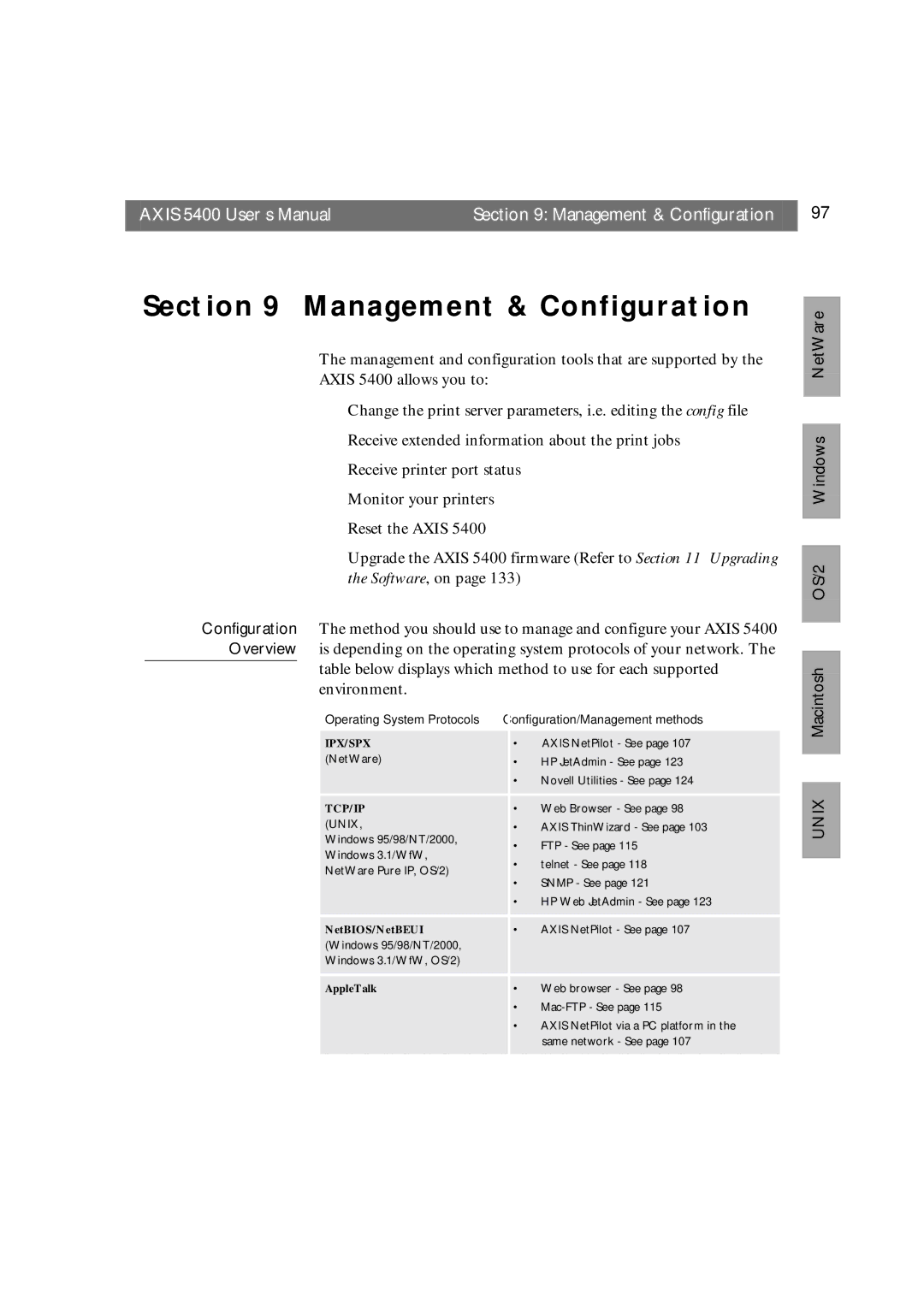
Configuration The method you should use to manage and configure your AXIS 5400 Overview is depending on the operating system protocols of your network. The
table below displays which method to use for each supported environment.
Operating System Protocols |
| Configuration/Management methods | |
IPX/SPX |
| • | AXIS NetPilot - See page 107 |
(NetWare) |
| • | HP JetAdmin - See page 123 |
|
| • | Novell Utilities - See page 124 |
|
|
|
|
|
|
|
|
TCP/IP |
| • | Web Browser - See page 98 |
(UNIX, |
| • | AXIS ThinWizard - See page 103 |
Windows 95/98/NT/2000, |
| • | FTP - See page 115 |
Windows 3.1/WfW, |
| ||
| • | telnet - See page 118 | |
NetWare Pure IP, OS/2) |
| ||
| • | SNMP - See page 121 | |
|
| ||
|
| • | HP Web JetAdmin - See page 123 |
|
|
|
|
|
|
|
|
NetBIOS/NetBEUI |
| • | AXIS NetPilot - See page 107 |
(Windows 95/98/NT/2000, |
|
|
|
Windows 3.1/WfW, OS/2) |
|
|
|
|
|
|
|
|
|
|
|
AppleTalk |
| • | Web browser - See page 98 |
|
| • | |
|
| • | AXIS NetPilot via a PC platform in the |
|
|
| same network - See page 107 |
|
|
|
|
OS/2 Windows NetWare
UNIX Macintosh