AirCard 555 Network Card User Guide
Connection Status Area
Call Status Area
Indicator Area
38
Components of the Watcher Window
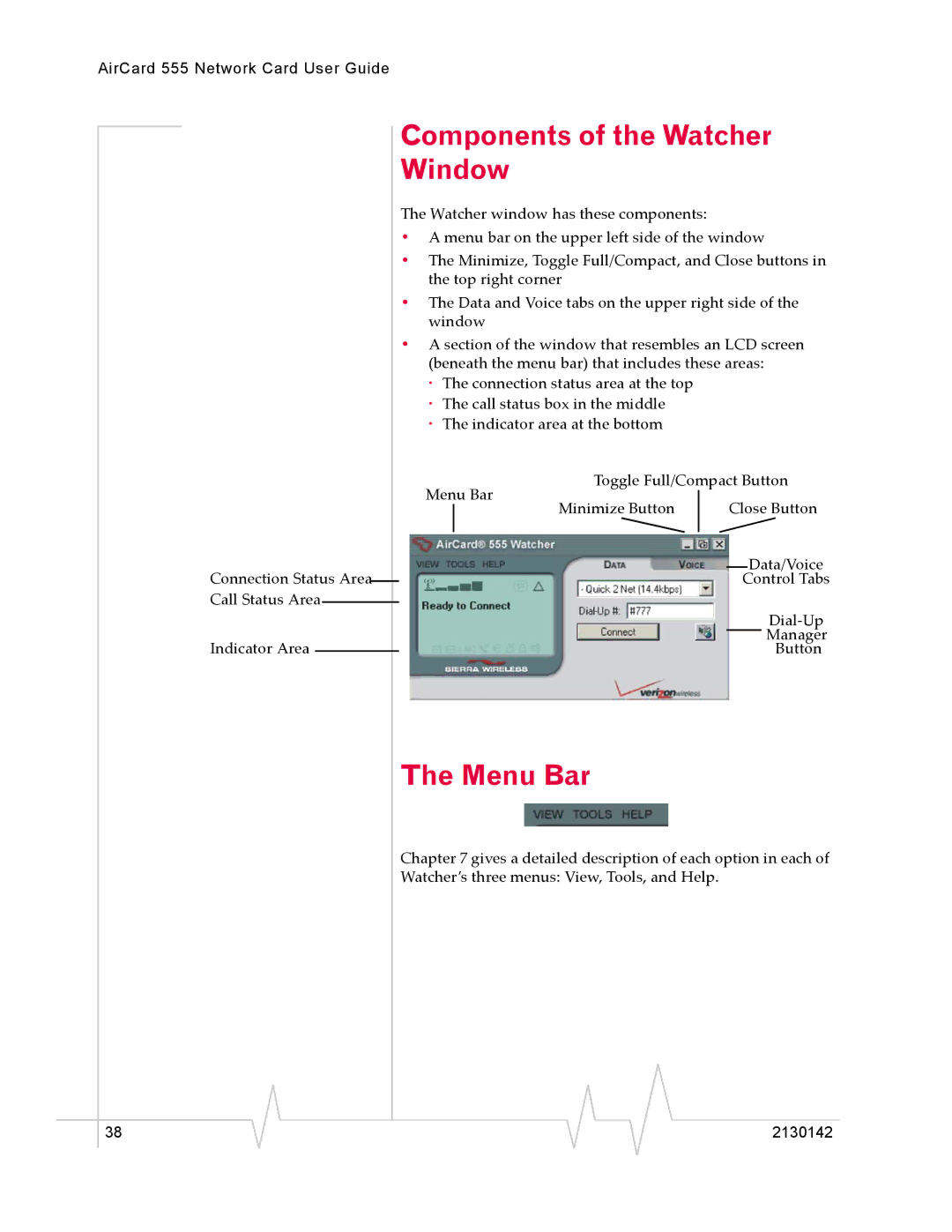
The Watcher window has these components:
•A menu bar on the upper left side of the window
•The Minimize, Toggle Full/Compact, and Close buttons in the top right corner
•The Data and Voice tabs on the upper right side of the window
•A section of the window that resembles an LCD screen (beneath the menu bar) that includes these areas:
·The connection status area at the top
·The call status box in the middle
·The indicator area at the bottom
Toggle Full/Compact Button
Menu Bar
Minimize Button | Close Button |
Data/Voice
Control Tabs
Manager
Button
The Menu Bar
Chapter 7 gives a detailed description of each option in each of Watcher’s three menus: View, Tools, and Help.
2130142