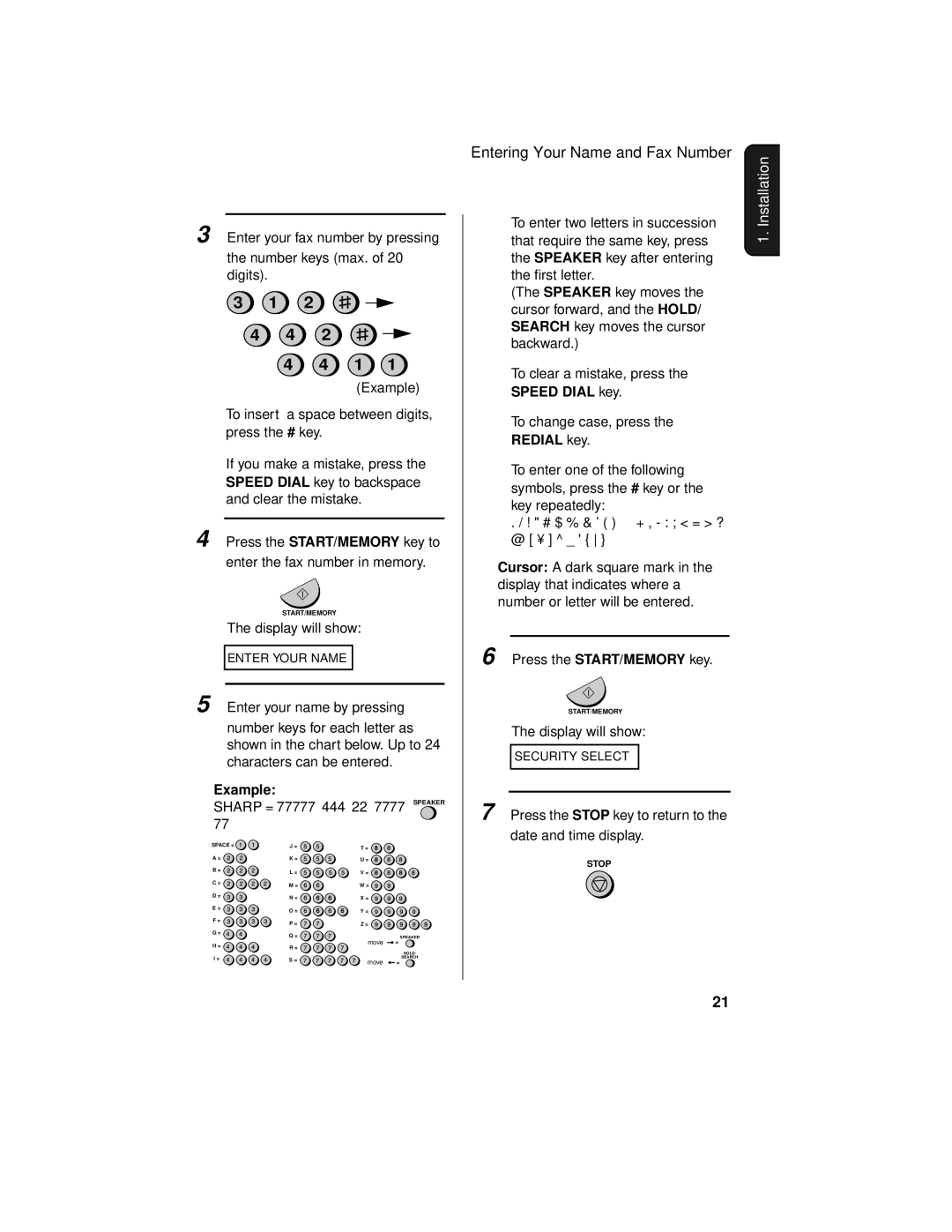
3 Enter your fax number by pressing
the number keys (max. of 20 digits).
3 1 2
4 4 2
4 4 1 1
(Example)
•To insert a space between digits, press the # key.
•If you make a mistake, press the SPEED DIAL key to backspace and clear the mistake.
4 Press the START/MEMORY key to enter the fax number in memory.
START/MEMORY
The display will show:
ENTER YOUR NAME
5 Enter your name by pressing
number keys for each letter as shown in the chart below. Up to 24 characters can be entered.
Example:
SHARP = 77777 444 22 7777 SPEAKER 77
SPACE = | J = | T = |
|
|
|
| |
A = | K = | U = |
|
B = | L = | V = |
|
|
| ||
C = | M = | W = |
|
|
| ||
D = | N = | X = |
|
|
| ||
E = | O = | Y = |
|
|
| ||
F = | P = | Z = |
|
|
| ||
G = | Q = |
| SPEAKER |
| move | ||
H = | R = | = | |
|
| ||
|
|
| |
I = |
|
| HOLD/ |
S = | move | SEARCH | |
| = |
Entering Your Name and Fax Number
♦To enter two letters in succession that require the same key, press the SPEAKER key after entering the first letter.
(The SPEAKER key moves the cursor forward, and the HOLD/ SEARCH key moves the cursor backward.)
♦To clear a mistake, press the SPEED DIAL key.
♦To change case, press the REDIAL key.
♦To enter one of the following symbols, press the # key or the * key repeatedly:
. / ! " # $ % & ’ ( ) + + ,
Cursor: A dark square mark in the display that indicates where a number or letter will be entered.
6 Press the START/MEMORY key.
START/MEMORY
The display will show:
SECURITY SELECT
7 Press the STOP key to return to the date and time display.
STOP
1. Installation
21