4. Sending Documents
Transmittable Documents
Size and weight
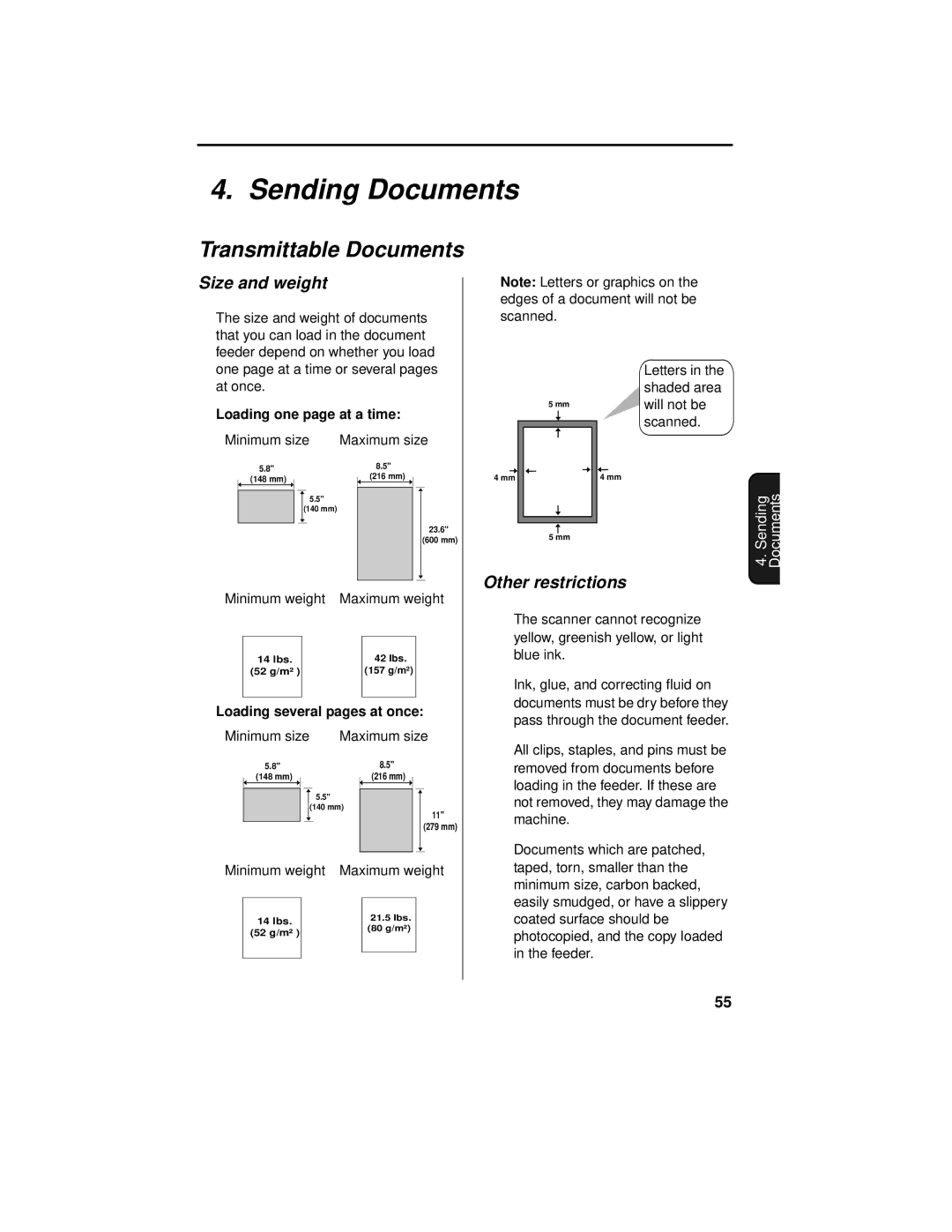
The size and weight of documents that you can load in the document feeder depend on whether you load
Note: Letters or graphics on the edges of a document will not be scanned.
one page at a time or several pages at once.
Loading one page at a time:
Minimum size Maximum size
5.8" | 8.5" | |||||
|
|
|
|
| (216 mm) | |
(148 mm) |
|
|
|
|
| |
5.5" (140 mm)
23.6" (600 mm)
5 mm
4 mm
5 mm
Letters in the shaded area will not be scanned.
4 mm
4. Sending Documents
Minimum weight | Maximum weight | ||||
|
|
|
|
| |
| 14 lbs. |
|
| 42 lbs. |
|
| (52 g/m² ) |
|
| (157 g/m²) |
|
|
|
|
|
|
|
Loading several pages at once:
Minimum size | Maximum size | |||||||
5.8" |
|
| 8.5" |
|
|
| ||
| (148 mm) |
|
| (216 mm) |
|
|
| |
|
|
|
|
|
|
|
|
|
5.5" (140 mm)
11" (279 mm)
Minimum weight | Maximum weight | ||||
|
|
|
|
| |
| 14 lbs. |
|
| 21.5 lbs. |
|
| (52 g/m² ) |
|
| (80 g/m²) |
|
|
|
|
|
| |
|
|
|
|
|
|
|
|
|
|
|
|
Other restrictions
♦The scanner cannot recognize yellow, greenish yellow, or light blue ink.
♦Ink, glue, and correcting fluid on documents must be dry before they pass through the document feeder.
♦All clips, staples, and pins must be removed from documents before loading in the feeder. If these are not removed, they may damage the machine.
♦Documents which are patched, taped, torn, smaller than the minimum size, carbon backed, easily smudged, or have a slippery coated surface should be photocopied, and the copy loaded in the feeder.
55