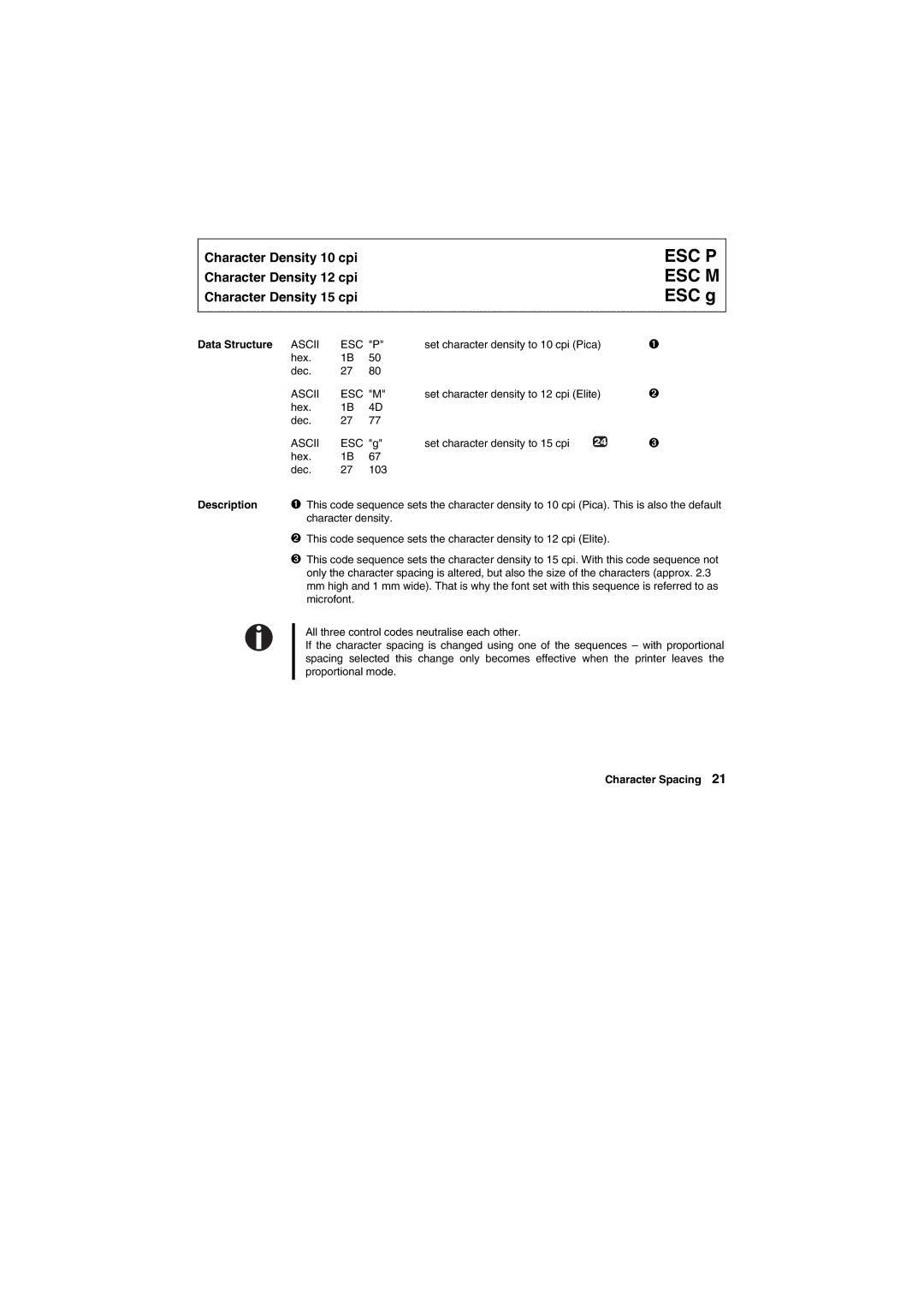
Character Density 10 cpi
Character Density 12 cpi
Character Density 15 cpi
ESC P ESC M ESC g
Data Structure ASCII | ESC "P" | set character density to 10 cpi (Pica) | ➊ | |
hex. | 1B | 50 |
|
|
dec. | 27 | 80 |
|
|
ASCII | ESC "M" | set character density to 12 cpi (Elite) | ➋ | |
hex. | 1B | 4D |
|
|
dec. | 27 | 77 |
|
|
ASCII | ESC "g" | set character density to 15 cpi | ➌ | |
hex. | 1B | 67 |
|
|
dec. | 27 | 103 |
|
|
Description ➊ This code sequence sets the character density to 10 cpi (Pica). This is also the default character density.
➋This code sequence sets the character density to 12 cpi (Elite).
➌This code sequence sets the character density to 15 cpi. With this code sequence not only the character spacing is altered, but also the size of the characters (approx. 2.3 mm high and 1 mm wide). That is why the font set with this sequence is referred to as microfont.
All three control codes neutralise each other.
If the character spacing is changed using one of the sequences – with proportional spacing selected this change only becomes effective when the printer leaves the proportional mode.