7. Setup
7-7.3. Port
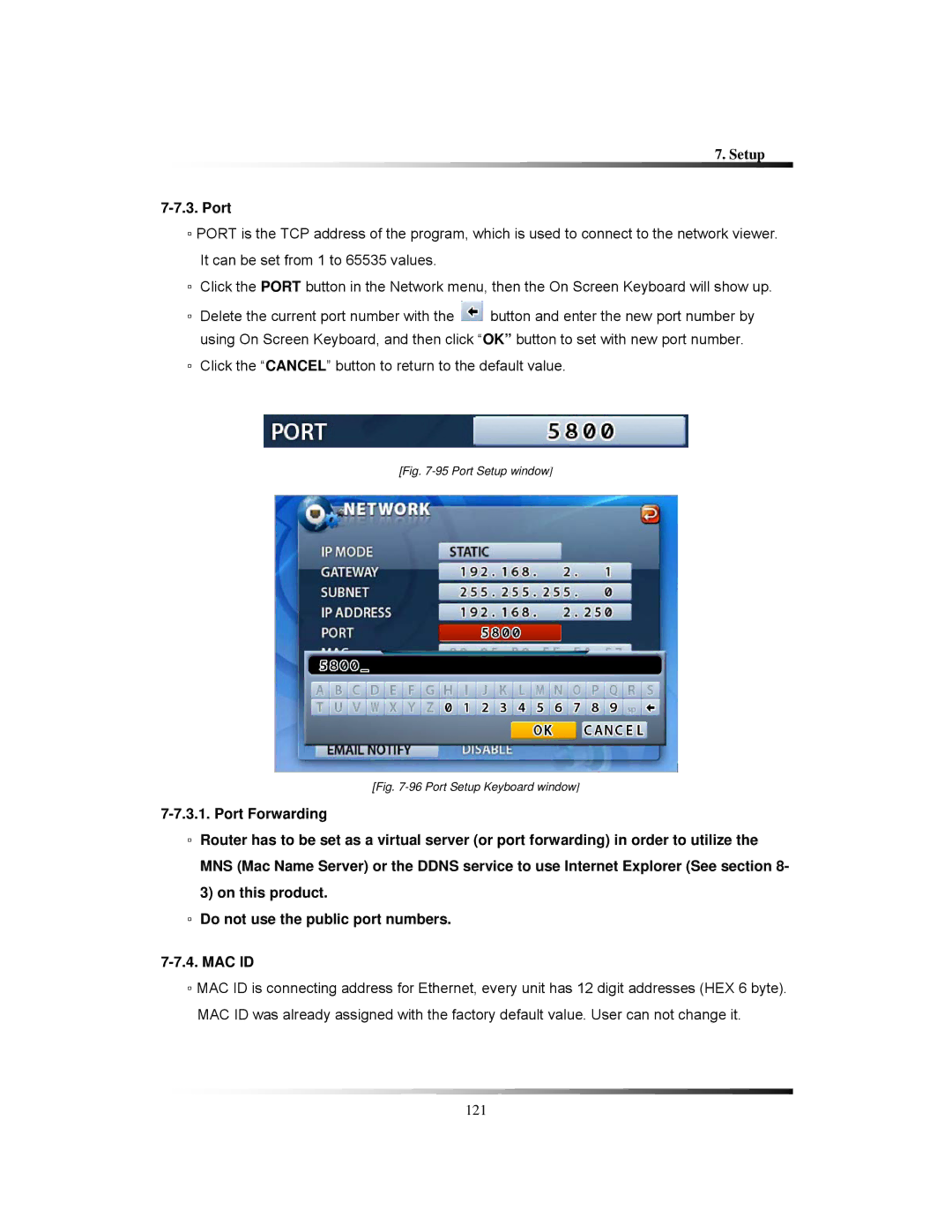
▫PORT is the TCP address of the program, which is used to connect to the network viewer. It can be set from 1 to 65535 values.
▫Click the PORT button in the Network menu, then the On Screen Keyboard will show up.
▫Delete the current port number with the  button and enter the new port number by using On Screen Keyboard, and then click “OK” button to set with new port number.
▫Click the “CANCEL” button to return to the default value.
[Fig. 7-95 Port Setup window]
[Fig. 7-96 Port Setup Keyboard window]
▫Router has to be set as a virtual server (or port forwarding) in order to utilize the MNS (Mac Name Server) or the DDNS service to use Internet Explorer (See section 8- 3) on this product.
▫Do not use the public port numbers.
▫MAC ID is connecting address for Ethernet, every unit has 12 digit addresses (HEX 6 byte). MAC ID was already assigned with the factory default value. User can not change it.
121