7. Setup
7-2.2. LANGUAGE
▫Click the “LANGUAGE” button in the SYSTEM menu, then the LANGUAGE submenu will display.
▫Select English or Spanish by clicking the mouse.
▫Click the  “EXIT” button to return to the SYSTEM menu.
[Fig. 7-6 LANGUAGE button]
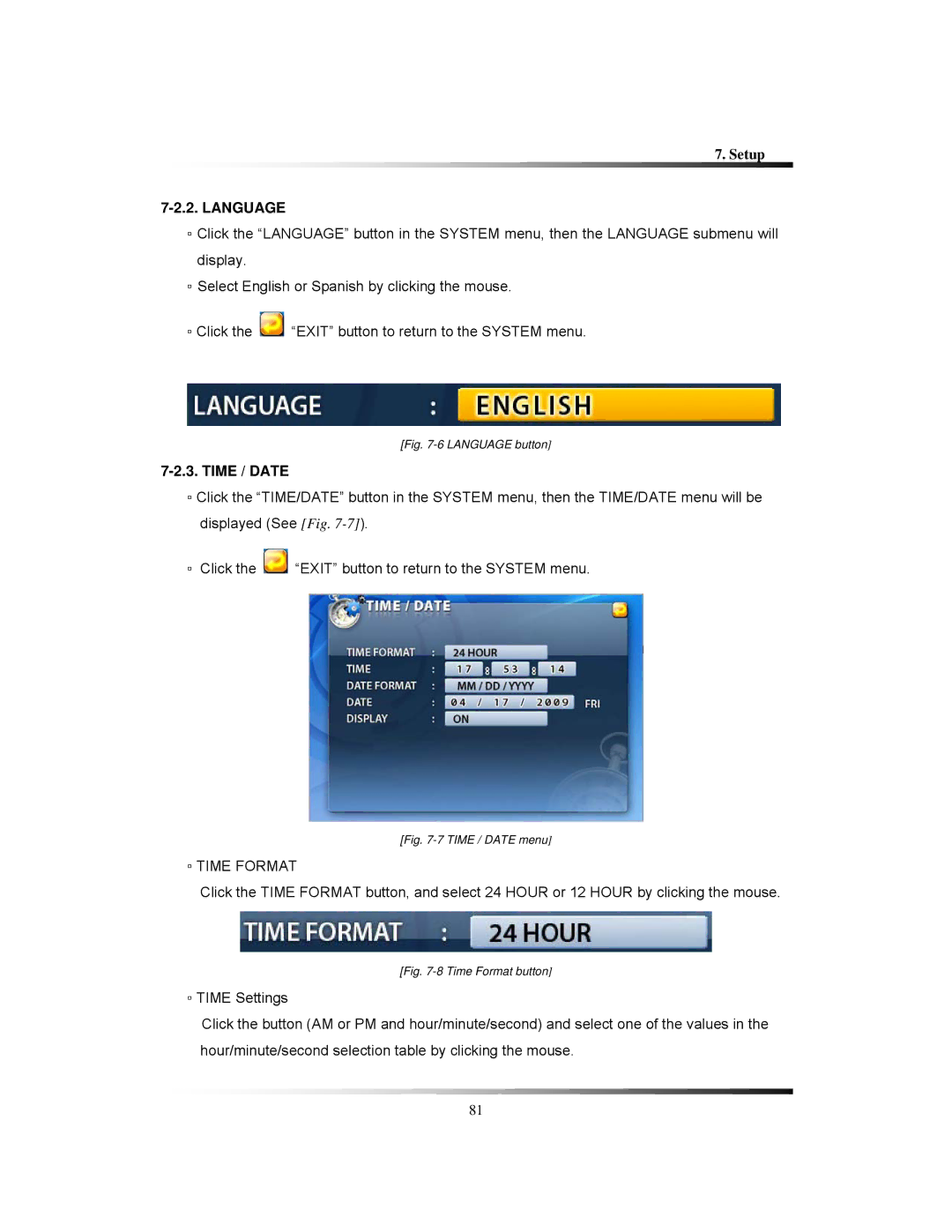
7-2.3. TIME / DATE
▫Click the “TIME/DATE” button in the SYSTEM menu, then the TIME/DATE menu will be displayed (See [Fig.
▫Click the  “EXIT” button to return to the SYSTEM menu.
[Fig. 7-7 TIME / DATE menu]
▫TIME FORMAT
Click the TIME FORMAT button, and select 24 HOUR or 12 HOUR by clicking the mouse.
[Fig. 7-8 Time Format button]
▫TIME Settings
Click the button (AM or PM and hour/minute/second) and select one of the values in the hour/minute/second selection table by clicking the mouse.
81