Stand-alone DVR Instruction Manual

6-10.2.1. Playback Devices

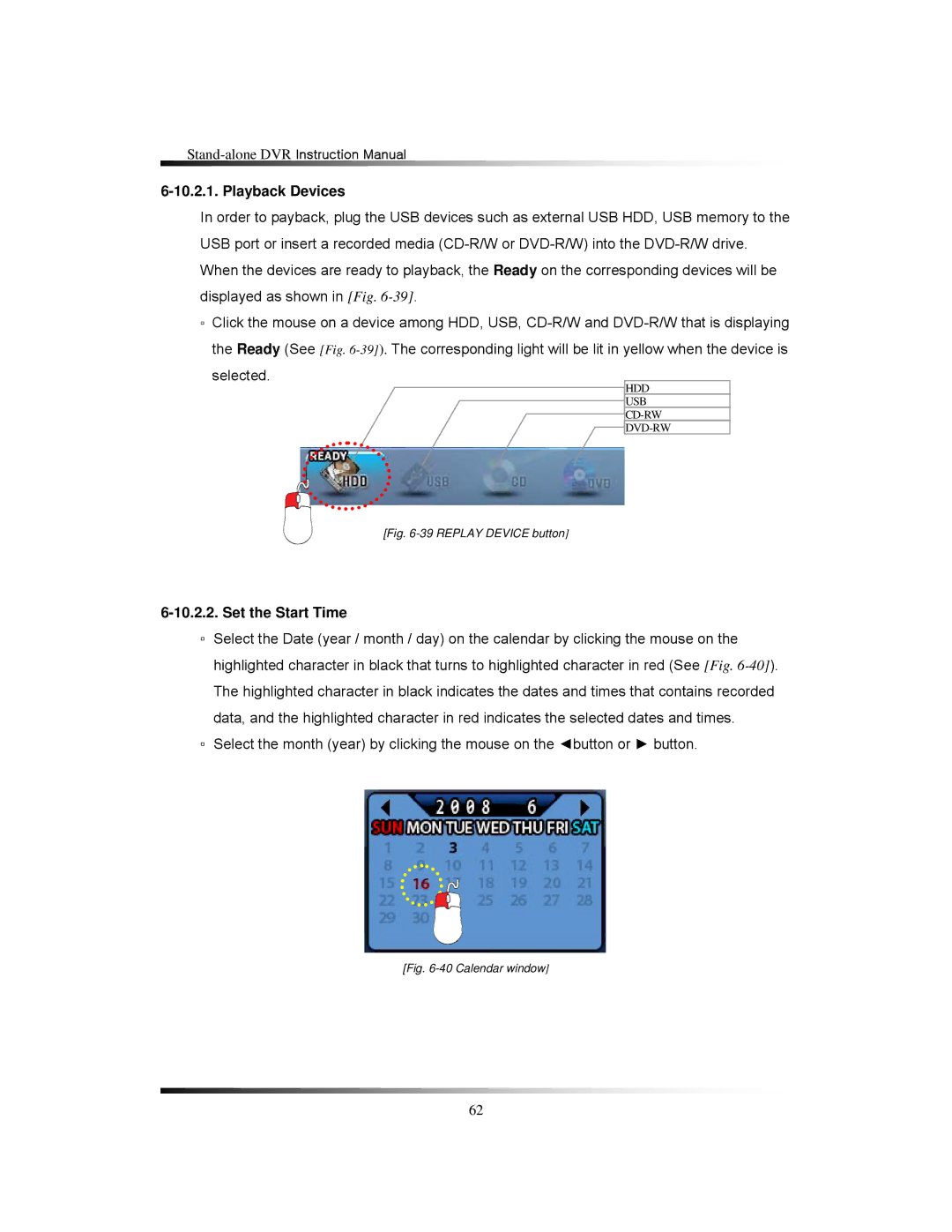
In order to payback, plug the USB devices such as external USB HDD, USB memory to the USB port or insert a recorded media (CD-R/W or DVD-R/W) into the DVD-R/W drive. When the devices are ready to playback, the Ready on the corresponding devices will be displayed as shown in [Fig. 6-39].

▫Click the mouse on a device among HDD, USB, CD-R/W and DVD-R/W that is displaying the Ready (See [Fig. 6-39]).The corresponding light will be lit in yellow when the device is selected.

HDD

USB

CD-RW

DVD-RW

[Fig. 6-39 REPLAY DEVICE button]

6-10.2.2. Set the Start Time

▫Select the Date (year / month / day) on the calendar by clicking the mouse on the highlighted character in black that turns to highlighted character in red (See [Fig. 6-40]). The highlighted character in black indicates the dates and times that contains recorded data, and the highlighted character in red indicates the selected dates and times.

▫Select the month (year) by clicking the mouse on the ◄button or ► button.

[Fig. 6-40 Calendar window]

62
Page 62
Image 62
Clover Electronics LCD2088, LCD2084 instruction manual Playback Devices, Set the Start Time