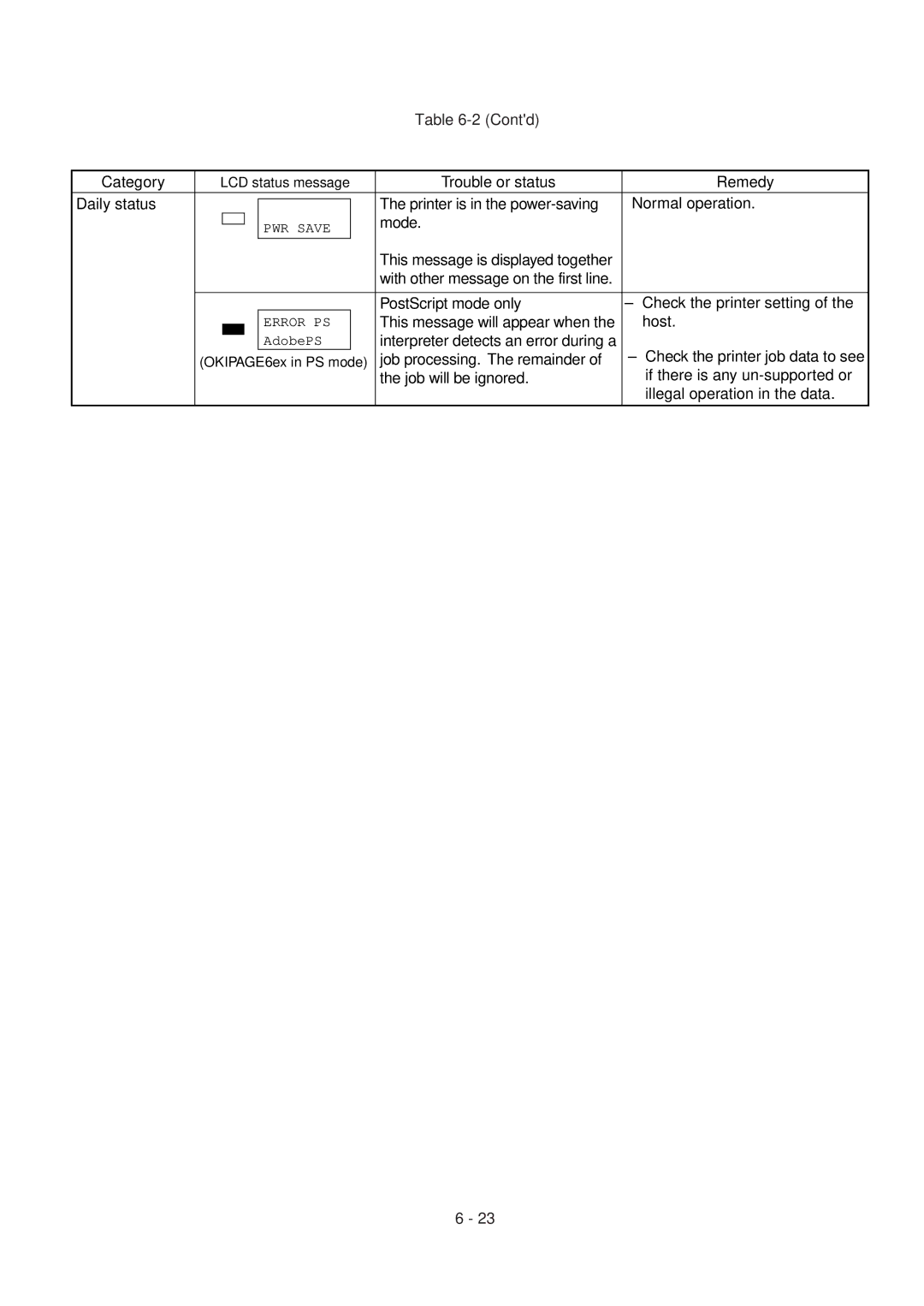
Table 6-2 (Cont'd)
Category | LCD status message | Trouble or status |
| Remedy | ||||
Daily status |
|
|
|
|
| The printer is in the | Normal operation. | |
|
|
|
|
| ||||
|
|
|
| PWR SAVE |
| mode. |
|
|
|
|
|
|
|
|
| ||
|
|
|
|
|
|
|
| |
|
|
|
|
|
| This message is displayed together |
|
|
|
|
|
|
|
|
|
| |
|
|
|
|
|
| with other message on the first line. |
|
|
|
|
|
|
|
|
|
|
|
|
|
|
|
|
| PostScript mode only | – | Check the printer setting of the |
|
|
|
| ERROR PS |
| This message will appear when the |
| host. |
|
|
|
| |||||
|
|
|
| AdobePS |
| interpreter detects an error during a | – | Check the printer job data to see |
| (OKIPAGE6ex in PS mode) | job processing. The remainder of | ||||||
|
|
|
|
|
| the job will be ignored. |
| if there is any |
|
|
|
|
|
|
|
| illegal operation in the data. |
6 - 23