Functional Programming
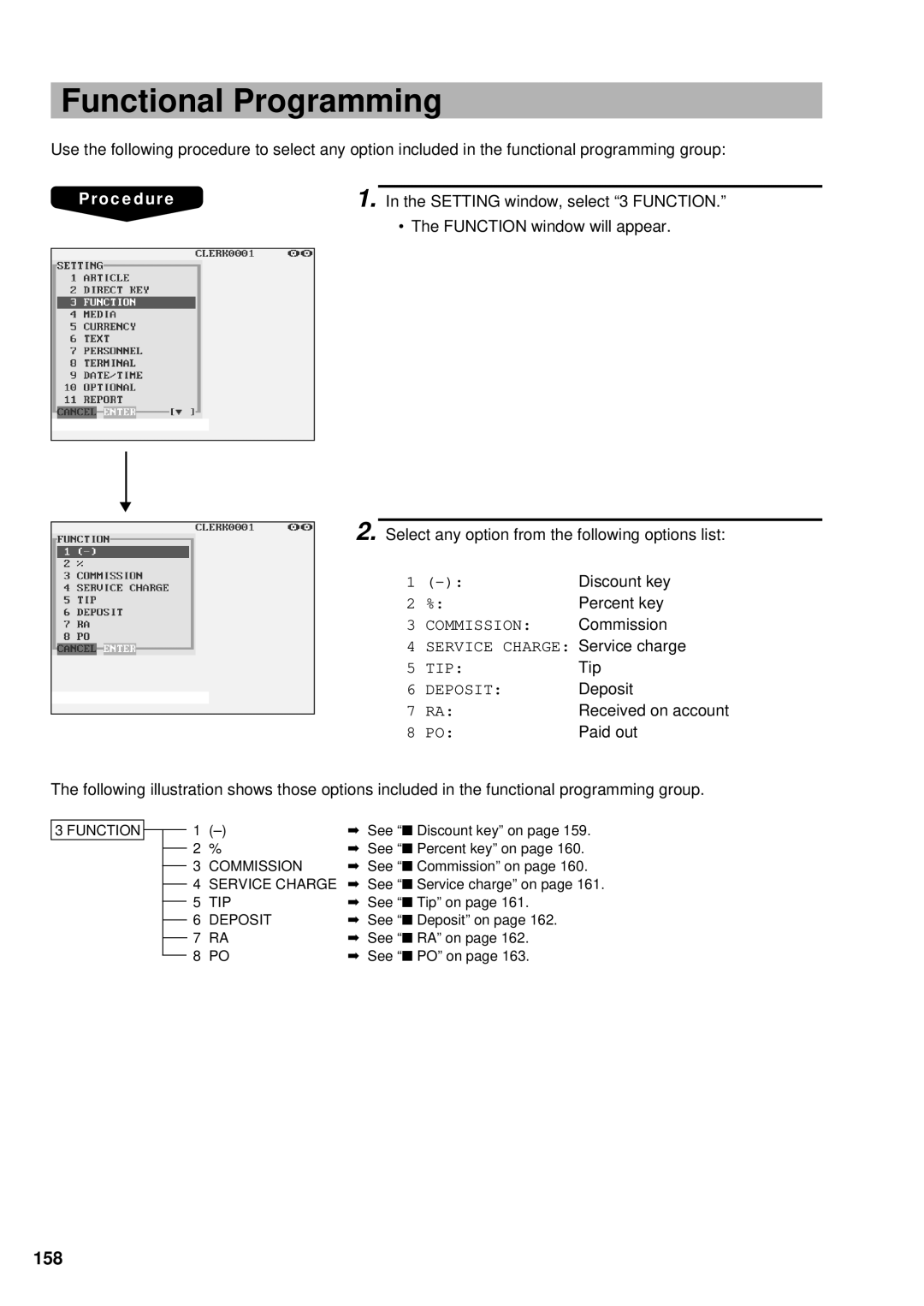
Use the following procedure to select any option included in the functional programming group:
|
|
|
Procedure | 1. In the SETTING window, select “3 FUNCTION.” | |
|
| • The FUNCTION window will appear. |
|
|
|
|
|
|
▼
2. Select any option from the following options list:
1 | Discount key | |
2 | %: | Percent key |
3 | COMMISSION: | Commission |
4 | SERVICE CHARGE: | Service charge |
5 | TIP: | Tip |
6 | DEPOSIT: | Deposit |
7 | RA: | Received on account |
8 | PO: | Paid out |
The following illustration shows those options included in the functional programming group.
3 FUNCTION |
|
|
|
| 1 | ➡ See “■ Discount key” on page 159. | |
|
|
|
| ||||
|
|
|
| 2 | % | ➡ See “■ Percent key” on page 160. | |
|
|
|
| ||||
|
|
| 3 | COMMISSION | ➡ See “■ Commission” on page 160. | ||
|
|
| |||||
|
|
| 4 | SERVICE CHARGE | ➡ See “■ Service charge” on page 161. | ||
|
|
| |||||
|
|
| 5 | TIP | ➡ See “■ Tip” on page 161. | ||
|
|
| |||||
|
|
| 6 | DEPOSIT | ➡ See “■ Deposit” on page 162. | ||
|
|
| |||||
|
|
| 7 | RA | ➡ See “■ RA” on page 162. | ||
|
|
| |||||
|
|
| 8 | PO | ➡ See “■ PO” on page 163. | ||
|
|
| |||||