15Electronic Journal/Data Clear
■Electronic journal
This function is intended to record the journal data in the electronic journal file (memory) instead of journal paper. For details, contact your authorized SHARP dealer.
●Recording data
The POS terminal records the printing output to the journal printer in REG, PGM1, PGM2, X1/Z1, and X2/ Z2 modes into the electronic journal file.
●Reporting (X report)
The POS terminal reports the journal data (same as normal journal formats) in the electronic journal file by the report printer or the display.
Operation: Select the reading operation “E.JOURNAL” in X1/Z1 mode.
It is possible to take filter functions (consecutive no./date/clerk code).
Consecutive no.: ALL or RANGE (designate start no./end no.)
Date: | ALL or RANGE (designate start date/end date) |
Clerk code: | ALL or INDIVIDUAL (designate clerk code) |
●Resetting (Z report)
It is possible to take the resetting report of the journal data (same as normal journal formats) in the electronic journal file by the report printer.
Operation: Select the resetting operation “E.JOURNAL” in X1/Z1 mode.
The filter function (consecutive no./date/clerk code) can not be used (always “ALL”).
■Data clear
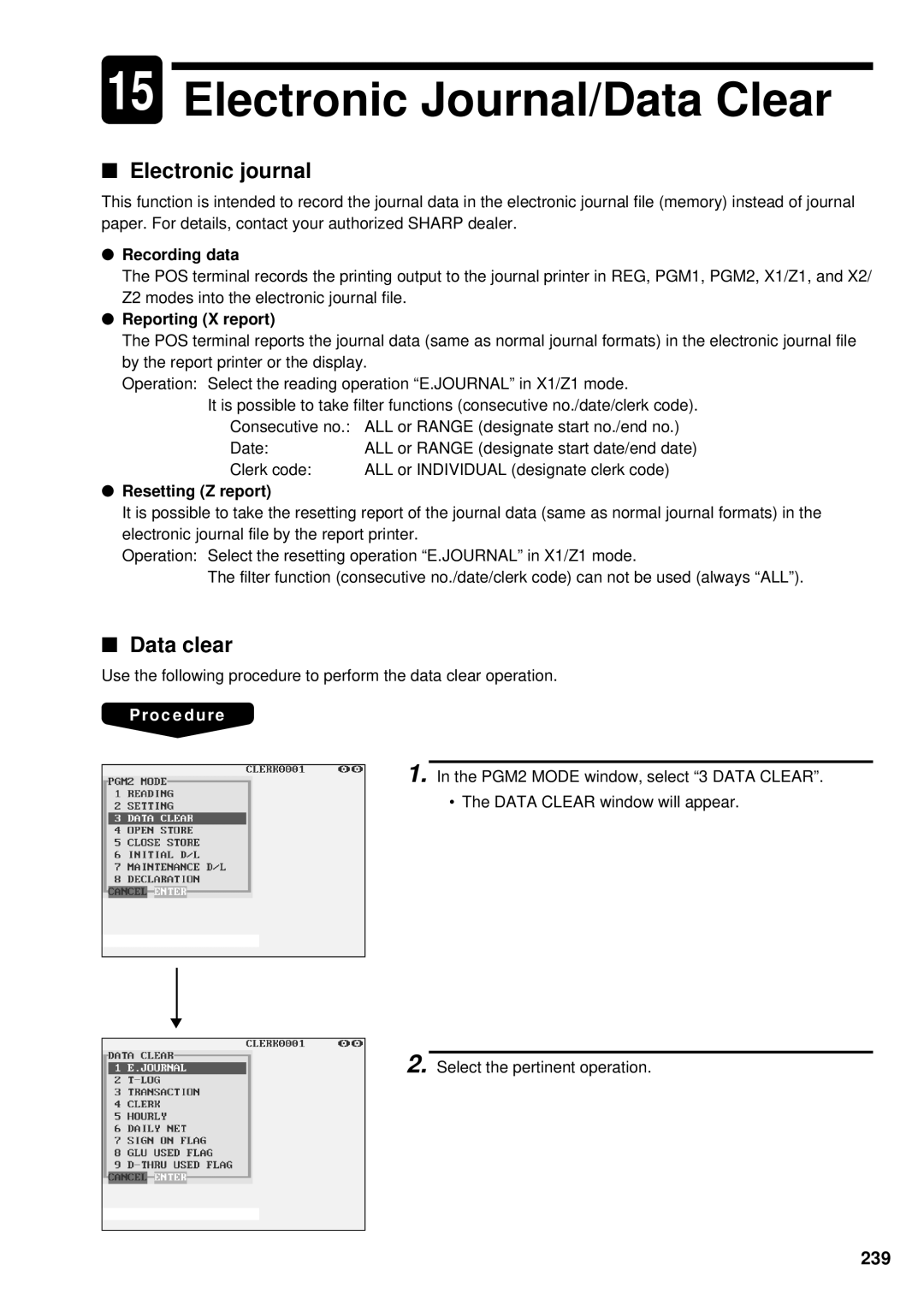
Use the following procedure to perform the data clear operation.
Procedure
1. In the PGM2 MODE window, select “3 DATA CLEAR”.
• The DATA CLEAR window will appear.
▼
2. Select the pertinent operation.