GS-TD1
Table of Contents
Maintenance
Specifications
Charging
Recording
Playback
Shooting Tips
Holiday Season/Christmas
Wedding
Discussing and Planning Before the Event
Closing Up on the Brides Face During the Thank You Speech
Advanced Operation with Two Camcorders
Travel
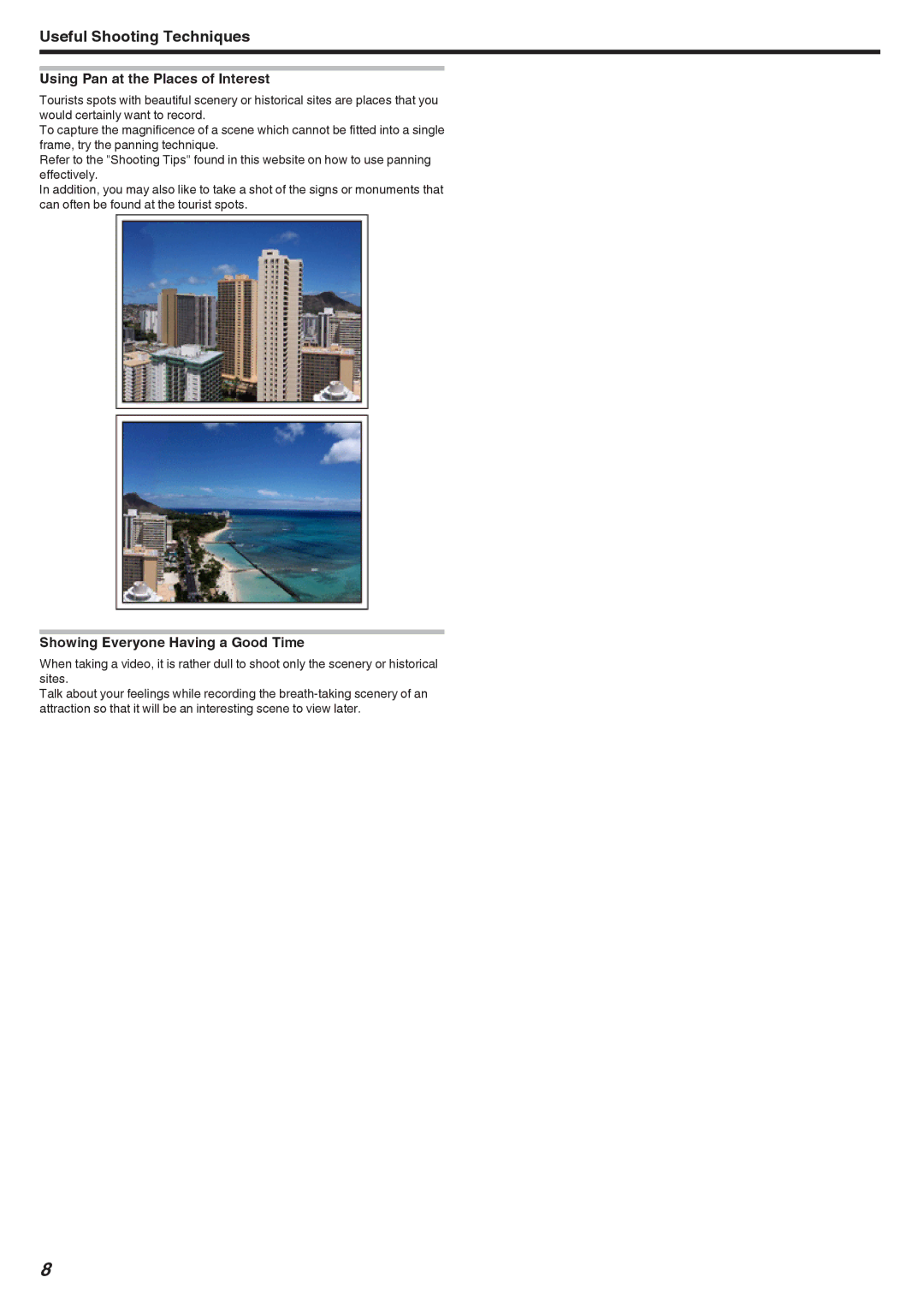
Using Pan at the Places of Interest
Showing Everyone Having a Good Time
Amusement Park
Advanced Operation with Backlight Compensation
Without backlight compensation With backlight compensation
Precautions on Recording and Playing Back 3D Images
Recording 3D Images
TV Size Recommended Distance
3D Display on the LCD Monitor
3D Effect Mechanism
Verifying the Accessories
Illustration
AP-V20U
BN-VF815U
Getting Started
Approximate Battery Charging Time Using AC Adapter
Charging the Battery Pack
Detaching the Battery Pack
Grip Adjustment
Inserting an SD Card
When your computer cannot recognize the Sdxc card
Removing the Card
Types of Usable SD Card
SD Card
Using the Touch Screen
Names of Buttons and Functions on the LCD Monitor
Recording Screen Video/Still Image
Playback Screen Video
Menu Screen
Clock Setting
Index Screen
Resetting the Clock
Changing the Display Language
Using the Remote Control
Reinserting the Battery
Holding this Unit
Tripod Mounting
Operation Button Description
Attaching Headphones
Operation Buttons on Remote Control Unit
Attaching an External Microphone
Using this Unit Overseas
Charging the Battery Pack Overseas
Setting the Clock to Local Time when Traveling
Setting Daylight Saving Time
Optional Accessories
Battery Pack Actual Recording Time
Battery Pack
2D Display on LCD Monitor
Taking Videos in 3D Mode
3D recording formats
Avchd
MP4MVC
Taking Still Images in 3D Mode
Taking Videos in Intelligent Auto Mode
Indications During Video Recording
Display Icon Description
3D Video REC
Scenes of Intelligent Auto
Operation Buttons for Video Recording
Useful Settings for Recording Zooming
Taking Still Images in Intelligent Auto Mode
Indications During Still Image Recording
Useful Settings for Recording
Operation Buttons for Still Image Recording
Adjusting Parallax During Recording
Manual Recording
Name Description
Manual Recording Menu
Scene Selection
Adjusting Focus Manually
Setting Effect
Using Focus Assist
Adjusting Brightness
Setting Shutter Speed
Setting Aperture
Setting Details
Setting White Balance
Using MWB
OFF
Setting Backlight Compensation
Taking Close-up Shots
Assigning a Function to the User Button
Setting the User Button
Making Adjustments with the User Button
Clear
Using the Control Dial for Recording
Parallax Adjustment
Setting with the User Button
Display Setting
Reducing Camera Shake
Capturing Subjects Clearly Touch Priority AE/AF
Capturing Smiles Automatically Smile Shot
Face
Tracking
Area
Setting Smile Level Display Still image only
Recording at Intervals TIME-LAPSE Recording
Display Description
Time-Lapse Setting
Indications During Time-Lapse Recording
Using the Face Detection Self-timer
Taking Group Shots Self-timer
Using the 2-/10-second Self-timer
Remaining Recording Time/Battery Power
Approximate Video Recording Time 3D Mode MP4MVC
3D Mode Avchd
2D Mode
Quality Built-in Memory SDHC/SDXC Card 64 GB
101
102
103
Gain UP
Wind CUT
Auto Slow
3D Video REC Format 3D mode only
104
Grid
TIME-LAPSE Recording
105
Video Quality
Zoom 2D mode only
Color 2D mode only Captures the true colors
User Button Setting
106
MIC Level
107
3D Sound
MIC Level Setting
Adjusting the Volume Level of Headphones During Recording
Adjusting the Volume Level of Headphones During Playback
108
109
Main Menu for Still Image Recording
110
111
SELF-TIMER
112
Smile Shot
Smile Level
113
CONT. Shooting Speed
Shutter Mode
114
115
Image Size
Main Menu for Video Playback
116
117
Main Menu for Still Image Playback
118
Common Menu
119
120
Clock Adjust
121
Clock Set Style
Date Display Style
122
Language
Monitor Brightness
REC Media for Video
Operation Sound
123
REC Media for Image
Quick Restart
Auto Power OFF
124
Demo Mode
Displaying Demo Mode
125
Remote
Touch Screen Adjust
126
127
3D Display Warning 3D mode only
Video Output 2D mode only
When Hdmi Output is set to Auto
128
Hdmi Output
Video Output
Auto Finalize
129
Hdmi Control
Factory Preset
Update
130
Format BUILT-IN MEM
Erase ALL Data
131
Format SD Card
Front Rear
132
Bottom Interior
133
Common Recording Indications Video Recording
134
135
Still Image Recording
Video Playback
Still Image Playback
136
Battery Pack
137
Card
138
139
Editing/Copying
Computer
140
Other Problems
Screen/Image
Error Message?
141
142
Camcorder
Lens/LCD Monitor
143
Connectors
Camera
144
Video
Still Image
Battery Pack BN-VF815U
Remote Control RM-V760U
AC Adapter AP-V20U
145