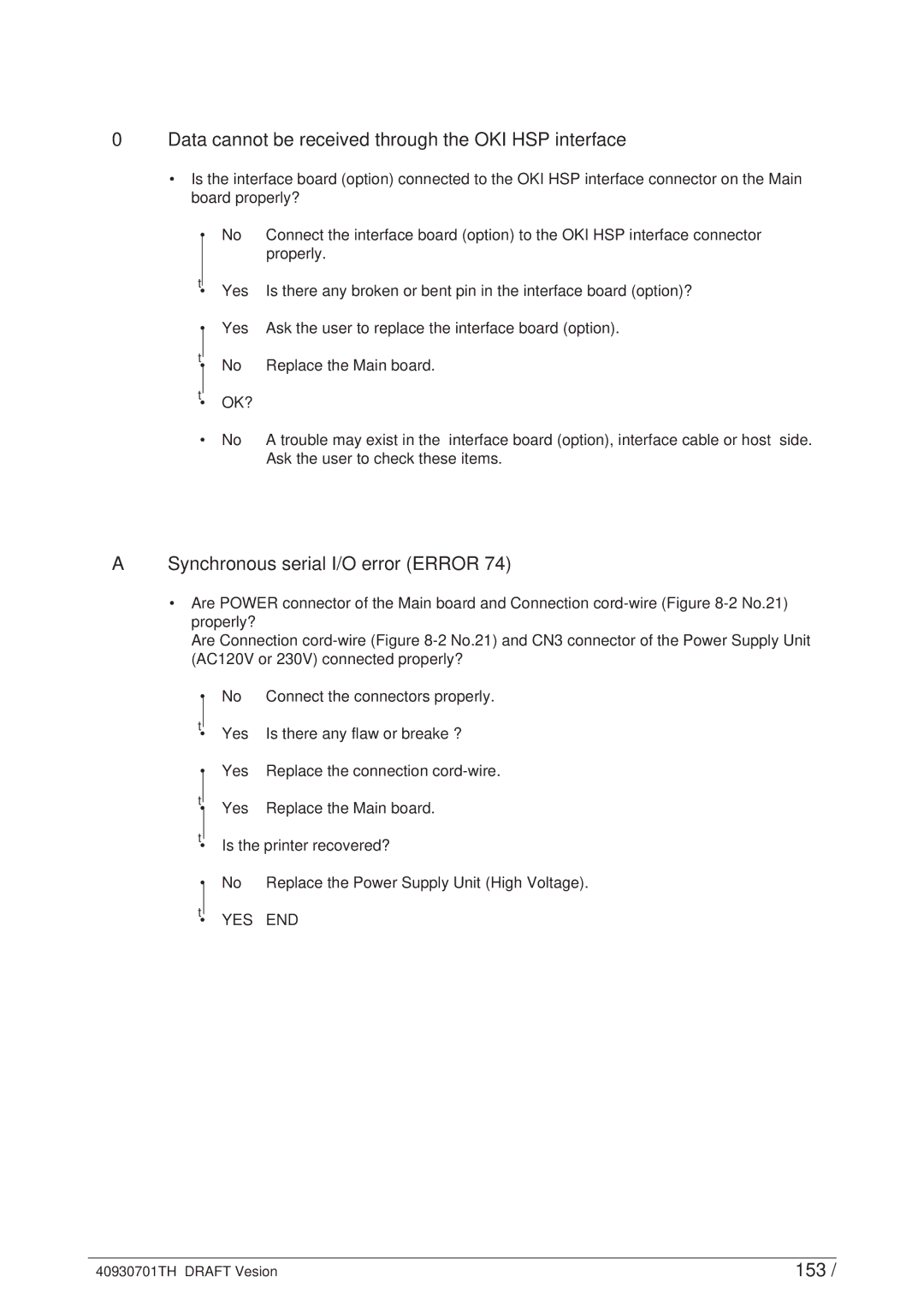
0Data cannot be received through the OKI HSP interface
•Is the interface board (option) connected to the OKI HSP interface connector on the Main board properly?
• | No | Connect the interface board (option) to the OKI HSP interface connector |
|
| properly. |
▼ | Yes | Is there any broken or bent pin in the interface board (option)? |
• | ||
• | Yes | Ask the user to replace the interface board (option). |
▼ |
|
|
• | No | Replace the Main board. |
▼ | OK? |
|
• |
| |
• | No | A trouble may exist in the interface board (option), interface cable or host side. |
|
| Ask the user to check these items. |
ASynchronous serial I/O error (ERROR 74)
•Are POWER connector of the Main board and Connection
Are Connection
• | No | Connect the connectors properly. |
▼ | Yes | Is there any flaw or breake ? |
• | ||
• | Yes | Replace the connection |
▼ |
|
|
• | Yes | Replace the Main board. |
▼ |
|
|
• Is the printer recovered? | ||
• | No | Replace the Power Supply Unit (High Voltage). |
▼ | YES | END |
• | ||
40930701TH DRAFT Vesion | 153 / |