Chapter 5. How To Configure Advanced SIP
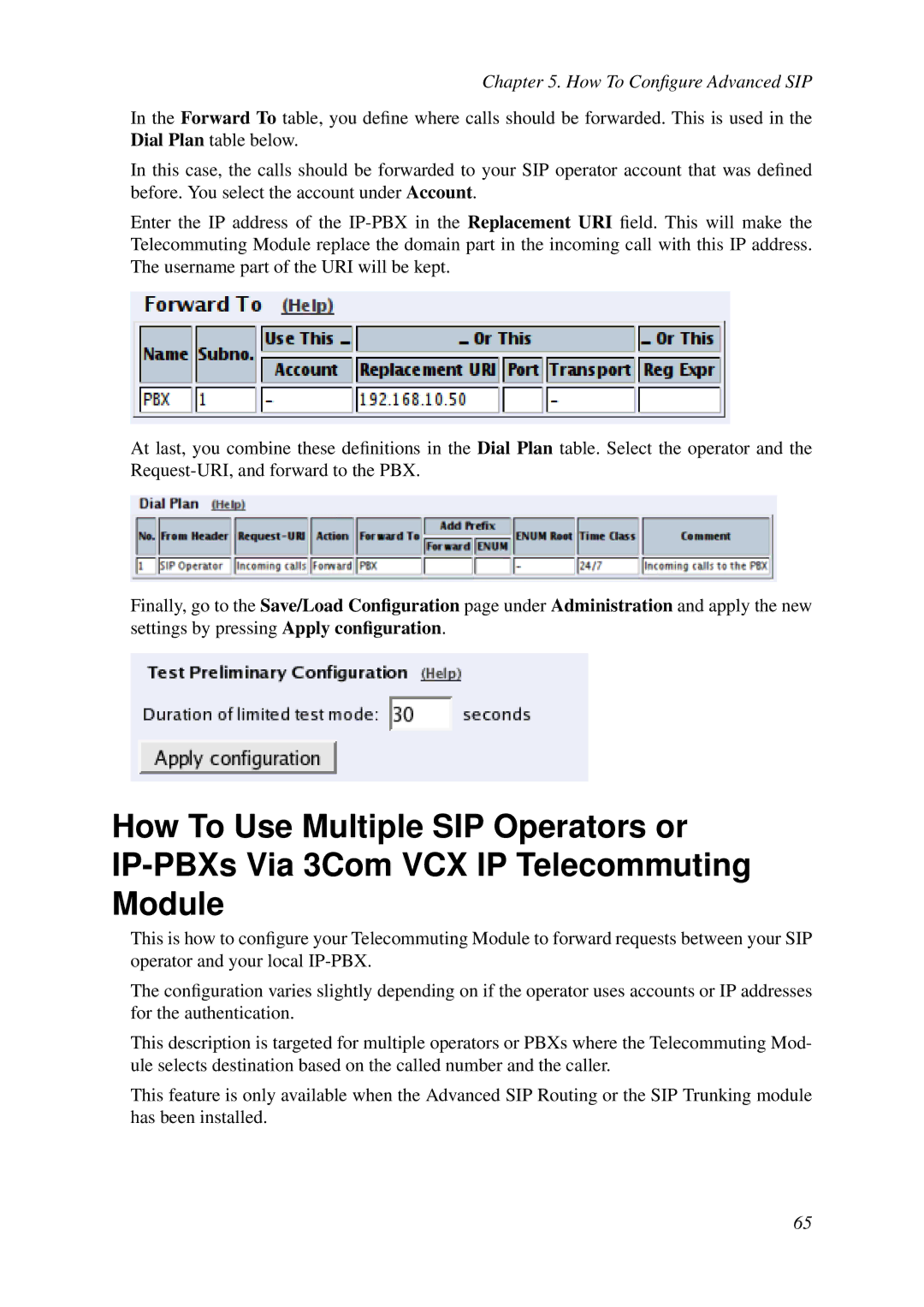
In the Forward To table, you define where calls should be forwarded. This is used in the Dial Plan table below.
In this case, the calls should be forwarded to your SIP operator account that was defined before. You select the account under Account.
Enter the IP address of the
At last, you combine these definitions in the Dial Plan table. Select the operator and the
Finally, go to the Save/Load Configuration page under Administration and apply the new settings by pressing Apply configuration.
How To Use Multiple SIP Operators or
This is how to configure your Telecommuting Module to forward requests between your SIP operator and your local
The configuration varies slightly depending on if the operator uses accounts or IP addresses for the authentication.
This description is targeted for multiple operators or PBXs where the Telecommuting Mod- ule selects destination based on the called number and the caller.
This feature is only available when the Advanced SIP Routing or the SIP Trunking module has been installed.
65