Configuring an M1 CPU with Concept
Changing Mode and Data Bits
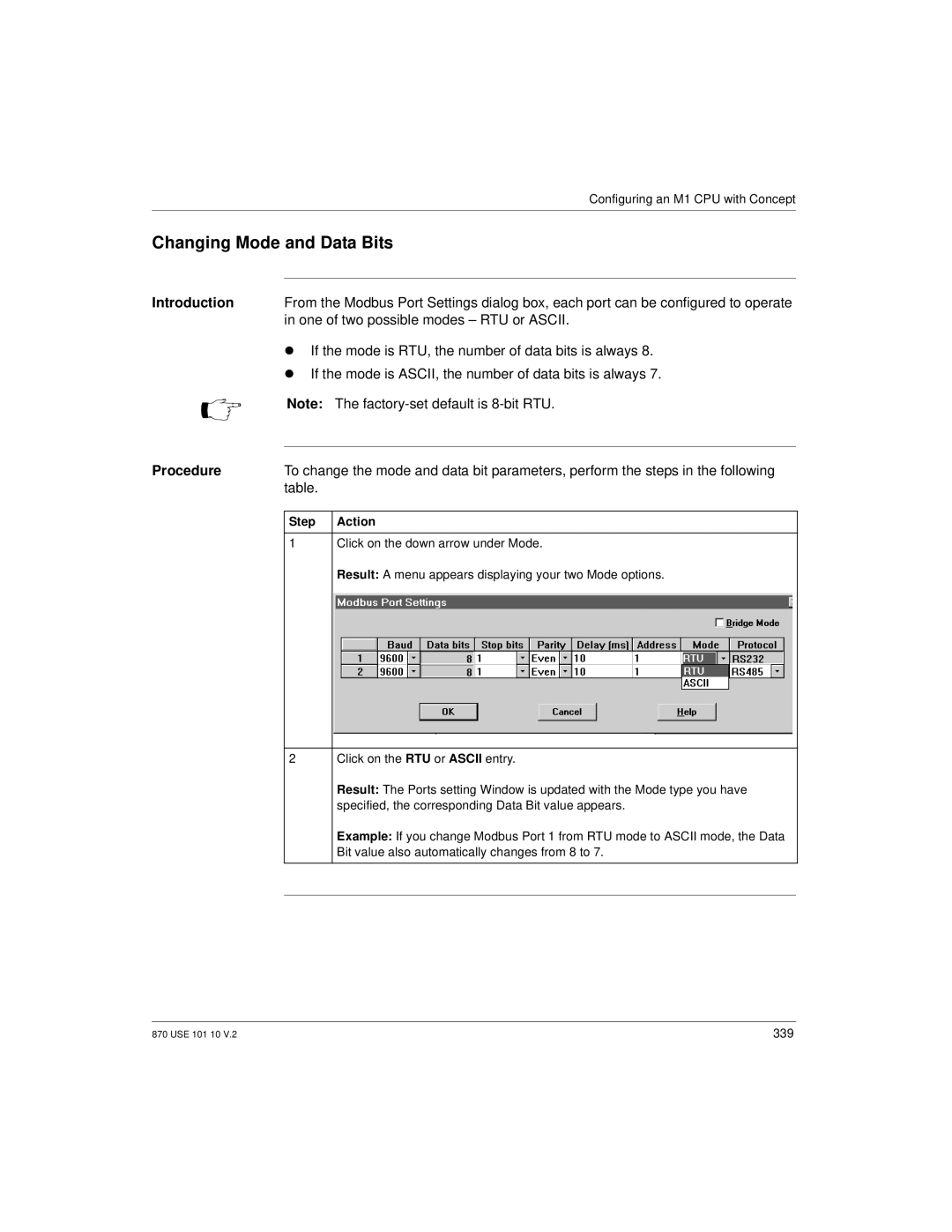
Introduction | From the Modbus Port Settings dialog box, each port can be configured to operate | |
| in one of two possible modes – RTU or ASCII. | |
| λ | If the mode is RTU, the number of data bits is always 8. |
| λ | If the mode is ASCII, the number of data bits is always 7. |
Note: The
Procedure | To change the mode and data bit parameters, perform the steps in the following | |
| table. |
|
|
|
|
| Step | Action |
|
|
|
| 1 | Click on the down arrow under Mode. |
|
| Result: A menu appears displaying your two Mode options. |
2Click on the RTU or ASCII entry.
Result: The Ports setting Window is updated with the Mode type you have specified, the corresponding Data Bit value appears.
Example: If you change Modbus Port 1 from RTU mode to ASCII mode, the Data Bit value also automatically changes from 8 to 7.
870 USE 101 10 V.2 | 339 |