All reset operation | ☞ ∙ Do not press Y in step 3. Doing so will delete all |
| data in the unit. |
If the unit still fails to function after it has been reset | ∙ However, if you have forgotten the password |
using the procedure above, or you have forgotten the | required at |
password to be entered in the | press Y in order to use the unit, but losing all |
have to reset it using a slightly more complicated | your data in the process. |
procedure: |
|
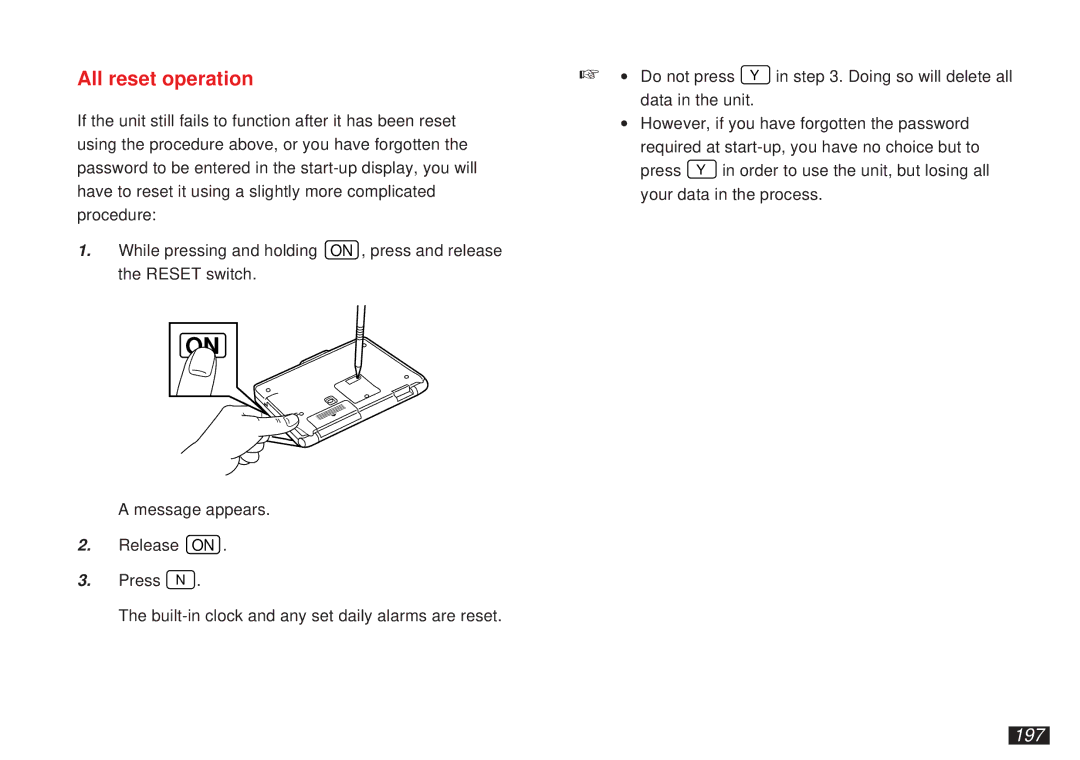
1.While pressing and holding ON , press and release the RESET switch.
ON
A message appears.
2.Release ON .
3.Press N .
The