Page
Page
Page
Take a look at all HP Support has to offer
User’s Manual
Warranty
HP LaserJet Utility Macintosh
Network Security
Ascii PJL Escape Sequence
HP JetAdmin Utility Novell Networks
T e U t i o n R N I N G
Conventions
Title Part Number
Supplementary Documents
Contents
Printing
Solving Printer Problems
Contents-4
Warranty and Software License
Introduction
About Your Printer
HP LaserJet 5 Printer Features
Management
Features Energy Savings
Software
Utilities
EtherNet networks
HP LaserJet 5M Printer Features
PostScript
Fonts Networking
T e
Accessories and Options
Option Description or Use Part Number
Paper Handling Accessories
Ordering Information
To order HP LaserJet 5/5M accessories and options
Call HP Direct Ordering at 800
Stock, call the HP Customer Information Center 800
Front/right side view with Tray 1 open
HP LaserJet Printer Parts
About Your Printer
Power plug connector Modular I/O MIO slot
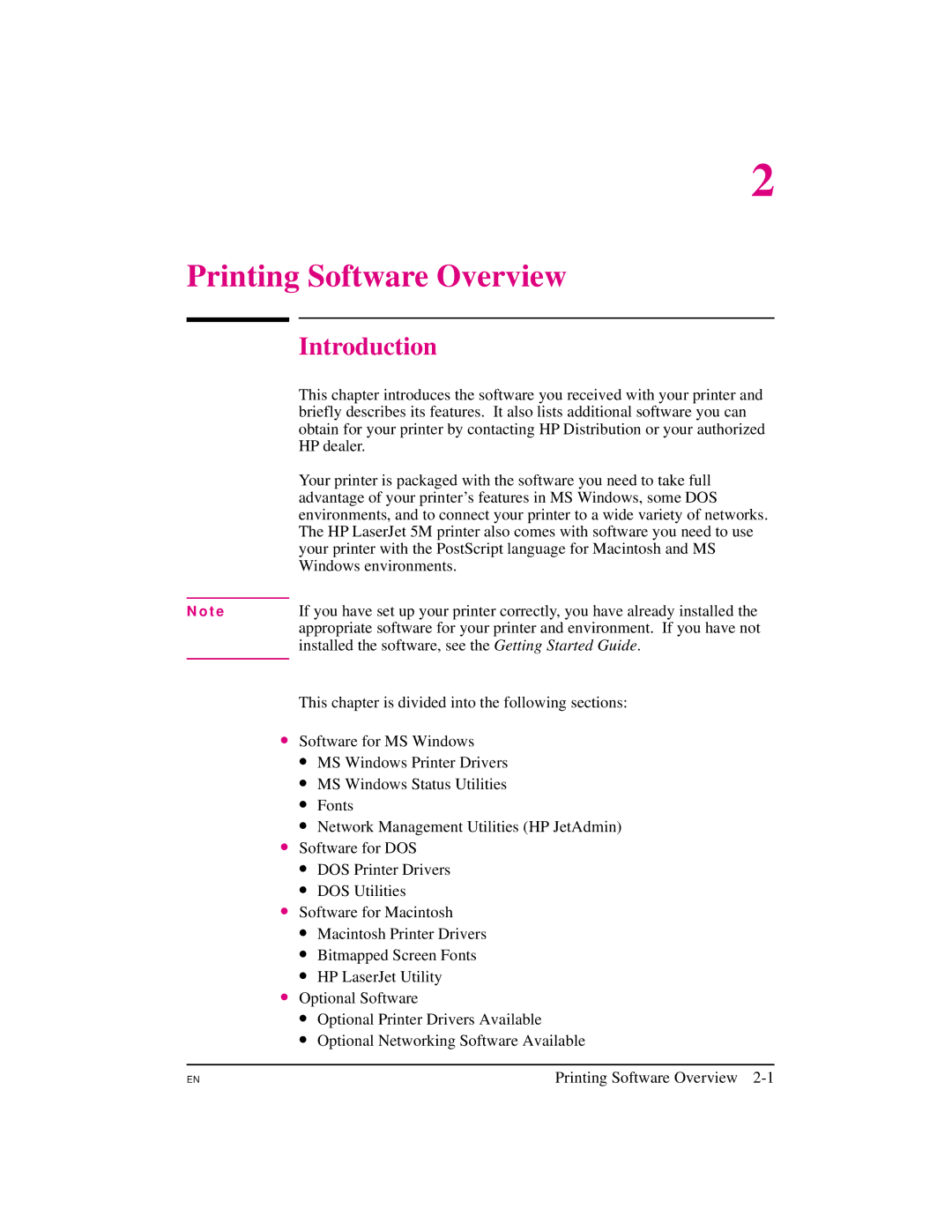
Printing Software Overview
Installed the software, see the Getting Started Guide
HP dealer
Windows environments
MS Windows Printer Drivers
Software for MS Windows
HP LaserJet 5/5M Standard
HP LaserJet 5/5M Enhanced
MS Windows Status Utilities
PostScript Level
Status Window
HP JetPrint
Fonts
HP FontSmart
Network Management Utilities
HP JetAdmin
TrueType Screen Fonts
DOS Printer Drivers
Software for DOS
DOS Utilities
Status Monitor
Remote Control Panel
Macintosh Printer Drivers
Software for Macintosh
HP LaserJet
LaserJet 5M GX
HP LaserJet Utility
Optional Software
Optional Printer Drivers Available
HP-UX
Optional Networking Software Available
T e f o r M a c i n t o s h U s e r s
Using the Printer Control Panel
Control Panel Keys
Control Panel Layout
Printers. The Go key performs six main functions
Key Explanation
That it is now the default
To change a printer control panel setting
Control Panel Menus
To print a menu map of the control panel menus
Control
Options Explanation
Printing Menu
Manual Feed OFF
Form
RET OFF
Light
PCL Fonts Menu
PostScript Menu
JAM Recover OFF
PS Font List
PRT PS Errs OFF
Job Menu
Configuration Menu
JOB
CLR Warn
Auto OFF
Toner Density
Buffer Auto
Memory Configuration Menu
Resrcsave Auto
PCL MEM
High Speed YES
Parallel Menu
ADV Fnctns
Serial Menu
While the Job Cancel key only clears the current job
Resets Menu
Menu option with caution
Menu Printer Explanation Selection Response
See , PostScript Printing’’ for additional information. See
Test Menu
Using the Printer Control Panel
Printing
Selecting Paper and Other Print Media
Preparing for Printing
Printing on Custom Sizes of Paper
Printing
Printing on Standard Sizes of Paper
Paper Type Dimensions Tray Optional
Paper jam
Printer can print on standard sizes and types of media
Tray
Media Input Options
Tray 1 only. Load only one size of paper at a time in Tray
4Optional Media Inputs
Optional Media Inputs
To load Tray
Loading Tray
Tray 2 holds about 250 sheets of 20 lb g/m2 paper
Pull Tray 2 straight out of the printer
Loading Tray
Stopping a Print Job
Printing Tasks
To stop a print job from the printer
To stop a print job from a software application
To turn on Manual Feed in your software application
Manually Feeding Pages
To turn on Manual Feed in the printer control panel
Media Size Designations
Reserving or Locking-out Trays
Envelopes, while Tray 2 is reserved for letterhead
Be selected from your software application
Locking Tray
To reserve and lock out Trays
To print a multiple-page document from two trays
To print a document from a reserved tray
Printing on more than one type of media for a print job
Printing Letterhead and Preprinted Forms
Printing on Special Media
Regular Printing on Special Paper
Occasional Printing on Special Paper
Tray 2 Letterhead Orientation
Tray 1 Letterhead Orientation
An envelope. Jamming and printer damage can result
Printing Envelopes
A paper jam
To Load Envelopes into Tray
Label Guidelines
Printing Labels and Transparencies
Transparency Guidelines
To Print Transparencies or Labels
Printing from the 500-sheet Tray
Printing with Optional Accessories
T e R N I N G
Sheet Tray 3 Details
Media Source Default Printing Priority
Will cause paper jams
On next
To Load Paper into the Optional Tray
Printing
Printing with the Duplex Unit 2-Sided Printing
Specifying a Duplex Setup
Long-edge landscape orientation
Paper orientation options for duplex 2-sided printing
Tray 2 Letterhead Orientation for 2-Sided Printing
Tray 1 Letterhead Orientation for 2-Sided Printing
Printing with the Envelope Feeder
Feeder for complete installation and setup instructions
Envelope Feeder Details
Turn the printer off
Inserting the Envelope Feeder
Loading Envelopes in the Envelope Feeder
Standard
Printing with the Infrared Serial Port
To print using the HP Infrared Adapter
Printing
PostScript Printing
Preparing for PostScript Printing
Using PostScript Printer Drivers
PostScript Printer Drivers for MS Windows
PostScript Printer Drivers for DOS/UNIX Applications
Requirement Dpi Simplex Dpi Duplex
Printer Memory and PostScript Printing
HP LaserJet 5M comes with 6 MB. Printing 600 dpi legal-size
Printing a Legal Page in PostScript
Chapter
Memory
To change the printer’s personality setting
Switching Printer Languages
Personalities
Gives you Adobe’s 35 Type 1 fonts
To select a menu item
Control Panel Differences with PostScript
PS Fonts List
Language fonts see -1 on the following
PostScript Fonts List
Downloaded fonts
Characters to a wide range of sizes
1PostScript Fonts List
Printing Menu Differences
Menu Items Affected by PostScript
Configuration Menu Differences
Printing a PostScript Configuration
IO Buffer
Resrcsave
PostScript configuration page the PS Config page item
PostScript Configuration
Test Menu is shown in -2 on the following
2PostScript Configuration
PostScript Printing
Adjusting Print Quality
Software application override control panel settings
Choosing Print Resolution
Printer
Adjusting Print Density
Fine-Tuning Print Quality
To adjust print density from the control panel
To adjust REt from the control panel
Enhancing Resolution
Control panel
Checking the Effect of a REt Setting
Harmonizing Print Density and REt Settings
To harmonize print density and REt settings
EconoMode Printing
EconoMode setting should normally be set through a software
Saving Toner with EconoMode
To turn on EconoMode from the control panel
Solving Printer Problems
Solving Printer Problems
Calling for Help
Print media
Clearing Paper Jams
Transfer guide area
Fusing assembly area Tray 3 optional
Paper Pickup and Transfer Guide Paper Jams
Fusing Assembly Paper Jams-Top Cover
Open the rear cover
Fusing Assembly and Paper Exit Paper Jams- Rear Cover
Optional Tray 3 Paper Jam
Optional Duplex Unit Paper Jams
Repeated Paper Jams
Situation Solution
To activate a printer reset
Resetting the Printer
See the Resets Menu in for further details on each reset
Reset Action
Self Tests
Testing the Printer
To print a test
Key to Figure
Understanding the Self Test Printout
Self Test Printout
Understanding the PCL Font List Printout
Checking Installed PCL Fonts
To print a PCL Font List
PCL Font List
Improving Print Quality
Print Quality Checklist
Vertical Fade
Dropouts
Toner Smear
Vertical Lines
Background Gray Toner Shading
Improperly Formed Characters
Vertical Repetitive Defects
Vertical Line at Edge of Paper
Understanding Printer Messages
Status messages Error messages Service messages
Status Messages
Resetting
Configuration
Resetting ALL
Settings
MEMORY, JOB
Insufficient
Cleared
Printing AT
Error Messages
Install Tray
Install Toner
Unexpected
Paper Size
Service Messages
Settings not
Nvram Error
Installed Incompatible
Tray 3 Installed
Printer Response Problems
Troubleshooting Checklist
Printer not on
Control panel display is blank or garbled
Printer cannot produce a self-test printout
Message Solution
Display messages reappear or cannot be removed
Job sent to printer but nothing prints
Software/Computer/Printer Interface Problems
Computer, network, or I/O port problems
Print speed is slow
See Printing Menu for details
Problems when printing transparencies and labels
Manual feed problems
Sheet Tray 3 problems
Problems Using Optional Accessories
Duplex option problems
Envelope Feeder option problems
PostScript Troubleshooting
Solving Printer Problems
Maintaining and Adjusting the Printer
Managing the Toner Cartridge
Storing, Installing, and Recycling the Toner Cartridge
Toner Cartridge Life
HP’s Policy on Use of Non-HP Toner Cartridges
Clearing the Toner LOW Message
Extending Toner Cartridge Life
Based cleaners on or around your printer
Cleaning the Printer
Printer Cleaning Tasks
Saving Power with the PowerSave Feature
To change the PowerSave setting
Ordering Information
User-Replaceable Parts
Part Name Part Number Remarks
Tray 1 Paper Pickup Roller & Separation Pad
Tray 2 Pickup Roller
Transfer Roller
Fusing Assembly
Remove both Tray 2 and Tray 3 from the printer
Optional Tray 3 Pickup Roller
Media Specifications
Heavy Paper Stock
Paper and Preprinted Forms
Paper Guidelines
Table A-1
Media Specifications A-3
Label Construction
Adhesive Labels
Ordering Transparencies
Overhead Transparencies
Envelope Construction
Envelopes
Double Side Seam Envelopes
Envelopes with Adhesive Strips or Flaps
Envelope Margins
Envelope Storage
Media Specifications
PCL Printer Commands Escape Sequences
Common PCL Printer Commands
Before using printer commands, compare these characters
PCL Printer Command Syntax
PCL Font Selection
Using PCL Printer Commands
Escape Character
Table B-1
Function Command Decimal Value Job Control Commands
Setup Strings
Control Commands
Table B-2
Function Command Decimal Value Control Commands
Common PCL Printer Commands B-5
Font Selection
Function Command Decimal Value Cursor Positioning
Specifications & Regulatory Information C-1
Specifications & Regulatory Information
Location Requirements
Opening Tray
Specifications & Regulatory Information
Printer Specifications
Environmental Product Stewardship
Specifications & Regulatory Information C-3
Protecting the Environment
This HP LaserJet printer design eliminates
Paper Use
This HP LaserJet design re-uses
Toner Cartridges
Specifications & Regulatory Information C-5
FCC Regulations
Regulatory Information
Laser Safety
Safety Information
Specifications & Regulatory Information C-7
Vcci Statement Japan
Huolto
Laser Statement for Finland
Declaration of Conformity
Specifications & Regulatory Information C-9
Specifications & Regulatory Information
Determining Needed Printer Memory
Printer Memory
Printer Memory Standard MB Maximum MB
Optional Flash Simm
How Your Printer Uses Memory
Resource Saving in PCL and PostScript Printers
Keeping Downloaded Resources in Memory
Printer Memory D-3
On the following
To determine how much memory to allocate to a personality
How I/O Buffering Improves Performance
Memory Simm Part Numbers
Simm Board Installation
Can add up to 40 MBytes of memory 6 MBytes are standard
Part numbers in the table below
Printer Memory D-7
Installing SIMMs
On the next
Memory Simm running a self test printout
Testing a Simm Board
Printer Memory D-9
Service / Error Messages
Troubleshooting a Simm Board
PostScript Simm
Validation Error Messages
Checking Procedure
Printer Memory D-11
ROM
Printer Memory
Serial Pin-out and Cabling Configuration E-1
Serial Pin-out and Cabling Configuration
Serial Communication
Least significant bit to the most significant bit
25 to 9 pin adapter C2809A
Serial Pin-out and Cabling Configuration
DB-9 Serial Cable pin outs
HP Part Number Description
Serial Pin-out and Cabling Configuration E-3
Pins not shown are not used by the printer
DB-25 Serial Cable pin outs
Pin numbers for you PC may be different. Please check
Pin Functions
Limited Warranty
Warranty and Software License
Warranty and Software License F-1
Exclusions
Warranty Limitations
Service During the Warranty Period
Warranty and Software License F-3
Limit of Liability
Repacking Guidelines
Service After the Warranty Period
HP Software Product License
Warranty and Software License F-5
Warranty and Software License
Sales and Service Offices G-1
Sales and Service Offices
Worldwide Hewlett-Packard Sales and Service Offices
Calling for Help
Denmark Greece Latin American Headquarters
Sales and Service Offices
USA
Sales and Service Offices G-3
Venezuela
Auto
Index
High Speed
Index-2
Index-3
Index-4
Nvram Error
Index-5
Index-6