Installing the E5810
Installing and Configuring the Agilent IO Libraries Suite
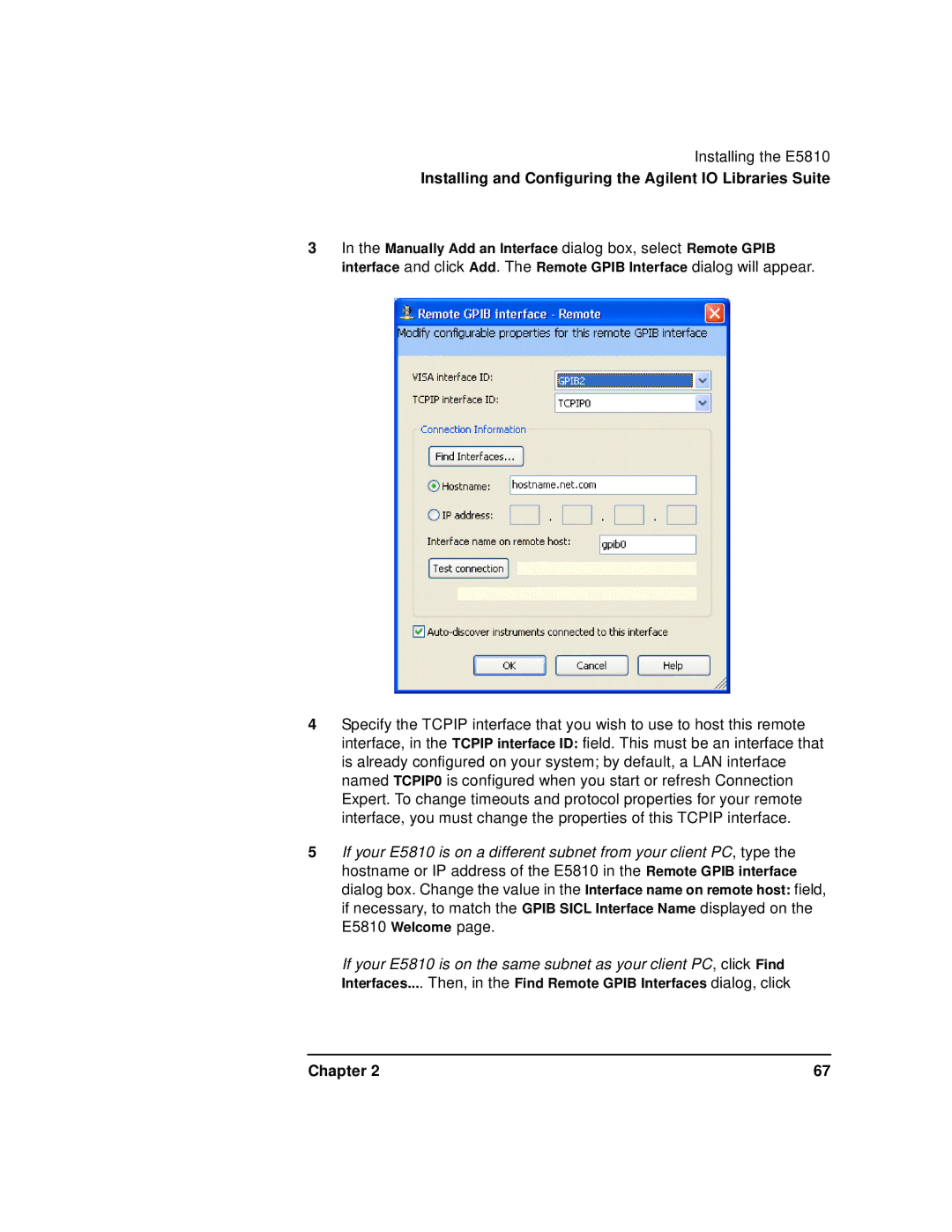
3In the Manually Add an Interface dialog box, select Remote GPIB interface and click Add. The Remote GPIB Interface dialog will appear.
4Specify the TCPIP interface that you wish to use to host this remote interface, in the TCPIP interface ID: field. This must be an interface that is already configured on your system; by default, a LAN interface named TCPIP0 is configured when you start or refresh Connection Expert. To change timeouts and protocol properties for your remote interface, you must change the properties of this TCPIP interface.
5If your E5810 is on a different subnet from your client PC, type the hostname or IP address of the E5810 in the Remote GPIB interface dialog box. Change the value in the Interface name on remote host: field, if necessary, to match the GPIB SICL Interface Name displayed on the E5810 Welcome page.
If your E5810 is on the same subnet as your client PC, click Find Interfaces.... Then, in the Find Remote GPIB Interfaces dialog, click
Chapter 2 | 67 |