Color Laserjet Enterprise CP4020/CP4520
Page
HP Color LaserJet Enterprise CP4020- CP4520 Series Printers
Trademark Credits
Copyright and License
Conventions used in this guide
Iv Conventions used in this guide
Table of contents
Removal and replacement
Print-quality test
119
Enww
Solve problems
265
383
Parts and diagrams
Appendix a Service and support
Appendix B Product specifications
Appendix C Regulatory information
515
Xvi
List of tables
17 Causes and solutions for fuser delivery delay jams 394
Table B-4
Enww
List of figures
49Paper-feeder pickup and feed operation
41 Remove the front-top cover 1 100
71 Remove the secondary transfer assembly 1 119
115 Remove the delivery assembly 3 146
161 Remove the tray-pickup drive assembly 1 178
209 Remove the fuser-drive assembly 1 212
19 Test the Tray 1 media-present sensor 261
20 Paper feeder external covers, panels, and doors 470
Xxx
Theory of operation
1Relationship between the main product systems
Basic operation
Sequence of operation
1Sequence of operation
Period Duration Description
2Engine-control system
Engine-control system
DC controller
Solenoids
Component abbreviation Component name
Clutches
Switches
Sensors
Sensors
Abbreviation Name Purpose Failure detection
Motors
Abbreviation Name Cooling area Type Speed
Fans
High-voltage power supply
7High-voltage power supply circuits
Circuit Description
Biases for each color
8Converted DC voltages
Low-voltage power supply
Overcurrent/overvoltage protection
Safety
Sleep powersave mode
Low-voltage power supply failure
Fuser control
9Fuser components
Type of component Abbreviation Name Function
Fuser sleeve temperature protection
Fuser temperature control
Failure detection
Fuser unit life detection
Fuser unit identification
8Laser/scanner system
Laser/scanner system
Laser/scanner failure
Protective-glass cleaners
9Protective-glass cleaners PGCs Theory of operation
ITB
Image-formation system
11Image-formation drive system
Functional block Steps Description
Image-formation process
Primary charging
Pre-exposure
Development
Laser-beam exposure
Secondary transfer
Primary transfer
Separation
Fusing
ITB cleaning
Drum cleaning
Print cartridge
23Print-cartridge system
Developing-roller engagement and disengagement
25 ITB unit
Intermediate transfer belt ITB unit
10Primary-transfer-roller engagement states
Primary-transfer-roller engagement and disengagement
SL1
Calibration
27ITB cleaning process
Image-stabilization control
Color-misregistration control
11Image-stabilization controls
29 Paper path
Pickup, feed, and delivery system
Component
Abbreviation Component
32Three main units of the pickup, feed, and delivery system
Cassette pickup
Pickup-and-feed unit
Top switch Center switch Bottom switch
Cassette-presence detection
Paper size
Cassette multiple-feed prevention
35Cassette lift mechanism
36Multiple-feed prevention
Multipurpose tray pickup
37Multipurpose tray pickup mechanism
Paper feed
38Paper-feed mechanism
Paper detection
Skew-feed prevention
Duplex printing
Fusing and delivery unit
14Print mode and feed speed
Simplex printing
40Fuser and delivery unit
Loop control
41Loop-control mechanism
42Pressure-roller pressurization control
Pressure-roller pressurization control
43Duplexing unit
Duplexing reverse and feed control
Duplex reverse and feed control
Duplex print operation
Enww
45Jam detection sensors
Jam detection
Jam Description
16Jams that the product detects
461 x 500 optional paper feeder
Optional paper feeder
473 x 500-sheet optional paper feeder
Component Drives Failure detection
Motor control
17Electrical components for the paper feeder
Component Abbreviation Component name Type
18Pickup feed components 1 x 500-sheet paper feeder
Paper-feeder pickup and feed operation
SW2 SW3 SW4
OFF
Paper-size detection and cassette-presence detection
SR2/SR8/SR9
Paper-feeder cassette lift operation
51Jam detection 1 x 500-sheet paper feeder
Paper feeder jam detection
52Jam detection 3 x 500-sheet paper feeder
Enww
Removal and replacement
Introduction
Removal and replacement strategy
Required tools
Electrostatic discharge
After performing service
Before performing service
Print-quality test
Post-service test
Parts removal order
2Parts removal order 1 Removal and replacement
3Parts removal order 2
Print cartridges
Customer self repair CSR components
5Remove the print cartridge 2
Toner-collection unit
7Remove the toner-collection unit 2 Removal and replacement
8Remove the toner-collection unit 3
ESD sensitive component
Formatter PCA
Hard drive
Remove the hard drive
Before proceeding, remove the following components
13Remove the hard drive 3 Removal and replacement
Remove the memory Dimm
Memory Dimm
Next to Automatic Configuration , select Update Now
Enable memory
Click Settings
Click the Device Settings tab
Windows
Next to Automatic Configuration, select Update Now
Installable Options area
Click the Installable Options menu
Tray
Fuser
Feed and separation rollers Trays
Pickup roller Tray
24Remove the pickup roller Tray 1 4 Removal and replacement
Enww
Secondary transfer roller
29Reinstall the transfer roller
Reinstall the transfer roller
Intermediate transfer belt ITB
32Remove the intermediate transfer belt 3
Enww
Identification and location
External panels, covers, and doors
35Remove the upper-left cover 1 Remove one screw
Upper-left cover
37Remove the upper-left cover 3
38Remove the power-supply cover Removal and replacement
Power-supply cover
Remove the left cover
Left cover
Remove the front-top cover
Front-top cover
43Remove the front-top cover 3
Remove the rear-top cover
Rear-top cover
Remove the right-front cover
Right-front cover
Reinstall the power button
Remove the control-panel assembly
Control-panel assembly
Enww
Remove the front-door assembly
Front-door assembly
53Remove the front-door assembly 2 Remove two screws callout
55Remove the front-door assembly 4
Remove the right-rear cover
Right-rear cover
58Remove the right-rear cover 2
Remove the rear cover
Rear cover
61Remove the right-door assembly 2
Right-door assembly
63Remove the right-door assembly 4 Removal and replacement
65Remove the right-door assembly 6
67Remove the right-door assembly 8 Removal and replacement
68Remove the right-door assembly 9
Cassette feed guide
Internal assemblies
72Remove the secondary transfer assembly 2
Secondary transfer assembly
Reinstall the secondary transfer assembly
Remove the separation pad Tray
Separation pad Tray
78Remove the separation pad 4 Removal and replacement
Enww
Remove the RD sensor assembly
Registration density RD sensor assembly
84Remove the RD sensor assembly 4
86Remove the RD sensor assembly 6 Removal and replacement
Carefully remove the assembly from the product
Registration assembly
89Remove the registration assembly 2
Remove the registration assembly
91Remove the registration assembly 4 Removal and replacement
93Remove the registration assembly 6
95Remove the registration assembly 8 Removal and replacement
Remove the residual-toner-feed motor
Residual-toner-feed motor
Remove the residual-toner duct and feed assembly
Residual-toner duct and feed assembly
99Remove the residual-toner duct and feed assembly 3
Enww
Remove the cartridge fan and environmental sensor
Cartridge fan and environmental sensor
Enww
Enww
Enww
Toner-collection sensor and scanner-thermistor assembly
Open the front-door assembly, and then remove one screw
Remove the delivery fan
Delivery fan
112Remove the delivery fan 2 Removal and replacement
Remove the delivery assembly
Delivery assembly
115Remove the delivery assembly 3 Removal and replacement
Remove two screws
118Remove the delivery assembly 6 Remove the assembly
121Reinstall the delivery assembly 2
Reinstall the delivery assembly
123Reinstall the delivery assembly 4 Removal and replacement
Remove the duplex-drive assembly
Duplex-drive assembly
Remove the power-supply fan
Power-supply fan
Remove the ICB
Interconnect board ICB
127Remove the ICB 2 Removal and replacement
Remove the DC controller PCA only
DC controller PCA only
Enww
Remove the low-voltage power supply
Low-voltage power supply Lvps
Enww
134Remove the low-voltage power supply 4
Enww
Remove the DC controller PCA and tray
DC controller PCA and tray
Remove two screws
Remove the high-voltage power supply lower
High-voltage power supply lower HVPS-D
Remove three screws
142Remove the high-voltage power supply lower 3
Release five tabs
Reinstall the high-voltage power supply lower
146Remove the high-voltage power supply lower 7
Remove the developing-disengagement motor
Developing-disengagement motor
Remove the exhaust fan and fan duct
Exhaust fan and fan duct
Enww
152Reinstall the exhaust fan and fan duct
Reinstall the exhaust fan and fan duct
Remove the pickup motor
Pickup motor
Remove the lifter-drive assembly
Lifter-drive assembly
Enww
Remove the lifter base assembly
Lifter base assembly
158Remove the lifter base assembly 2
Reinstall the lifter base assembly
160Reinstall the lifter base assembly 2
Remove the tray-pickup drive assembly
Tray-pickup drive assembly
163Remove the tray-pickup drive assembly 3
Remove the tray-pickup assembly
Tray-pickup assembly
Enww
168Remove the tray-pickup assembly 5 Removal and replacement
Enww
172Remove the tray-pickup assembly 9 Removal and replacement
173Remove the tray-pickup assembly 10
Laser/scanner assembly Y/M
176Remove the laser/scanner assembly Y/M 2
Remove the laser/scanner assembly Y/M
Enww
179Remove the laser/scanner assembly Y/M 5
Laser/scanner assembly C/Bk
181Remove the laser/scanner assembly C/Bk 2
Remove the laser/scanner assembly C/Bk
Enww
Reinstall the protective glass cleaner PGC actuators
184Remove the laser/scanner assembly C/Bk 5
187Reinstall the PGC actuators 3 Removal and replacement
189Reinstall the PGC actuators 5
Remove the high-voltage power supply upper
High-voltage power supply upper HVPS-T
191Remove the high-voltage power supply upper 2
Reinstall the high-voltage power supply upper
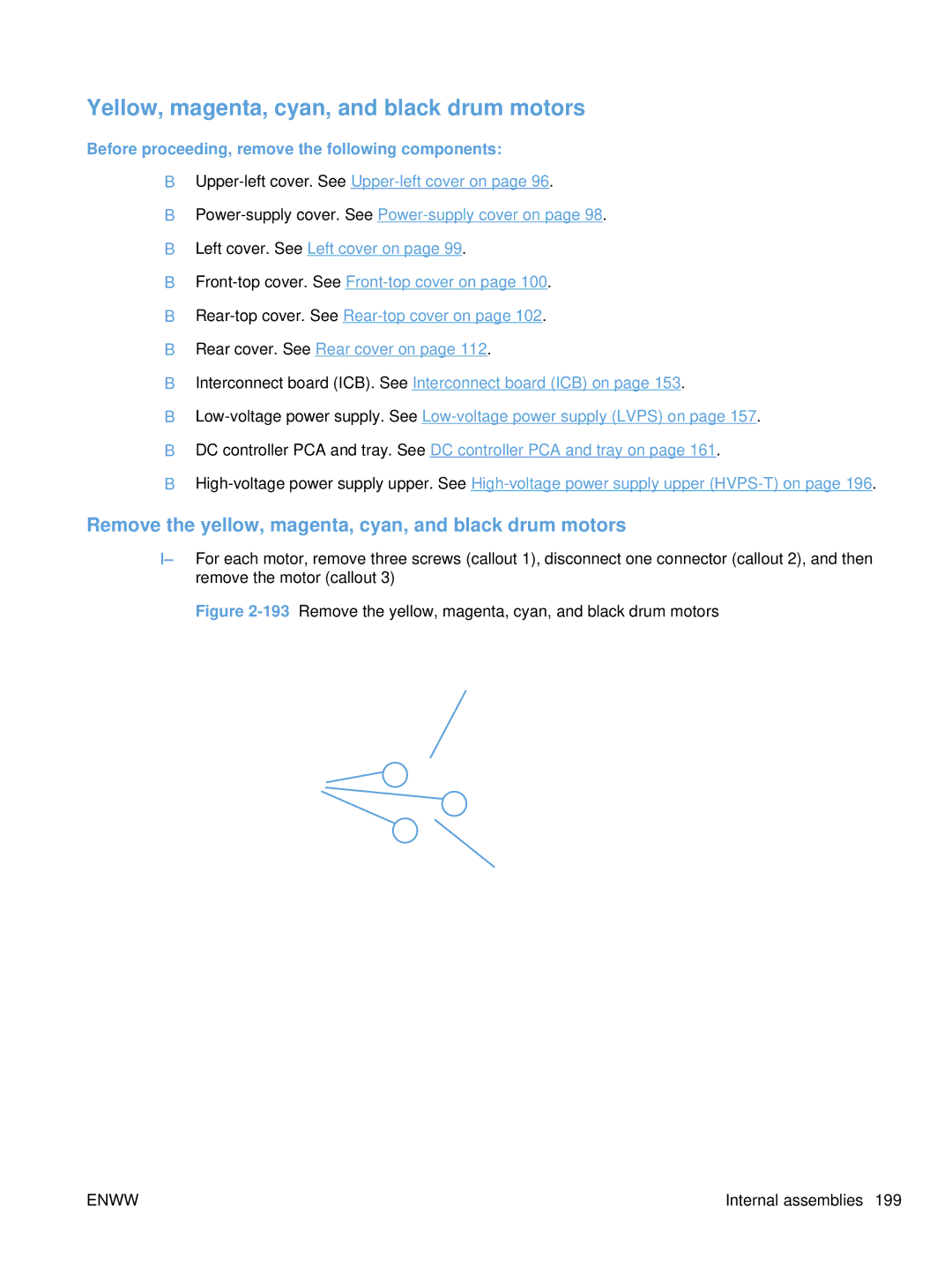
Remove the yellow, magenta, cyan, and black drum motors
Yellow, magenta, cyan, and black drum motors
Fuser motor
194Remove the fuser motor
Remove the fuser motor
Remove the ITB motor
ITB motor
Main-drive assembly
197Remove the main-drive assembly 2 Removal and replacement
Remove the main-drive assembly
198Remove the main-drive assembly 3 Remove 10 screws
Enww
203Reinstall the main-drive assembly 2
Reinstall the main-drive assembly
Enww
Enww
Enww
Fuser-drive assembly
Remove the fuser-drive assembly
212Remove the fuser-drive assembly 4
213Remove the fuser-drive assembly 5 Remove three screws
Reinstall the fuser-drive assembly
215Remove the fuser-drive assembly 7
Front door optional paper feeder
Enww
Rear cover optional paper feeder
220Remove the right-front cover optional paper feeder
Right-front cover optional paper feeder
Right door optional paper feeder
Enww
Remove the left cover optional paper feeder
Left cover optional paper feeder
Enww
Remove the right cover optional paper feeder
Right cover optional paper feeder
Remove the rear-right cover optional paper feeder
Rear-right cover optional paper feeder
Remove the pickup assembly optional paper feeder
Pickup assembly optional paper feeder
231Remove the pickup assembly optional paper feeder 3
Enww
Remove the lifter assembly optional paper feeder
Lifter assembly optional paper feeder
Remove the lifter-drive assembly optional paper feeder
Lifter-drive assembly optional paper feeder
Remove the pickup motor optional paper feeder assembly
Pickup motor assembly optional paper feeder
Remove the controller PCA optional paper feeder
Controller PCA optional paper feeder
Solve problems
Solve problems checklist
Solve problems checklist
Print a menu map
Menu map
1Pre-troubleshooting checklist
Troubleshooting process
Determine the problem source
Pre-troubleshooting checklist
Calibrate the product on
Event log Information pages Image quality Interface
Troubleshooting flowchart
2Troubleshooting flowchart
Power on
Power-on timing approximate
Power subsystem
Power-on checks
Power-on troubleshooting overview
Enww
Understand lights on the formatter
Tools for troubleshooting
Individual component diagnostics
LED diagnostics
Engine diagnostics
Heartbeat LED
Defeating interlocks
Engine-test button
Disable cartridge check
3Engine-test button
Paper-path test
Manual sensor test special-mode test
3Manual sensor diagnostic tests
Default state of bits
Sensor or switch name Sensor or switch number
TOP top of page sensor
C loop sensors
Fuser delivery sensor
Duplex re-pickup sensor
Output bin full sensor
Developer alienation
Fuser pressure-release sensor
Primary transfer-roller-disengagement sensor
Enww
16 Media sensor
Media sensor
Front-door switch
Right-door switch
Manual sensor test 2 special-mode test
5Manual sensor test 2 diagnostic tests
Test each switch individually Solve problems
Tray 1 paper present sensor
Tray 2 paper present sensor
Tray 2 paper surface 1 and 2 sensors
Tray 2 paper size switches
Tray 3 paper surface 1 and 2 sensors
Tray 3 paper size switches
Tray 3 paper present sensor
Tray 3 feed sensor
Tray 5 feed sensor
Tray 4 paper size switches
Tray 5 paper size switches
Tray 5 paper present sensor
Enww
Defeating
Enww
Enww
25Test the new ITB sensor
New ITB sensor
26Test the right door switch Solve problems
Tray 3, 4, and 5 right door switch
Sensor name Sensor number
7Paper-path sensors diagnostic tests
Paper-path sensors test
Print/stop test
Component tests
Component test special-mode test
8Component test details
Alienation Motor
Yellow Laser Scanner
Fuser Motor
Fuser Pressure Release Motor
Repeat
Duplex Refeed Clutch Solenoid
Block diagrams
Diagrams
28Optional paper feeder 1 x 500-sheet
29Optional paper feeder 3 x 500-sheet
9Formatter PCA
Plug/jack locations
DC controller connector locations
Location of connectors
10DC controller connectors
11Controller PCA connectors
32Controller PCA connectors
33External component locations
Locations of major components
34Major component locations 1
35Major component locations 2
36Major component locations 3
Ite Description
11 9
38PCA component locations
39Optional paper feeder 1 x 500-sheet component locations 1
40Optional paper feeder 1 x 500-sheet component locations 2
41Optional paper feeder 3 x 500-sheet component locations 1
42Optional paper feeder 3 x 500-sheet component locations 2
Timing chart
General timing chart
General circuit diagram 1
Circuit diagrams
Control
Paper feeder circuit diagram 1 X 500-sheet
Paper feeder circuit diagram 3 X 500-sheet
HP Easy Printer Care
Open the HP Easy Printer Care software
HP Easy Printer Care software sections
Overview and Support tabs
Settings tab
Section Options Support tab
HP Proactive Support
Color Access Control
Section Options Alert Settings link
Internal print-quality test pages
Print-quality-troubleshooting pages
Yellow Green
51Black print-quality troubleshooting
Diagnostics
Diagnostics
Create and use the cleaning
Cleaning
Configuration
Configuration
Memory Event log Security Paper trays and options
HP embedded Jetdirect
Security Settings information
54 Embedded protocol
Embedded protocol
Finding important information on the configuration pages
12Important information on the configuration pages
Color-band test
Repetitive defects ruler
Print-quality troubleshooting tools
Calibrate the product
Retrieve job menu
Control panel menus
Control panel menus
Show Me How menu
Enww
Delete
When Print or Print and Delete is
ALL Jobs no PIN Print
Hold jobs, Print and Delete is
Paper handling menu
Information menu
Manage supplies menu
Transfer KIT Stop
Color Cartridges Stop
Continue
Print in Black
Black Cartridge Transfer KIT
User Defined LOW Yellow Cartridge
Magenta Cartridge
Cyan Cartridge
Printing menu
Configure device menu
Print PS Errors OFF
Default Paper Size
Default Custom Paper Unit of Measure
Size Dimension
PCL sub-menu
Print Quality menu
X2 Shift
Mode Expanded
X1 Shift
Y1 Shift
NOW Delay
Adjust Paper
Print Mode
Restore Optimize
Edge Control OFF
Auto Cleaning OFF
Cleaning
Auto Cleaning Letter
Select the Create Cleaning
Create
Process
System setup menu
First
PS Defer Media Enabled
Disabled
USE Requested Tray Exclusively
Alternative
USE Another Tray Enabled
Letterhead Mode OFF
Sleep Delay Minute
Usage Save Energy
Wake Time
Custom
Optimum SPEED/ENERGY Faster First
Language
JAM Recovery Auto
Auto Continue OFF
RAM Disk Auto
13Embedded Jetdirect menu
Menu
Default IP Auto IP
IPV4 Settings Config Method Bootp
Settings Subnet Mask
Default
Primary DNS
IPV6 Settings Enable
Settings
Dhcp Renew
OFF DLC/LLC Enable
Idle Timeout
IPX/SPX Enable
Appletalk Enable
Diagnostics Embedded Tests
Disable
Reset
Reset Security YES
Tests
Snmp Test YES
Data Path Test YES
Select ALL YES
Packets
Print Results YES
Ping Results
Packets Sent
Link Speed Auto 10T Half 10T Full 100TX Half 100TX Full
Refresh YES
Diagnostics menu
Resets menu
Tray
Paper Path Sensors
Paper Path Test
Source ALL Trays
Color Band Test Print Test
Service menu
Product PINs
Voltage power supply
XX values
Interpret control-panel messages
Control-panel message types
Control-panel messages
13.XX.YY JAM in Lower Right Door
13.XX.YY Fuser Area JAM
13.XX.YY Fuser Wrap JAM
13.XX.YY JAM Above TOP Output BIN
Parallel Serial Buffer
Transfer Unit Error
Embedded I/O Buffer Overflow
Parallel I/O Buffer Overflow
Xxxx Error
Fuser Error
To continue turn off then on
See Fuser on
XY Error
XX Error
55.XX.YY DC Controller Error
See DC controller PCA and tray
Error
Description Recommended action Error
Replace Toner Collection Unit
59.A0 Error
BO Cleaning Motor Error
59.C0 Error
59.F0 Error
Values
No System
Permanent Storage Full
Changed
Storage Error Settings
8X.YYYY EIO Error
8X.YYYY Embedded Jetdirect Error
Black Cartridge Very LOW
Calibration Reset Pending
Black Cartridge LOW
Black Cartridge LOW Less than Xxxx Pages
Card Slot File System is Full
Cleaning Disk X% Complete
Card Slot Device Failure
Card Slot File Operation Failed
Collection Unit Almost Full
Cleaning Cyan Cartridge LOW
Close Lower Right Door
Close Right Door
EIO X Disk Initializing
Cyan Cartridge Very LOW
Data Received
DATE/TIME = YYYY/MMMM/DD Hhmm
Expected Drive Missing
HP Secure Drive Disabled
EIO is Write Protected
EIO not Initialized
Install Transfer Unit
Install Color Cartridge
Install Fuser
Install Supplies
Media insert required in tray
Magenta Cartridge Very LOW
Loading Program
Magenta Cartridge LOW
Magenta Cartridge LOW Less than Xxxx Pages
Printing Stopped
NON HP Supply Installed
Moving Solenoid
Moving Solenoid and Motor
RAM Disk is Write Protected
RAM Disk Device Failure
RAM Disk File Operation Failed
RAM Disk File System is Full
Replace Fuser KIT
Replace Supplies Using black only
Remove Shipping Sheet
Replace Color Cartridge
ROM Disk Device Failure
Replace Transfer KIT
Sanitizing Disk X% Complete
ROM Disk File Operation Failed
ROM Disk File System is Full
ROM Disk is Write Protected
Supplies Very LOW
Supplies LOW
Manage Supplies menu on
Printing Black only
Transfer KIT LOW Less than Xxxx Pages
Toner Collection Unit LOW
Toner Collection Unit Very LOW
Transfer KIT LOW
Tray X Overfilled
Tray X Type Size
Tray X Empty Type Size
Tray X Open
USB Accessory not Functional
Unsupported Drive Installed
Unsupported Supply Installed
USB Accessory Error
Yellow Cartridge LOW
Wait for Printer to Reinitialize
Waiting for Tray X to Lift
Warming UP
Yellow Cartridge Very LOW To continue press OK
Yellow Cartridge Very LOW
Event log messages
Print an event log
Show an event log
Clear the event log
Sample event log
Event log message Description Comments
Event log message table
Quick Calibrate NOW,
Configure DEVICE, and then
Then press theOK button
DC controller Nvrm is not
Reading the header number and size 99.00.08
Clear paper jams
Common causes of jams
Product is jammed
ITB
Jam code
15Common causes of jams by area
Jam locations
Type of jam Procedure
13.XX.YY JAM in Optional Trays
Clear jams in the right door
Enww
Enww
Clear jams in Tray
Clear jams in the output bin area
Enww
Clear jams in Tray 2 or optional Trays 3, 4, or
Clear jams in the lower right door Tray 3, 4, or
Jam causes and solutions
Jams in the output bin
Jams in the fuser and transfer area
19Causes and solutions for fuser delivery stationary jams
21Causes and solutions for pickup delay jams
20Causes and solutions for residual media jams
22Causes and solutions for pickup stationary jams
23Causes and solutions for duplexing reverse jams
24Causes and solutions for duplex repick jams
Right-door assembly on
25Causes and solutions for residual media jams
Jams in Tray 1, Tray 2 and internal paper path
26Causes and solutions for pickup delay jam 1 tray pickup
Jams in Tray 3, 4,
27Causes and solutions for pickup stationary jams
29Causes and solutions for residual media jams
Set the jam recovery feature
Change jam recovery
Product pulls from incorrect tray
Solve paper-handling problems
Product feeds multiple sheets
Product feeds incorrect page size
Paper does not feed from Tray 2, 3, 4, or
Paper does not feed automatically
Paper does not feed from Tray 2, 3, 4, or
Paper does not feed automatically
Envelopes jam or will not feed in the product
Transparencies or glossy paper will not feed
Envelopes jam or will not feed in the product
Transparencies or glossy paper will not feed
Output is curled or wrinkled
Product will not duplex or duplexes incorrectly
Output is curled or wrinkled
Under Installable Options, click Update Now
Automatic Configuration list
Properties or Printing Preferences
30MP modes under the Adjust Paper Types sub menu
PRE-ROTATION Mode
Use manual print modes
31MP modes under the Optimize submenu
Solve image-quality problems
Problem Sample Cause Solution
Image defects table
Transfer belt ITB on
Assembly Y/M on page 186 or
Power supply lower HVPS-D
Assembly. See Secondary transfer
Execute a Pressure roller clean
Clean the product
Clean the paper path
Clean the product
Problem Cause Solution
Solve performance problems
Solve connectivity problems
Solve direct-connect problems
Solve network problems
Solve connectivity problems
Service menu
Service mode functions
Refurbish page Count
Refurbish Cycle Count
Serial Number
Media Sensor Value
Service ID
Cold Reset Paper
NEW Registration Roller
Nvram initialization
Product resets
Restore factory-set defaults
Hard disk initialization optional
Product cold reset
Product updates
Parts and diagrams
Order parts, accessories, and supplies
Memory
Accessories
Part numbers
Print cartridges and toner collection unit
Service maintenance kits
1Maintenance kits
Customer self repair CSR parts
Unique components
2110V and 220V unique components
3Simplex and duplex unique components
4Common fasteners
Screws
How to use the parts lists and diagrams
1External covers, panels, and doors
External covers, panels, and doors
Description Part number Qty
5External covers, panels, and doors
2Right door assembly
Right door assembly
6Right door assembly
Front door assembly
7Front door assembly
Internal components 1
Internal components
8Internal components 1
Internal components 2
9Internal components 2
6Internal components 3
Internal components 3
10Internal components 3
Internal components 4
11Internal components 4
8Internal components 5
Internal components 5
12Internal components 5
Simplex Model Duplex Model
Internal components 6
13Internal components 6
10Internal components 7
Internal components 7
14Internal components 7
Cassettes
Cassettes
15 Cassette
Paper pickup assembly
16Paper pickup assembly
13Tray 1 paper pickup assembly
Tray 1 paper pickup assembly
17Tray 1 paper pickup assembly
Simplex Model Duplex Model
18Registration assembly
15Secondary transfer assembly
19Secondary Transfer assembly
16Delivery assembly
20Delivery assembly
Fuser assembly
Fuser assembly
21Fuser assembly
18 PCAs
PCAs
22 PCAs
Assessories
Paper feeders
Paper feeders
23Paper feeders
1x500 3x500
Paper feeder external covers, panels, and doors
24Paper feeder external covers, panels, and doors
500 paper feeder main body
500 paper feeder main body
251 X 500 paper feeder main body
223 X 500 paper feeder main body
263 X 500 paper feeder main body
27Alphabetical parts list
Alphabetical parts list
Alphabetical parts list
Delivery assembly
Fuser drive assembly, simplex RM1-6702-000CN
Paper pickup assembly
Tray 1 paper pickup assembly
Shutter arm assembly RM1-5585-000CN
Upper main cable assembly RM1-5800-000CN
28Numerical parts list
Numerical parts list
RC2-4218-000CN Tray, waste toner catch
Enww
RK2-2604-000CN Flat flexible cable DCC to Hvps lower
RM1-5520-000CN Cover, inner
RM1-5781-000CN High voltage power supply, upper
Enww
WC2-5637-000CN Switch, push
Enww
Service and support
Hewlett-Packard limited warranty statement
Page
HP Color LaserJet Fuser Kit Limited Warranty Statement
Transfer
End User License Agreement
Enww
Customer self-repair warranty service
Customer support
Product specifications
Table B-1Product dimensions
Physical specifications
Performance specifications
Electrical specifications
Table B-4Power consumption average, in watts1246
Acoustic specifications
Environmental specifications
Table B-3Power requirements
Table B-6Media registration and image placement accuracy
Skew specifications
Regulatory information
FCC regulations
Environmental product stewardship program
Non-U.S. returns
Return and recycling instructions
Paper
United States and Puerto Rico
Material restrictions
Chemical substances
HP Color LaserJet Enterprise CP4020-CP4520 Series
Material Safety Data Sheet Msds For more information
Declaration of Conformity
Power cord statement Japan
Safety statements
Laser safety
Vcci statement Japan Power cord instructions
Varoitus
GS statement Germany
Cabinet/stand
Symbols/Numerics
Dhcp
See also jams
Nvram
See also counts
Enww
Recycling
Enww
See also cassette
Enww
Page
CC489-90936* *CC489-90936