Troubleshooting
15
|
|
| Page | |
Problem | Cause | Remedy | referen | |
|
|
| ce | |
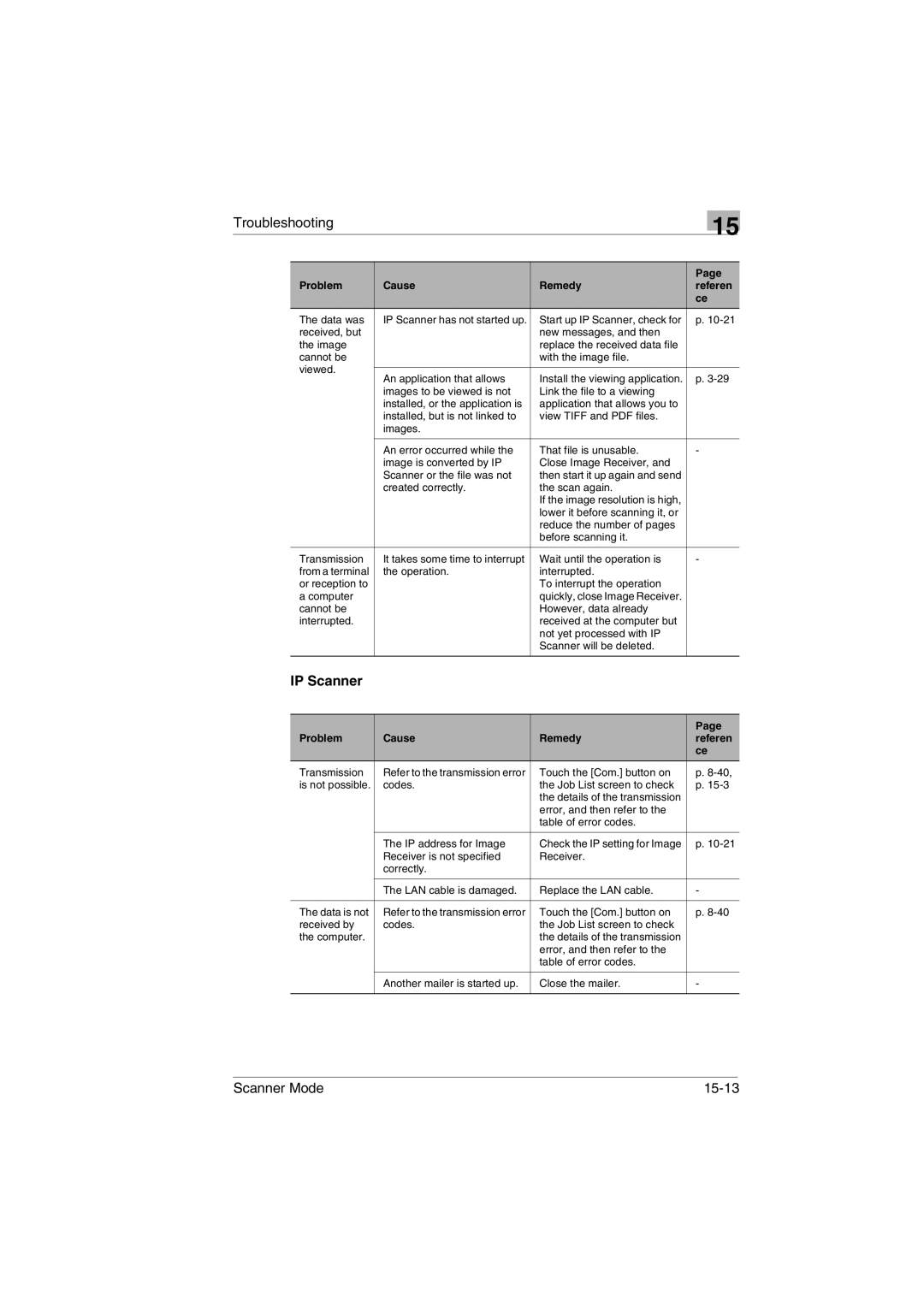
The data was | IP Scanner has not started up. | Start up IP Scanner, check for | p. | |
received, but |
| new messages, and then |
| |
the image |
| replace the received data file |
| |
cannot be |
| with the image file. |
| |
viewed. |
|
|
| |
An application that allows | Install the viewing application. | p. | ||
| ||||
| images to be viewed is not | Link the file to a viewing |
| |
| installed, or the application is | application that allows you to |
| |
| installed, but is not linked to | view TIFF and PDF files. |
| |
| images. |
|
| |
|
|
|
| |
| An error occurred while the | That file is unusable. | - | |
| image is converted by IP | Close Image Receiver, and |
| |
| Scanner or the file was not | then start it up again and send |
| |
| created correctly. | the scan again. |
| |
|
| If the image resolution is high, |
| |
|
| lower it before scanning it, or |
| |
|
| reduce the number of pages |
| |
|
| before scanning it. |
| |
|
|
|
| |
Transmission | It takes some time to interrupt | Wait until the operation is | - | |
from a terminal | the operation. | interrupted. |
| |
or reception to |
| To interrupt the operation |
| |
a computer |
| quickly, close Image Receiver. |
| |
cannot be |
| However, data already |
| |
interrupted. |
| received at the computer but |
| |
|
| not yet processed with IP |
| |
|
| Scanner will be deleted. |
| |
|
|
|
| |
IP Scanner |
|
|
|
Problem | Cause | Remedy | Page |
referen | |||
|
|
| ce |
Transmission | Refer to the transmission error | Touch the [Com.] button on | p. |
is not possible. | codes. | the Job List screen to check | p. |
|
| the details of the transmission |
|
|
| error, and then refer to the |
|
|
| table of error codes. |
|
|
|
|
|
| The IP address for Image | Check the IP setting for Image | p. |
| Receiver is not specified | Receiver. |
|
| correctly. |
|
|
|
|
|
|
| The LAN cable is damaged. | Replace the LAN cable. | - |
|
|
|
|
The data is not | Refer to the transmission error | Touch the [Com.] button on | p. |
received by | codes. | the Job List screen to check |
|
the computer. |
| the details of the transmission |
|
|
| error, and then refer to the |
|
|
| table of error codes. |
|
|
|
|
|
| Another mailer is started up. | Close the mailer. | - |
|
|
|
|
Scanner Mode |
|