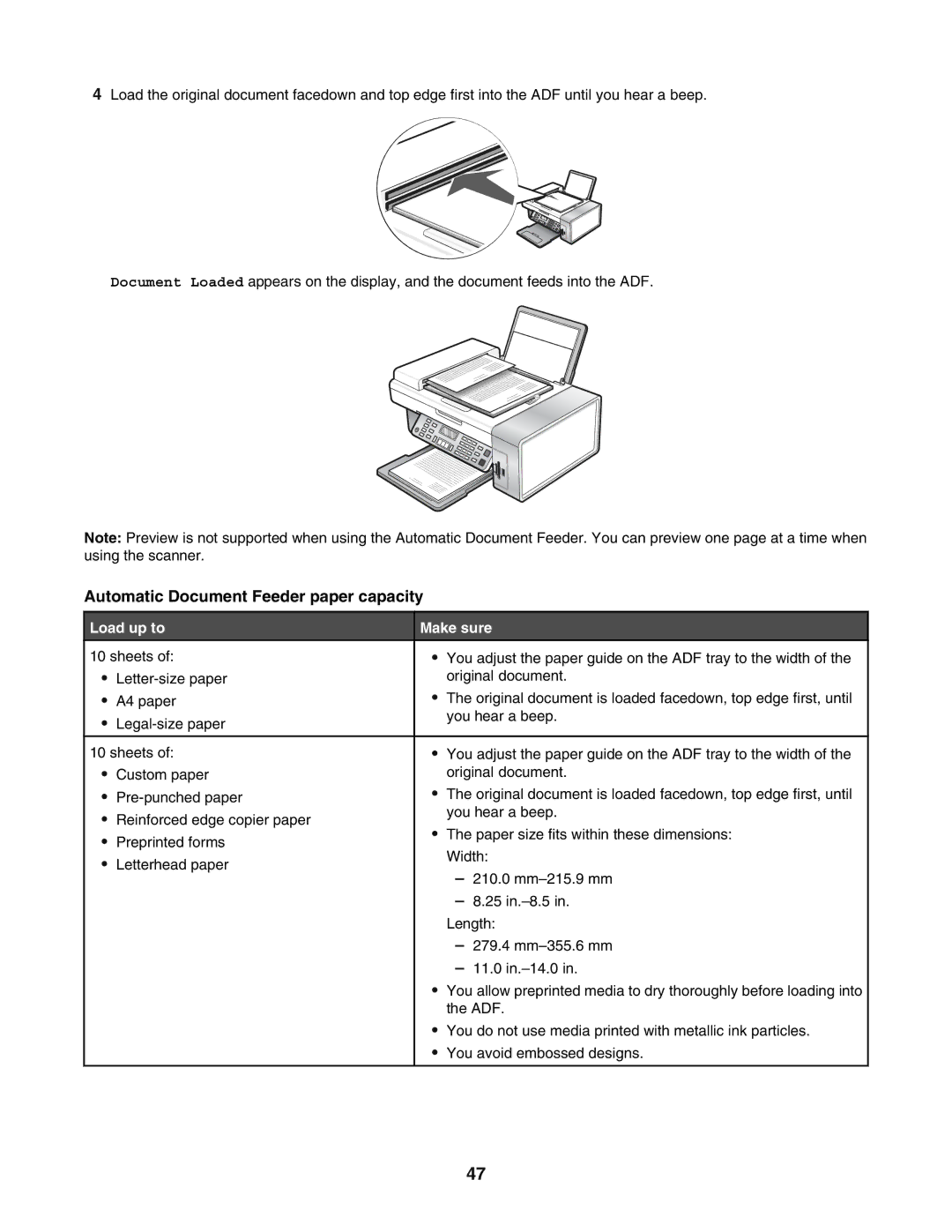
4Load the original document facedown and top edge first into the ADF until you hear a beep.
Document Loaded appears on the display, and the document feeds into the ADF.
Note: Preview is not supported when using the Automatic Document Feeder. You can preview one page at a time when using the scanner.
Automatic Document Feeder paper capacity
Load up to | Make sure | ||||
10 sheets of: | • | You adjust the paper guide on the ADF tray to the width of the |
| ||
• |
| original document. | |||
• | A4 paper | • | The original document is loaded facedown, top edge first, until | ||
• |
| you hear a beep. | |||
|
|
| |||
|
|
|
|
| |
10 sheets of: | • | You adjust the paper guide on the ADF tray to the width of the | |||
• | Custom paper |
| original document. | ||
• | • | The original document is loaded facedown, top edge first, until | |||
• | Reinforced edge copier paper |
| you hear a beep. | ||
• | The paper size fits within these dimensions: | ||||
• | Preprinted forms | ||||
| Width: | ||||
• | Letterhead paper |
| |||
| – 210.0 | ||||
|
|
| |||
|
|
| – 8.25 | ||
|
|
| Length: | ||
|
|
| – 279.4 | ||
|
|
| – 11.0 | ||
|
| • | You allow preprinted media to dry thoroughly before loading into | ||
|
|
| the ADF. | ||
|
| • | You do not use media printed with metallic ink particles. | ||
|
| • | You avoid embossed designs. | ||
|
|
|
|
| |
47