Service Terminal Interface
APPENDIX A - SERVICE TERMINAL INTERFACE
The Service Terminal Interface allows access to all functions of the Universal Monitor, including some that are not possible through the LCD interface. This interface is accessible through any com- puter using a communications program such as Microsoft® Windows® HyperTerminal.
This appendix provides directions for connecting to the Service Terminal Interface, an overview of each type of function and sample screens for each menu available through the Service Terminal Inter- face. References to more detailed instructions about each function are provided.
A.1 COMPARISON OF FUNCTIONS: LCD AND SERVICE TERMINAL INTERFACE
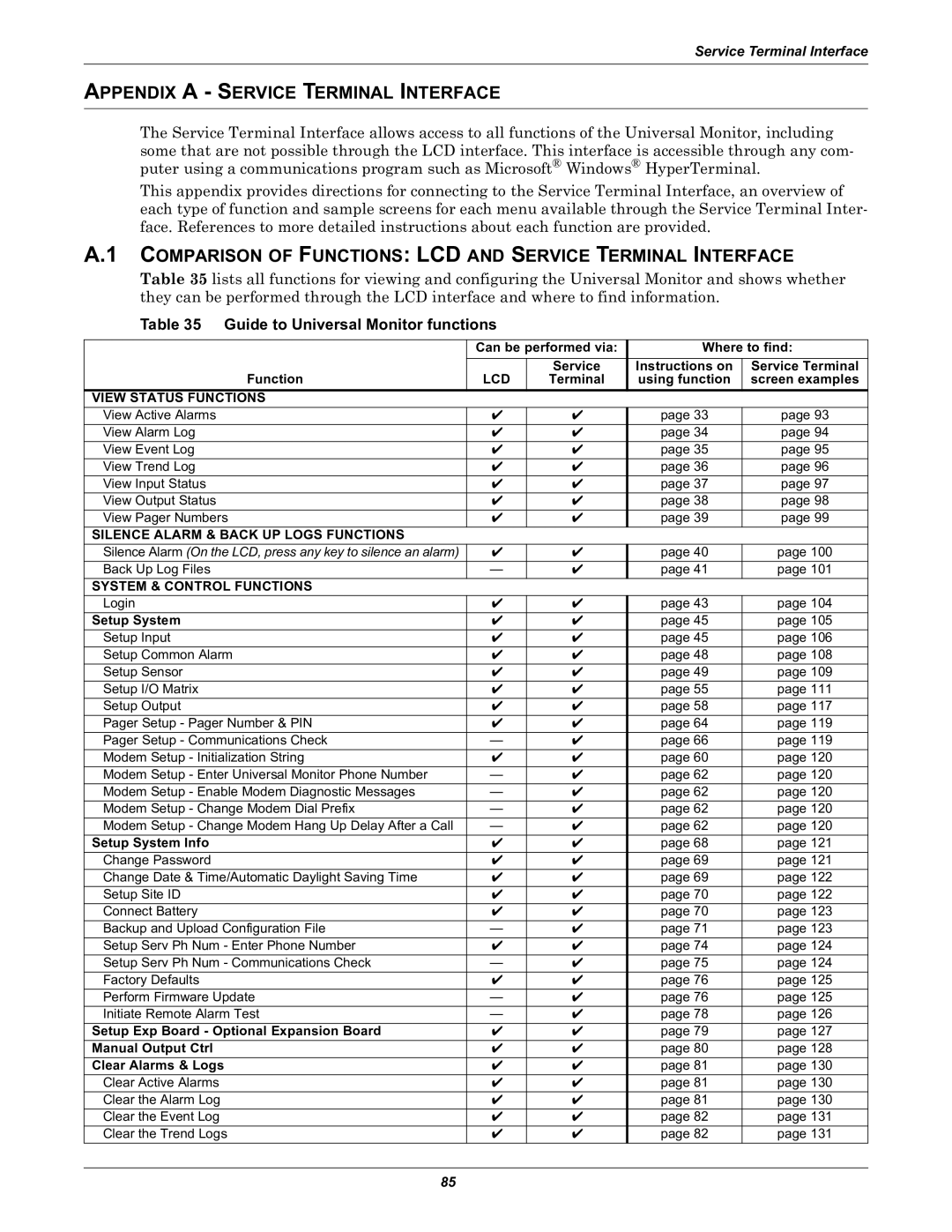
Table 35 lists all functions for viewing and configuring the Universal Monitor and shows whether they can be performed through the LCD interface and where to find information.
Table 35 Guide to Universal Monitor functions
| Can be performed via: | Where to find: | ||
Function | LCD | Service | Instructions on | Service Terminal |
Terminal | using function | screen examples | ||
VIEW STATUS FUNCTIONS |
|
|
|
|
View Active Alarms | ✔ | ✔ | page 33 | page 93 |
View Alarm Log | ✔ | ✔ | page 34 | page 94 |
View Event Log | ✔ | ✔ | page 35 | page 95 |
View Trend Log | ✔ | ✔ | page 36 | page 96 |
View Input Status | ✔ | ✔ | page 37 | page 97 |
View Output Status | ✔ | ✔ | page 38 | page 98 |
View Pager Numbers | ✔ | ✔ | page 39 | page 99 |
SILENCE ALARM & BACK UP LOGS FUNCTIONS |
|
|
|
|
Silence Alarm (On the LCD, press any key to silence an alarm) | ✔ | ✔ | page 40 | page 100 |
Back Up Log Files | — | ✔ | page 41 | page 101 |
SYSTEM & CONTROL FUNCTIONS |
|
|
|
|
Login | ✔ | ✔ | page 43 | page 104 |
Setup System | ✔ | ✔ | page 45 | page 105 |
Setup Input | ✔ | ✔ | page 45 | page 106 |
Setup Common Alarm | ✔ | ✔ | page 48 | page 108 |
Setup Sensor | ✔ | ✔ | page 49 | page 109 |
Setup I/O Matrix | ✔ | ✔ | page 55 | page 111 |
Setup Output | ✔ | ✔ | page 58 | page 117 |
Pager Setup - Pager Number & PIN | ✔ | ✔ | page 64 | page 119 |
Pager Setup - Communications Check | — | ✔ | page 66 | page 119 |
Modem Setup - Initialization String | ✔ | ✔ | page 60 | page 120 |
Modem Setup - Enter Universal Monitor Phone Number | — | ✔ | page 62 | page 120 |
Modem Setup - Enable Modem Diagnostic Messages | — | ✔ | page 62 | page 120 |
Modem Setup - Change Modem Dial Prefix | — | ✔ | page 62 | page 120 |
Modem Setup - Change Modem Hang Up Delay After a Call | — | ✔ | page 62 | page 120 |
Setup System Info | ✔ | ✔ | page 68 | page 121 |
Change Password | ✔ | ✔ | page 69 | page 121 |
Change Date & Time/Automatic Daylight Saving Time | ✔ | ✔ | page 69 | page 122 |
Setup Site ID | ✔ | ✔ | page 70 | page 122 |
Connect Battery | ✔ | ✔ | page 70 | page 123 |
Backup and Upload Configuration File | — | ✔ | page 71 | page 123 |
Setup Serv Ph Num - Enter Phone Number | ✔ | ✔ | page 74 | page 124 |
Setup Serv Ph Num - Communications Check | — | ✔ | page 75 | page 124 |
Factory Defaults | ✔ | ✔ | page 76 | page 125 |
Perform Firmware Update | — | ✔ | page 76 | page 125 |
Initiate Remote Alarm Test | — | ✔ | page 78 | page 126 |
Setup Exp Board - Optional Expansion Board | ✔ | ✔ | page 79 | page 127 |
Manual Output Ctrl | ✔ | ✔ | page 80 | page 128 |
Clear Alarms & Logs | ✔ | ✔ | page 81 | page 130 |
Clear Active Alarms | ✔ | ✔ | page 81 | page 130 |
Clear the Alarm Log | ✔ | ✔ | page 81 | page 130 |
Clear the Event Log | ✔ | ✔ | page 82 | page 131 |
Clear the Trend Logs | ✔ | ✔ | page 82 | page 131 |
85