5Caring for Your Printer
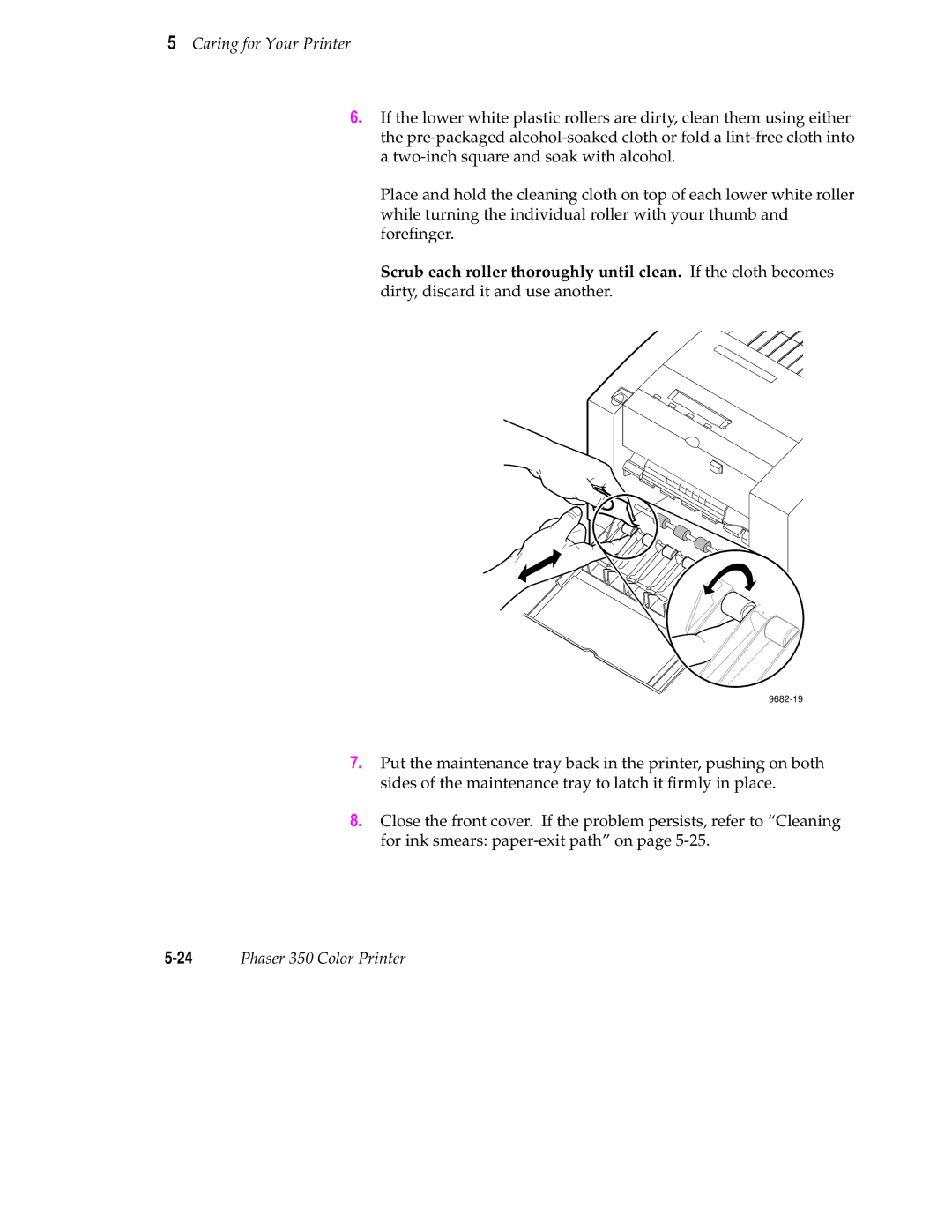
6.If the lower white plastic rollers are dirty, clean them using either the
Place and hold the cleaning cloth on top of each lower white roller while turning the individual roller with your thumb and forefinger.
Scrub each roller thoroughly until clean. If the cloth becomes dirty, discard it and use another.
9682-19
7.Put the maintenance tray back in the printer, pushing on both sides of the maintenance tray to latch it firmly in place.
8.Close the front cover. If the problem persists, refer to “Cleaning for ink smears: