Printing Basics | 3 |
Margins and image area
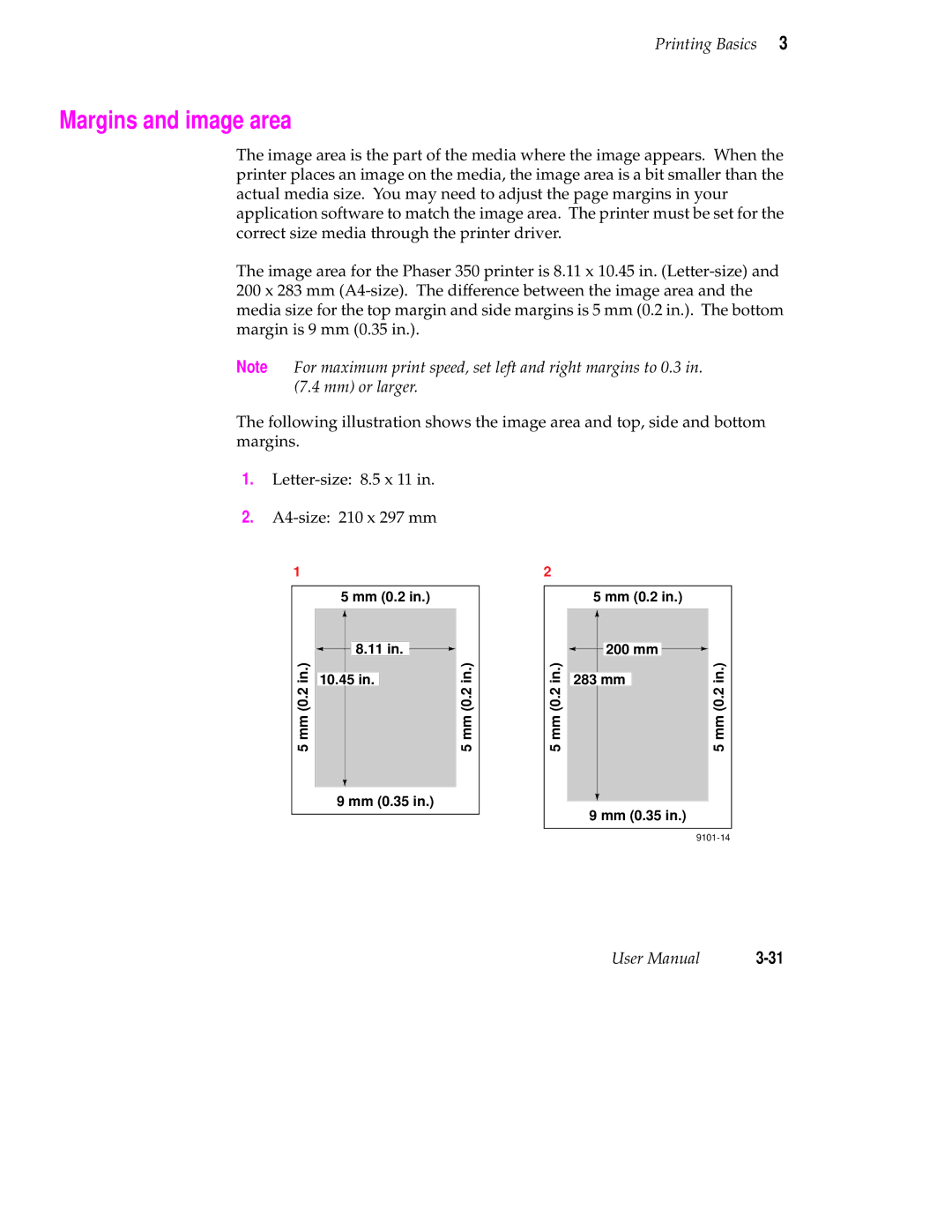
The image area is the part of the media where the image appears. When the printer places an image on the media, the image area is a bit smaller than the actual media size. You may need to adjust the page margins in your application software to match the image area. The printer must be set for the correct size media through the printer driver.
The image area for the Phaser 350 printer is 8.11 x 10.45 in.
Note For maximum print speed, set left and right margins to 0.3 in. (7.4 mm) or larger.
The following illustration shows the image area and top, side and bottom margins.
1.
2.
1
| 5 mm (0.2 in.) |
| |||
in.) |
|
| 8.11 in. | in.) | |
|
| ||||
|
| ||||
|
|
|
| ||
10.45 in. |
| ||||
5 mm (0.2 |
| 5 mm (0.2 | |||
|
|
|
| ||
|
|
|
|
|
|
|
|
|
|
|
|
9 mm (0.35 in.)
2
5 mm (0.2 in.)
5 mm (0.2 in.)
 200 mm

|
|
| in.) |
283 mm |
| ||
| 5 mm (0.2 | ||
|
|
| |
|
|
|
|
9 mm (0.35 in.) |
| ||
User Manual |