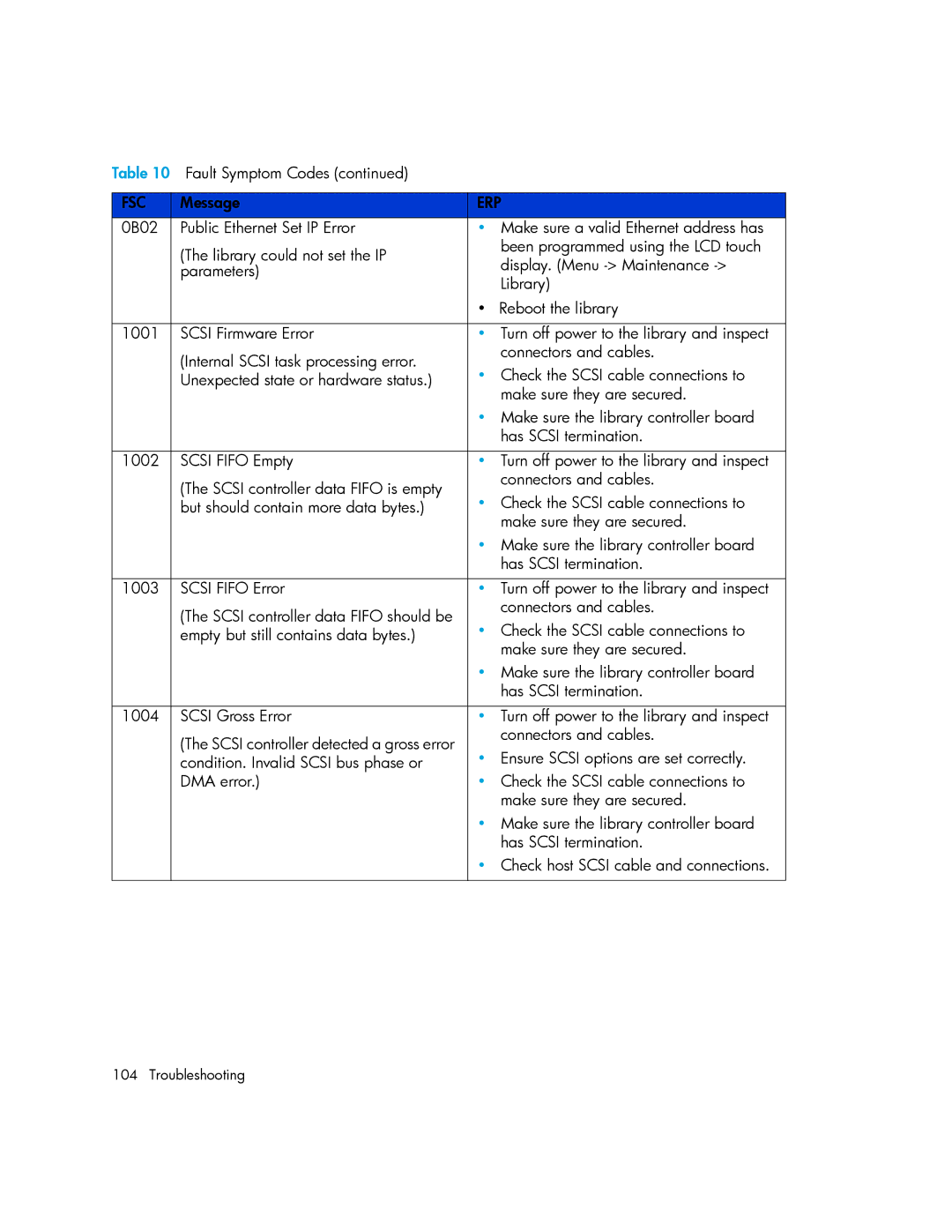
Table 10 Fault Symptom Codes (continued) |
| |
|
|
|
FSC | Message | ERP |
0B02 | Public Ethernet Set IP Error | • Make sure a valid Ethernet address has |
| (The library could not set the IP | been programmed using the LCD touch |
| display. (Menu | |
| parameters) | |
| Library) | |
|
| |
|
| • Reboot the library |
|
|
|
1001 | SCSI Firmware Error | • Turn off power to the library and inspect |
| (Internal SCSI task processing error. | connectors and cables. |
| • Check the SCSI cable connections to | |
| Unexpected state or hardware status.) | |
|
| make sure they are secured. |
|
| • Make sure the library controller board |
|
| has SCSI termination. |
|
|
|
1002 | SCSI FIFO Empty | • Turn off power to the library and inspect |
| (The SCSI controller data FIFO is empty | connectors and cables. |
| • Check the SCSI cable connections to | |
| but should contain more data bytes.) | |
|
| make sure they are secured. |
|
| • Make sure the library controller board |
|
| has SCSI termination. |
|
|
|
1003 | SCSI FIFO Error | • Turn off power to the library and inspect |
| (The SCSI controller data FIFO should be | connectors and cables. |
| • Check the SCSI cable connections to | |
| empty but still contains data bytes.) | |
|
| make sure they are secured. |
|
| • Make sure the library controller board |
|
| has SCSI termination. |
|
|
|
1004 | SCSI Gross Error | • Turn off power to the library and inspect |
| (The SCSI controller detected a gross error | connectors and cables. |
| • Ensure SCSI options are set correctly. | |
| condition. Invalid SCSI bus phase or | |
| DMA error.) | • Check the SCSI cable connections to |
|
| make sure they are secured. |
|
| • Make sure the library controller board |
|
| has SCSI termination. |
|
| • Check host SCSI cable and connections. |
|
|
|
104 Troubleshooting