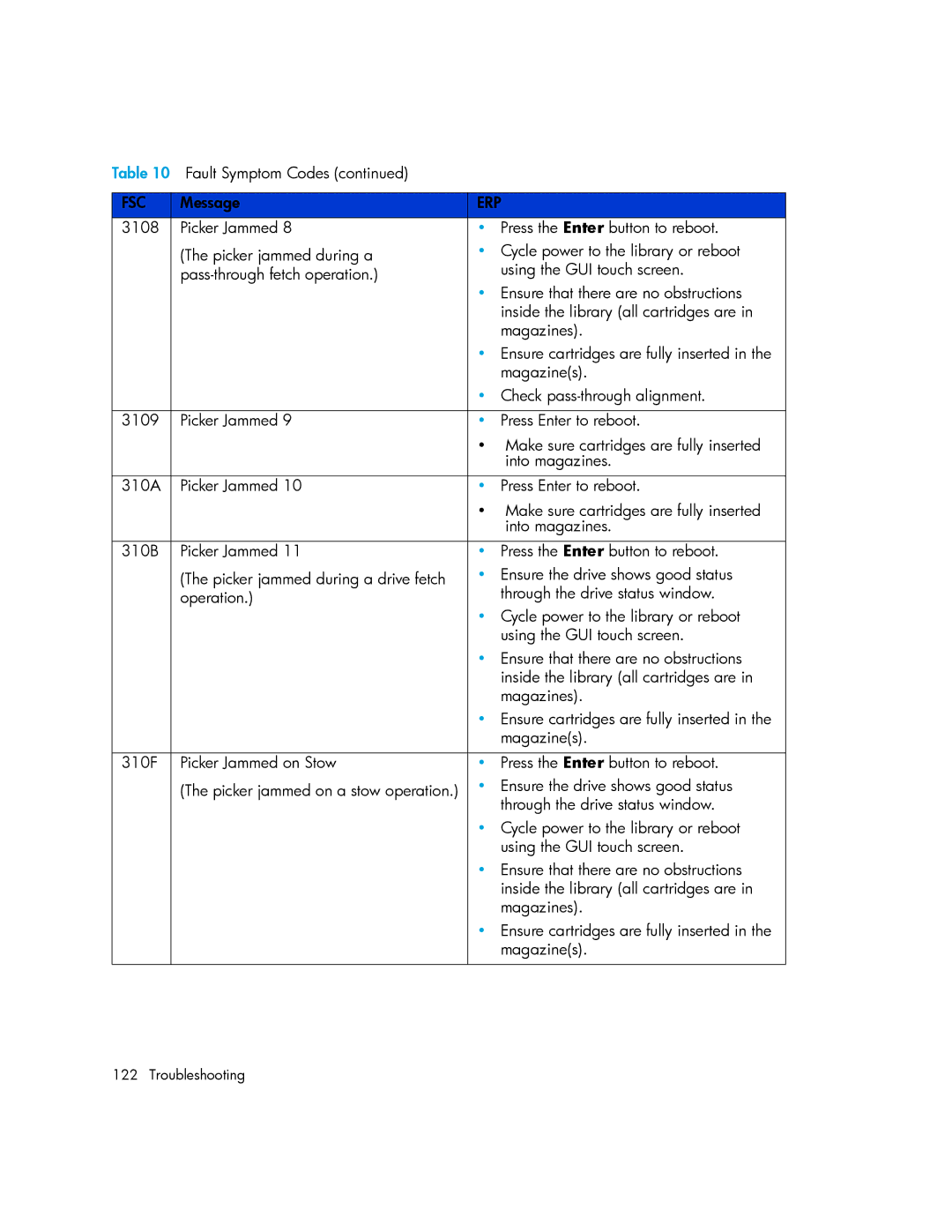
Table 10 Fault Symptom Codes (continued) |
| |
|
|
|
FSC | Message | ERP |
3108 | Picker Jammed 8 | • Press the Enter button to reboot. |
| (The picker jammed during a | • Cycle power to the library or reboot |
| using the GUI touch screen. | |
|
| • Ensure that there are no obstructions |
|
| inside the library (all cartridges are in |
|
| magazines). |
|
| • Ensure cartridges are fully inserted in the |
|
| magazine(s). |
|
| • Check |
|
|
|
3109 | Picker Jammed 9 | • Press Enter to reboot. |
|
| • Make sure cartridges are fully inserted |
|
| into magazines. |
|
|
|
310A | Picker Jammed 10 | • Press Enter to reboot. |
|
| • Make sure cartridges are fully inserted |
|
| into magazines. |
|
|
|
310B | Picker Jammed 11 | • Press the Enter button to reboot. |
| (The picker jammed during a drive fetch | • Ensure the drive shows good status |
| operation.) | through the drive status window. |
|
| • Cycle power to the library or reboot |
|
| using the GUI touch screen. |
|
| • Ensure that there are no obstructions |
|
| inside the library (all cartridges are in |
|
| magazines). |
|
| • Ensure cartridges are fully inserted in the |
|
| magazine(s). |
|
|
|
310F | Picker Jammed on Stow | • Press the Enter button to reboot. |
| (The picker jammed on a stow operation.) | • Ensure the drive shows good status |
|
| through the drive status window. |
|
| • Cycle power to the library or reboot |
|
| using the GUI touch screen. |
|
| • Ensure that there are no obstructions |
|
| inside the library (all cartridges are in |
|
| magazines). |
|
| • Ensure cartridges are fully inserted in the |
|
| magazine(s). |
|
|
|
122 Troubleshooting