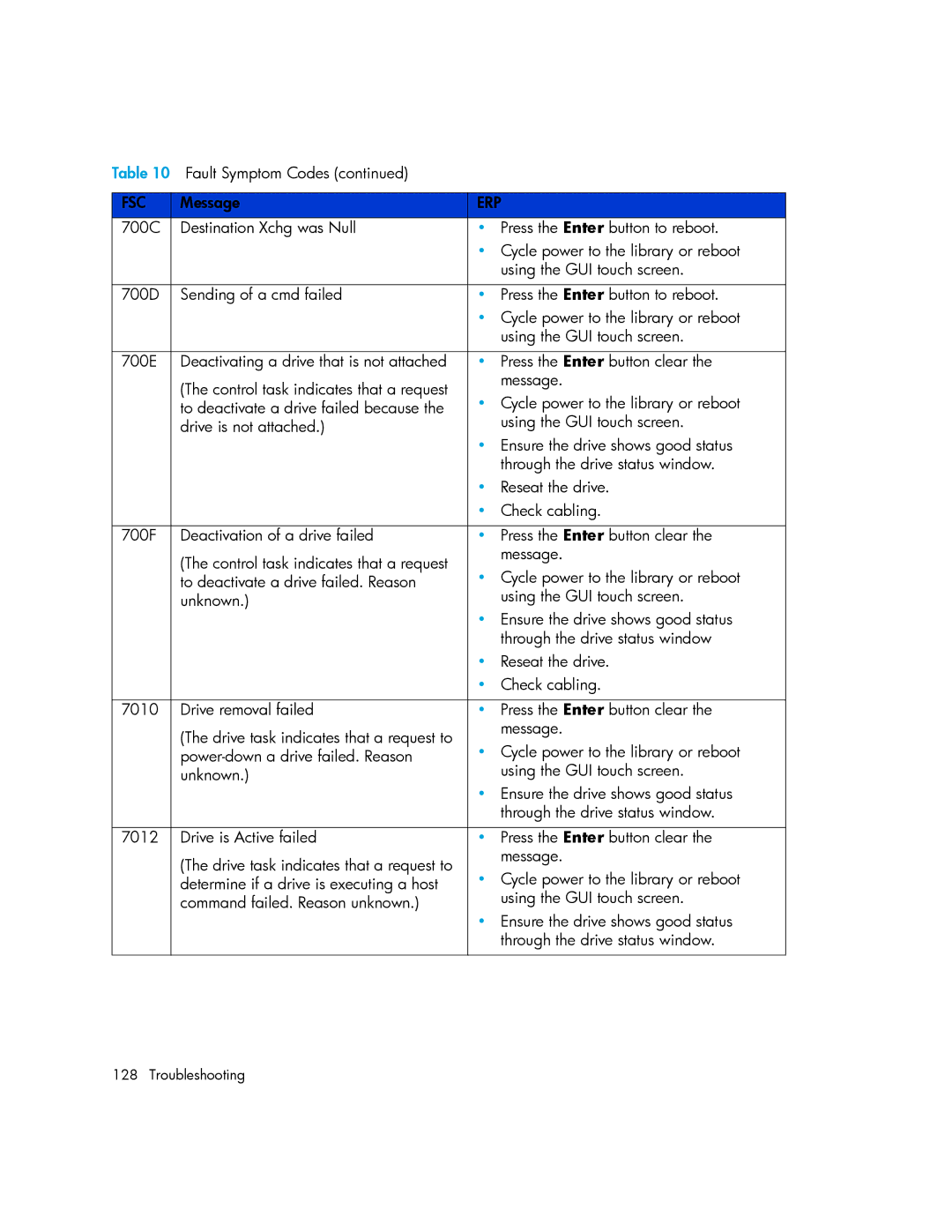
Table 10 Fault Symptom Codes (continued) |
|
| |
|
|
| |
FSC | Message | ERP | |
700C | Destination Xchg was Null | • | Press the Enter button to reboot. |
|
| • Cycle power to the library or reboot | |
|
|
| using the GUI touch screen. |
|
|
|
|
700D | Sending of a cmd failed | • | Press the Enter button to reboot. |
|
| • Cycle power to the library or reboot | |
|
|
| using the GUI touch screen. |
|
|
|
|
700E | Deactivating a drive that is not attached | • | Press the Enter button clear the |
| (The control task indicates that a request |
| message. |
| • | Cycle power to the library or reboot | |
| to deactivate a drive failed because the | ||
| drive is not attached.) |
| using the GUI touch screen. |
|
| • Ensure the drive shows good status | |
|
|
| through the drive status window. |
|
| • | Reseat the drive. |
|
| • | Check cabling. |
|
|
|
|
700F | Deactivation of a drive failed | • | Press the Enter button clear the |
| (The control task indicates that a request |
| message. |
| • | Cycle power to the library or reboot | |
| to deactivate a drive failed. Reason | ||
| unknown.) |
| using the GUI touch screen. |
|
| • Ensure the drive shows good status | |
|
|
| through the drive status window |
|
| • | Reseat the drive. |
|
| • | Check cabling. |
|
|
|
|
7010 | Drive removal failed | • | Press the Enter button clear the |
| (The drive task indicates that a request to |
| message. |
| • | Cycle power to the library or reboot | |
| |||
| unknown.) |
| using the GUI touch screen. |
|
| • Ensure the drive shows good status | |
|
|
| through the drive status window. |
|
|
|
|
7012 | Drive is Active failed | • | Press the Enter button clear the |
| (The drive task indicates that a request to |
| message. |
| • | Cycle power to the library or reboot | |
| determine if a drive is executing a host | ||
| command failed. Reason unknown.) |
| using the GUI touch screen. |
|
| • Ensure the drive shows good status | |
|
|
| through the drive status window. |
|
|
|
|
128 Troubleshooting