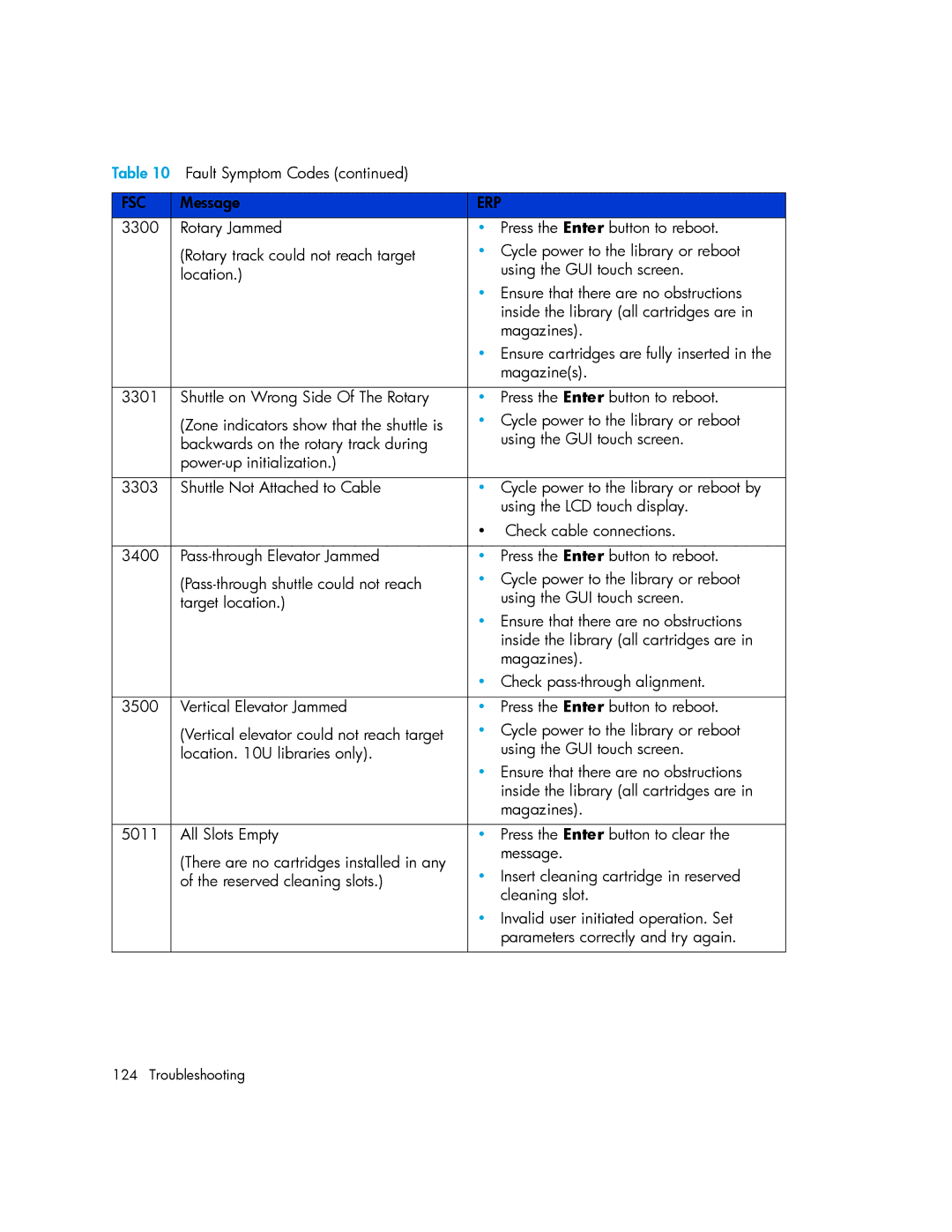
Table 10 Fault Symptom Codes (continued) |
| |
|
|
|
FSC | Message | ERP |
3300 | Rotary Jammed | • Press the Enter button to reboot. |
| (Rotary track could not reach target | • Cycle power to the library or reboot |
| location.) | using the GUI touch screen. |
|
| • Ensure that there are no obstructions |
|
| inside the library (all cartridges are in |
|
| magazines). |
|
| • Ensure cartridges are fully inserted in the |
|
| magazine(s). |
|
|
|
3301 | Shuttle on Wrong Side Of The Rotary | • Press the Enter button to reboot. |
| (Zone indicators show that the shuttle is | • Cycle power to the library or reboot |
| backwards on the rotary track during | using the GUI touch screen. |
|
| |
|
|
|
3303 | Shuttle Not Attached to Cable | • Cycle power to the library or reboot by |
|
| using the LCD touch display. |
|
| • Check cable connections. |
|
|
|
3400 | • Press the Enter button to reboot. | |
| • Cycle power to the library or reboot | |
| target location.) | using the GUI touch screen. |
|
| • Ensure that there are no obstructions |
|
| inside the library (all cartridges are in |
|
| magazines). |
|
| • Check |
|
|
|
3500 | Vertical Elevator Jammed | • Press the Enter button to reboot. |
| (Vertical elevator could not reach target | • Cycle power to the library or reboot |
| location. 10U libraries only). | using the GUI touch screen. |
|
| • Ensure that there are no obstructions |
|
| inside the library (all cartridges are in |
|
| magazines). |
|
|
|
5011 | All Slots Empty | • Press the Enter button to clear the |
| (There are no cartridges installed in any | message. |
| • Insert cleaning cartridge in reserved | |
| of the reserved cleaning slots.) | |
|
| cleaning slot. |
|
| • Invalid user initiated operation. Set |
|
| parameters correctly and try again. |
|
|
|
124 Troubleshooting