–––––––––––––––––––––––––––––––––––––––––––––––––––––––––––––––––––– System/Station Administration
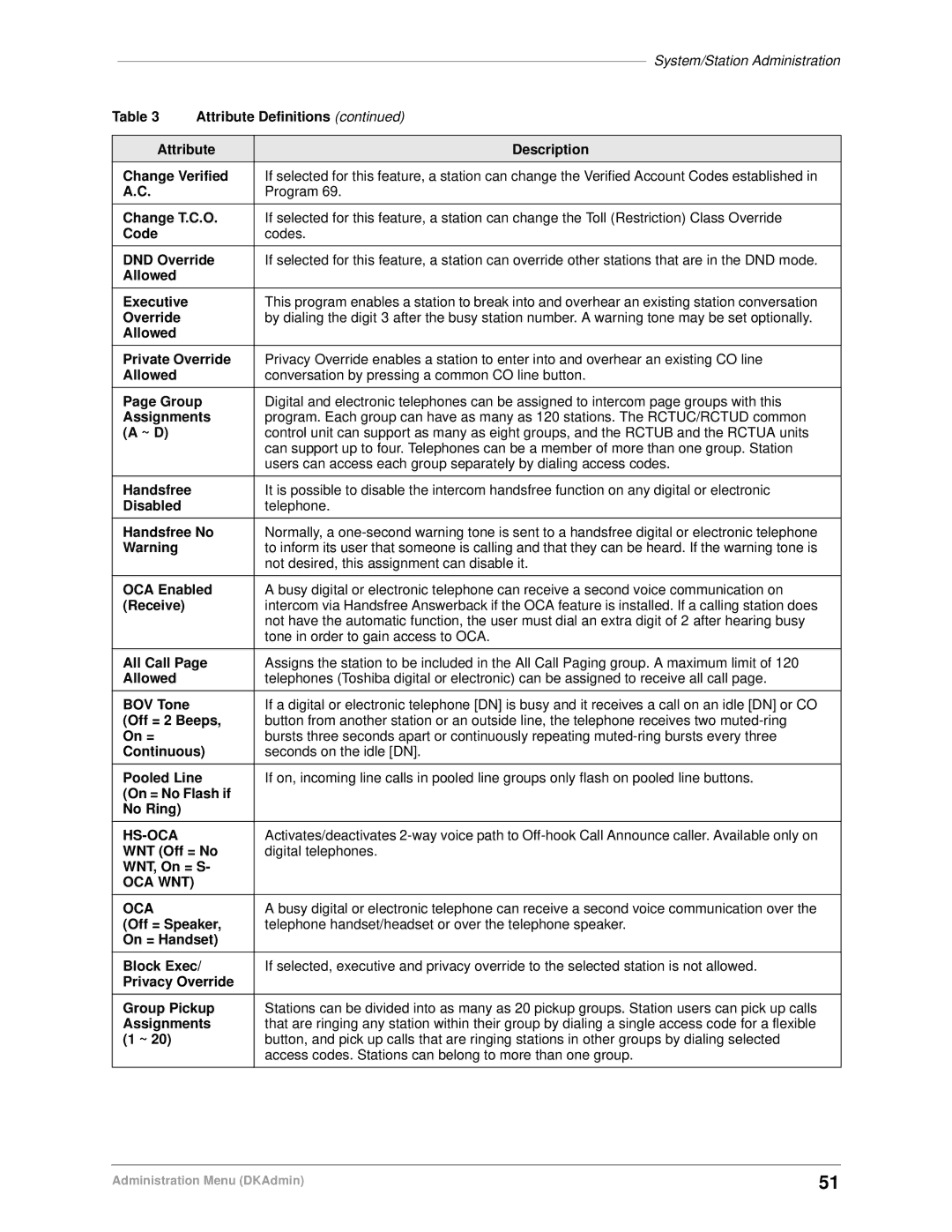
Table 3 | Attribute Definitions (continued) | |
|
| |
Attribute | Description | |
Change Verified | If selected for this feature, a station can change the Verified Account Codes established in | |
A.C. |
| Program 69. |
|
| |
Change T.C.O. | If selected for this feature, a station can change the Toll (Restriction) Class Override | |
Code |
| codes. |
|
| |
DND Override | If selected for this feature, a station can override other stations that are in the DND mode. | |
Allowed |
|
|
|
|
|
Executive |
| This program enables a station to break into and overhear an existing station conversation |
Override |
| by dialing the digit 3 after the busy station number. A warning tone may be set optionally. |
Allowed |
|
|
|
| |
Private Override | Privacy Override enables a station to enter into and overhear an existing CO line | |
Allowed |
| conversation by pressing a common CO line button. |
|
| |
Page Group | Digital and electronic telephones can be assigned to intercom page groups with this | |
Assignments | program. Each group can have as many as 120 stations. The RCTUC/RCTUD common | |
(A ~ D) |
| control unit can support as many as eight groups, and the RCTUB and the RCTUA units |
|
| can support up to four. Telephones can be a member of more than one group. Station |
|
| users can access each group separately by dialing access codes. |
|
|
|
Handsfree |
| It is possible to disable the intercom handsfree function on any digital or electronic |
Disabled |
| telephone. |
|
| |
Handsfree No | Normally, a | |
Warning |
| to inform its user that someone is calling and that they can be heard. If the warning tone is |
|
| not desired, this assignment can disable it. |
|
| |
OCA Enabled | A busy digital or electronic telephone can receive a second voice communication on | |
(Receive) |
| intercom via Handsfree Answerback if the OCA feature is installed. If a calling station does |
|
| not have the automatic function, the user must dial an extra digit of 2 after hearing busy |
|
| tone in order to gain access to OCA. |
|
| |
All Call Page | Assigns the station to be included in the All Call Paging group. A maximum limit of 120 | |
Allowed |
| telephones (Toshiba digital or electronic) can be assigned to receive all call page. |
|
|
|
BOV Tone |
| If a digital or electronic telephone [DN] is busy and it receives a call on an idle [DN] or CO |
(Off = 2 Beeps, | button from another station or an outside line, the telephone receives two | |
On = |
| bursts three seconds apart or continuously repeating |
Continuous) | seconds on the idle [DN]. | |
|
| |
Pooled Line | If on, incoming line calls in pooled line groups only flash on pooled line buttons. | |
(On = No Flash if |
| |
No Ring) |
|
|
|
|
|
|
| Activates/deactivates |
WNT (Off = No | digital telephones. | |
WNT, On = S- |
| |
OCA WNT) |
|
|
|
|
|
OCA |
| A busy digital or electronic telephone can receive a second voice communication over the |
(Off = Speaker, | telephone handset/headset or over the telephone speaker. | |
On = Handset) |
| |
|
| |
Block Exec/ | If selected, executive and privacy override to the selected station is not allowed. | |
Privacy Override |
| |
|
| |
Group Pickup | Stations can be divided into as many as 20 pickup groups. Station users can pick up calls | |
Assignments | that are ringing any station within their group by dialing a single access code for a flexible | |
(1 ~ 20) |
| button, and pick up calls that are ringing stations in other groups by dialing selected |
|
| access codes. Stations can belong to more than one group. |
|
|
|
Administration Menu (DKAdmin) | 51 |