S e c t i o n T w o
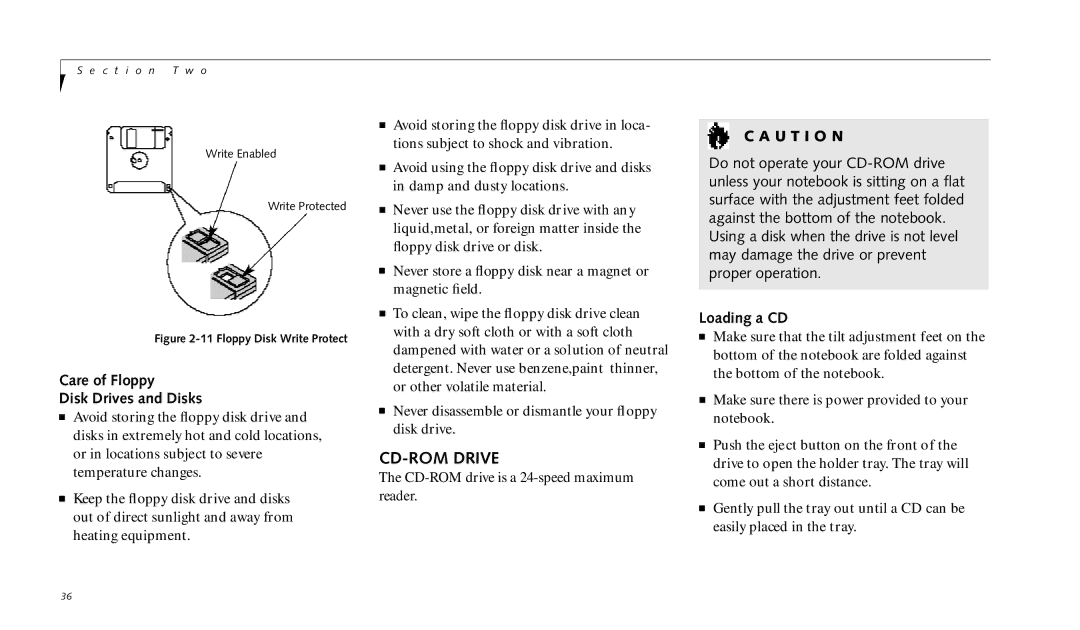
Write Enabled
Write Protected
Figure 2-11 Floppy Disk Write Protect
Care of Floppy
Disk Drives and Disks
■Avoid storing the floppy disk drive and disks in extremely hot and cold locations, or in locations subject to severe temperature changes.
■Keep the floppy disk drive and disks out of direct sunlight and away from heating equipment.
■Avoid storing the floppy disk drive in loca- tions subject to shock and vibration.
■Avoid using the floppy disk drive and disks in damp and dusty locations.
■Never use the floppy disk drive with any liquid,metal, or foreign matter inside the floppy disk drive or disk.
■Never store a floppy disk near a magnet or magnetic field.
■To clean, wipe the floppy disk drive clean with a dry soft cloth or with a soft cloth dampened with water or a solution of neutral detergent. Never use benzene,paint thinner, or other volatile material.
■Never disassemble or dismantle your floppy disk drive.
CD-ROM DRIVE
The
C A U T I O N
Do not operate your
Loading a CD
■Make sure that the tilt adjustment feet on the bottom of the notebook are folded against the bottom of the notebook.
■Make sure there is power provided to your notebook.
■Push the eject button on the front of the drive to open the holder tray. The tray will come out a short distance.
■Gently pull the tray out until a CD can be easily placed in the tray.
36