w w w . d e l l . c o m s u p p o r t . d e l l . c o m
S y s t e m M e s s a g e s ( c o n t in u e d )
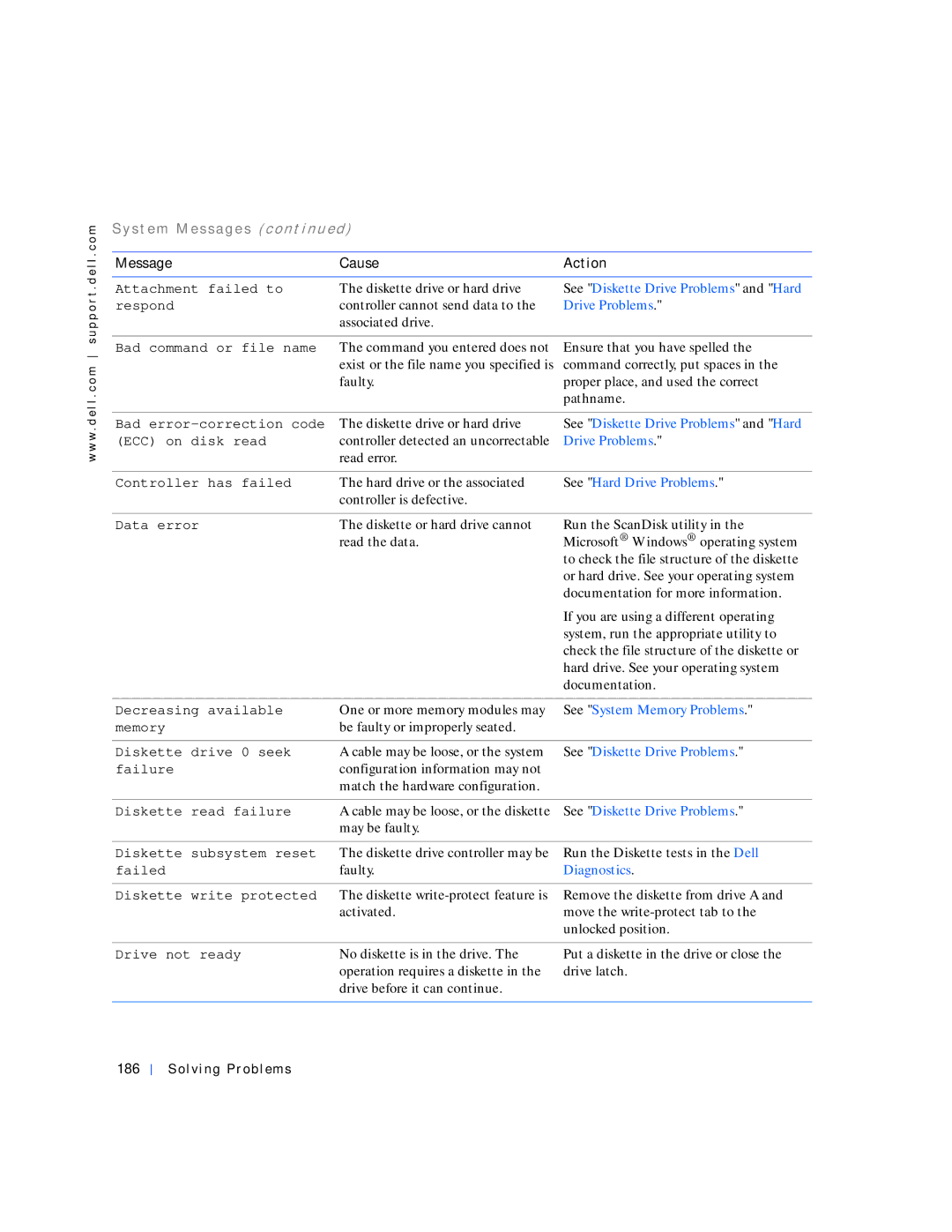
Message | Cause | Action |
|
|
|
Attachment failed to | The diskette drive or hard drive | See "Diskette Drive Problems" and "Hard |
respond | controller cannot send data to the | Drive Problems." |
| associated drive. |
|
|
|
|
Bad command or file name | The command you entered does not | Ensure that you have spelled the |
| exist or the file name you specified is | command correctly, put spaces in the |
| faulty. | proper place, and used the correct |
|
| pathname. |
|
|
|
Bad | The diskette drive or hard drive | See "Diskette Drive Problems" and "Hard |
(ECC) on disk read | controller detected an uncorrectable | Drive Problems." |
| read error. |
|
|
|
|
Controller has failed | The hard drive or the associated | See "Hard Drive Problems." |
| controller is defective. |
|
|
|
|
Data error | The diskette or hard drive cannot | Run the ScanDisk utility in the |
| read the data. | Microsoft® Windows® operating system |
|
| to check the file structure of the diskette |
|
| or hard drive. See your operating system |
|
| documentation for more information. |
|
| If you are using a different operating |
|
| system, run the appropriate utility to |
|
| check the file structure of the diskette or |
|
| hard drive. See your operating system |
|
| documentation. |
|
|
|
Decreasing available | One or more memory modules may | See "System Memory Problems." |
memory | be faulty or improperly seated. |
|
|
|
|
Diskette drive 0 seek | A cable may be loose, or the system | See "Diskette Drive Problems." |
failure | configuration information may not |
|
| match the hardware configuration. |
|
|
|
|
Diskette read failure | A cable may be loose, or the diskette | See "Diskette Drive Problems." |
| may be faulty. |
|
|
|
|
Diskette subsystem reset | The diskette drive controller may be | Run the Diskette tests in the Dell |
failed | faulty. | Diagnostics. |
|
|
|
Diskette write protected | The diskette | Remove the diskette from drive A and |
| activated. | move the |
|
| unlocked position. |
|
|
|
Drive not ready | No diskette is in the drive. The | Put a diskette in the drive or close the |
| operation requires a diskette in the | drive latch. |
| drive before it can continue. |
|
|
|
|