Re m o v i n g t h e M i c r o p r o c e s s o r
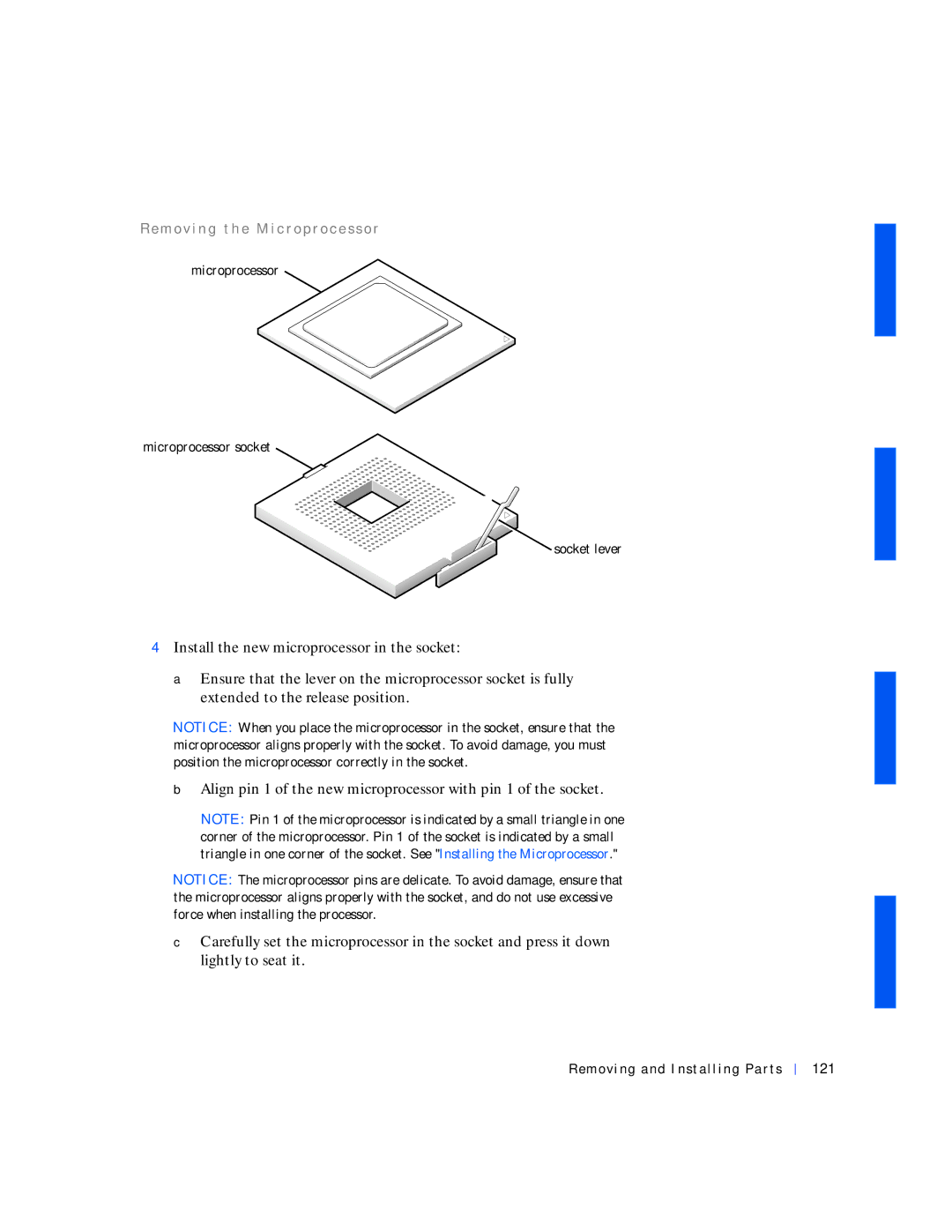
microprocessor
microprocessor socket
 socket lever
4Install the new microprocessor in the socket:
aEnsure that the lever on the microprocessor socket is fully extended to the release position.
NOTICE: When you place the microprocessor in the socket, ensure that the microprocessor aligns properly with the socket. To avoid damage, you must position the microprocessor correctly in the socket.
bAlign pin 1 of the new microprocessor with pin 1 of the socket.
NOTE: Pin 1 of the microprocessor is indicated by a small triangle in one corner of the microprocessor. Pin 1 of the socket is indicated by a small triangle in one corner of the socket. See "Installing the Microprocessor."
NOTICE: The microprocessor pins are delicate. To avoid damage, ensure that the microprocessor aligns properly with the socket, and do not use excessive force when installing the processor.
cCarefully set the microprocessor in the socket and press it down lightly to seat it.