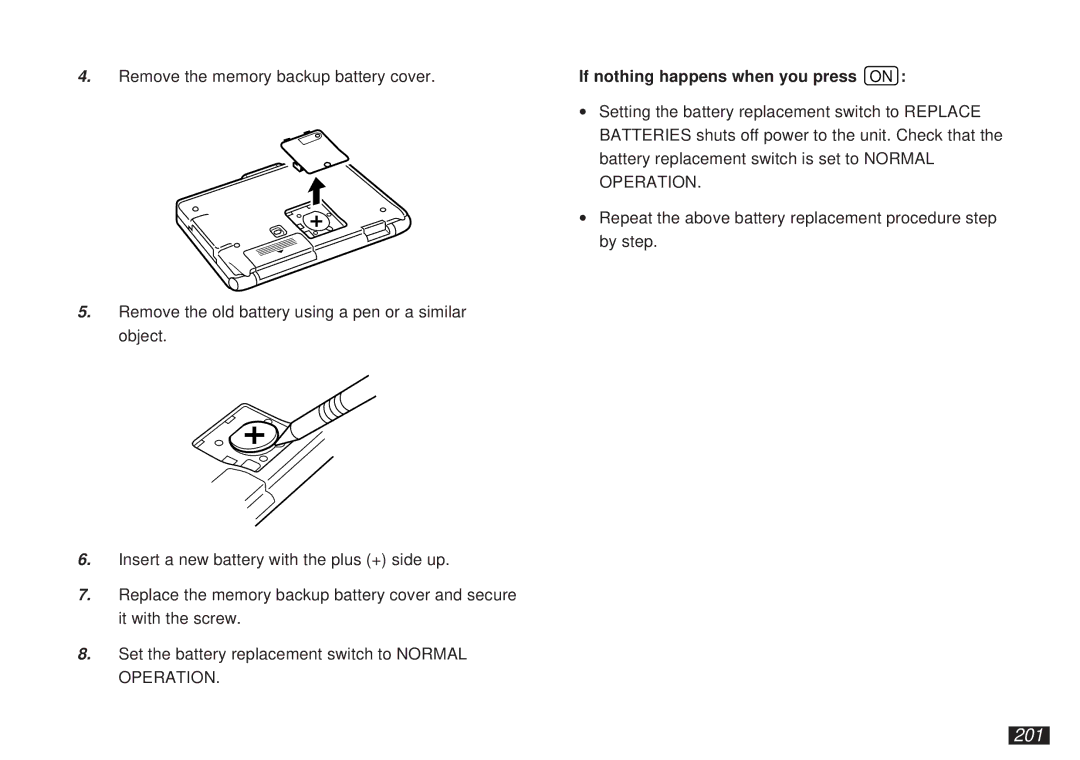
4.Remove the memory backup battery cover.
5.Remove the old battery using a pen or a similar object.
6.Insert a new battery with the plus (+) side up.
7.Replace the memory backup battery cover and secure it with the screw.
8.Set the battery replacement switch to NORMAL OPERATION.
If nothing happens when you press ON :
∙Setting the battery replacement switch to REPLACE BATTERIES shuts off power to the unit. Check that the battery replacement switch is set to NORMAL OPERATION.
∙Repeat the above battery replacement procedure step by step.