CHAPTER 3
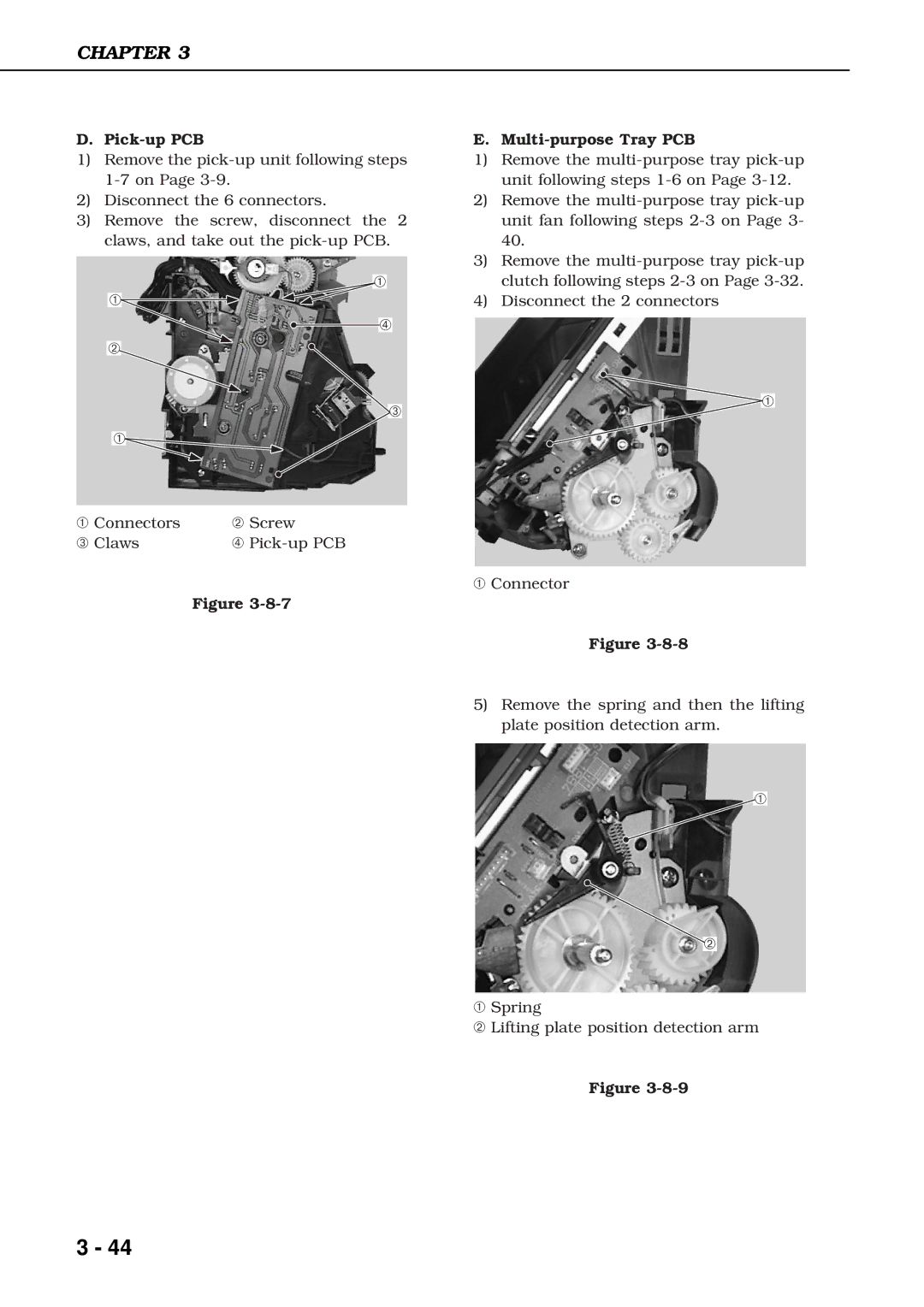
D. Pick-up PCB
1)Remove the
2)Disconnect the 6 connectors.
3)Remove the screw, disconnect the 2 claws, and take out the
➀
➀
➃
➁
➂
➀ |
|
➀ Connectors | ➁ Screw |
➂ Claws | ➃ |
| Figure |
E.
1)Remove the
2)Remove the
3)Remove the
4)Disconnect the 2 connectors
 ➀
➀
➀Connector
Figure
5)Remove the spring and then the lifting plate position detection arm.
➀
➁
➀Spring
➁Lifting plate position detection arm
Figure
3 - 44