Configure Library: Logs & Traces
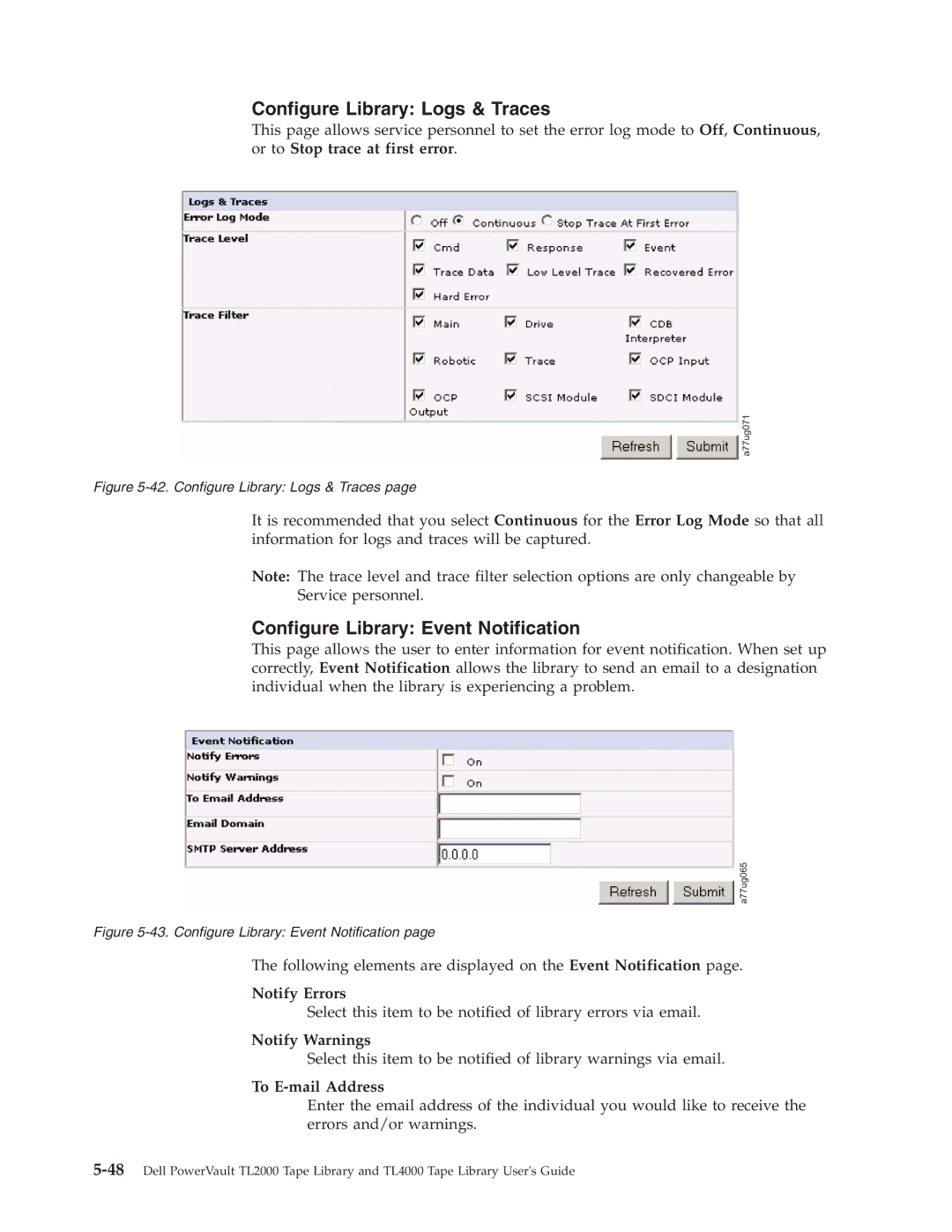
This page allows service personnel to set the error log mode to Off, Continuous, or to Stop trace at first error.
a77ug071
Figure 5-42. Configure Library: Logs & Traces page
It is recommended that you select Continuous for the Error Log Mode so that all information for logs and traces will be captured.
Note: The trace level and trace filter selection options are only changeable by
Service personnel.
Configure Library: Event Notification
This page allows the user to enter information for event notification. When set up correctly, Event Notification allows the library to send an email to a designation individual when the library is experiencing a problem.
a77ug065
Figure 5-43. Configure Library: Event Notification page
The following elements are displayed on the Event Notification page.
Notify Errors
Select this item to be notified of library errors via email.
Notify Warnings
Select this item to be notified of library warnings via email.
To E-mail Address
Enter the email address of the individual you would like to receive the errors and/or warnings.