SAS cable
SCSI terminator
Fibre Channel cable
Ethernet cable
Power cords
Drive sled blue captive thumbscrews
Black
Drive sled
Drive sled handle
4.If present, remove the conductive tape from the drive sled (refer to Figure
5. | Loosen the blue captive thumbscrews ( | in Figure | |
| drive sled. |
|
|
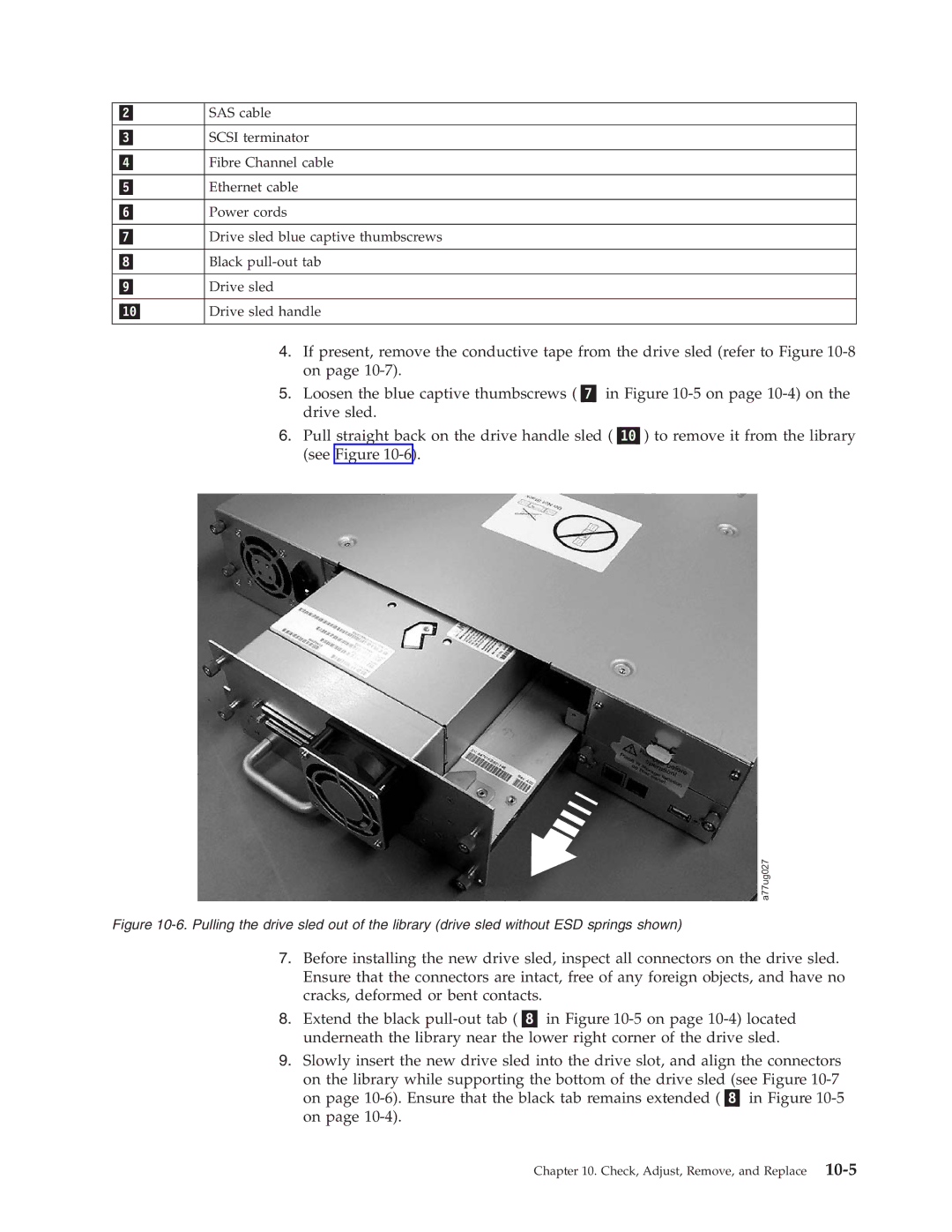
6. | Pull straight back on the drive handle sled ( | ) to remove it from the library | |
| (see Figure |
|
|
a77ug027
Figure 10-6. Pulling the drive sled out of the library (drive sled without ESD springs shown)
7.Before installing the new drive sled, inspect all connectors on the drive sled. Ensure that the connectors are intact, free of any foreign objects, and have no cracks, deformed or bent contacts.
8. Extend the black
9.Slowly insert the new drive sled into the drive slot, and align the connectors
on the library while supporting the bottom of the drive sled (see Figure
Chapter 10. Check, Adjust, Remove, and Replace