Chapter 11
This section contains the following topics:
•Handle the print cartridges
•Check the estimated ink levels
•Replace the print cartridges
•Use a photo print cartridge
•Use the print cartridge protector
•Align the print cartridges
•Clean the print cartridges
•Clean the print cartridge contacts
•Clean the area around the ink nozzles
•Remove ink from your skin and clothing
Handle the print cartridges
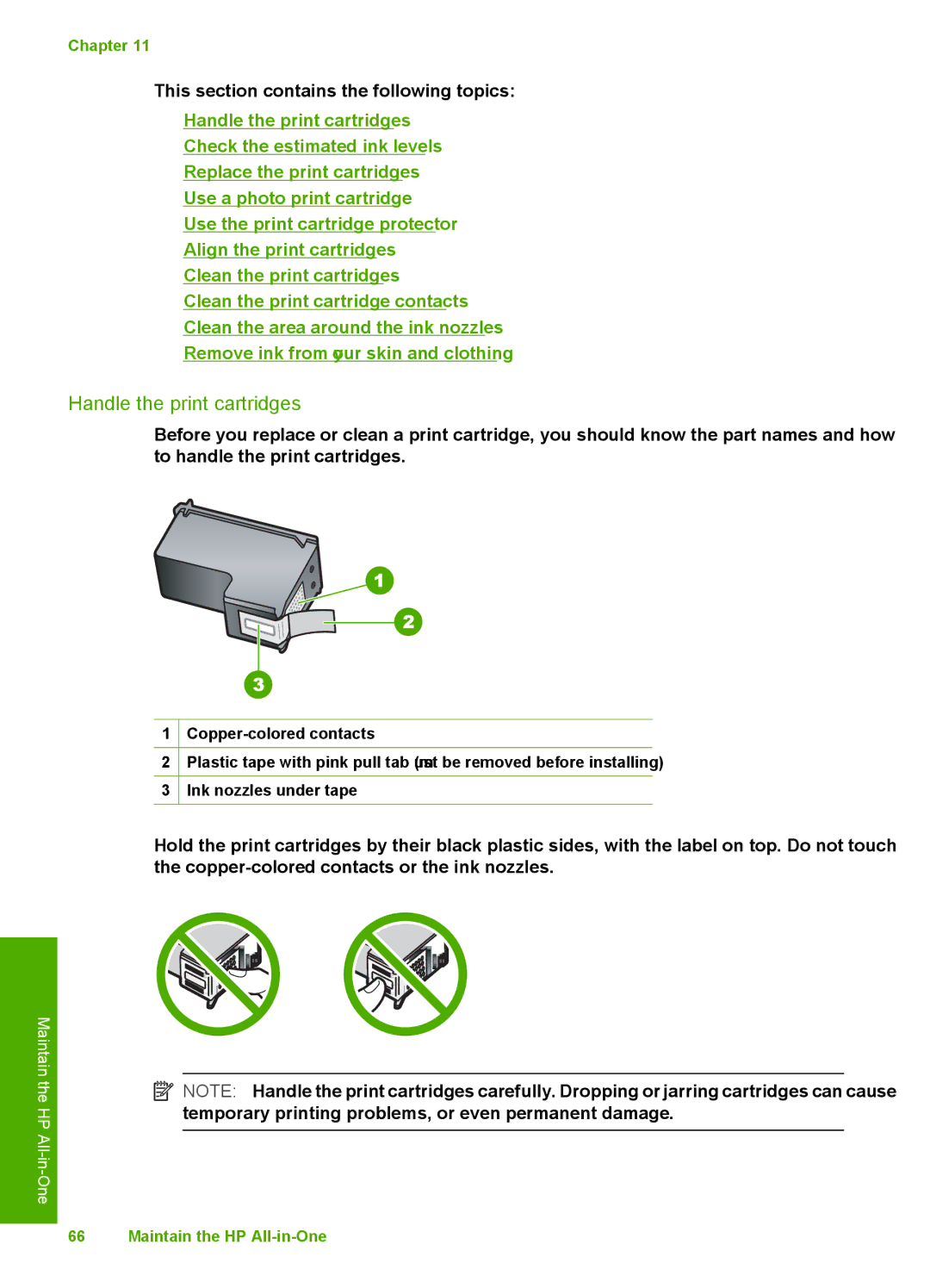
Before you replace or clean a print cartridge, you should know the part names and how to handle the print cartridges.
1
2Plastic tape with pink pull tab (must be removed before installing)
3Ink nozzles under tape
Maintain the
HP All
Hold the print cartridges by their black plastic sides, with the label on top. Do not touch the
 NOTE: Handle the print cartridges carefully. Dropping or jarring cartridges can cause temporary printing problems, or even permanent damage.
66 Maintain the HP