Reception Features
Printing Functions
Print Completion Beep |
| Center Mark |
By default, the machine beeps to let you know when a received message has been printed.

 Note
Note
❒You can alter the volume of the beep or turn it off completely (set the volume to the minimum level).
4See Chapter 4 “Adjusting Volume” in the Basic Features manual.
Checkered Mark
By default, a checkered mark is print- ed on the first page of fax messages to help you separate them.
ND1X00E5 |

 Note
Note
❒You can turn this feature off with the Initial Setup RX settings. See P.56 “Changing the Initial Setup Re- ception”.
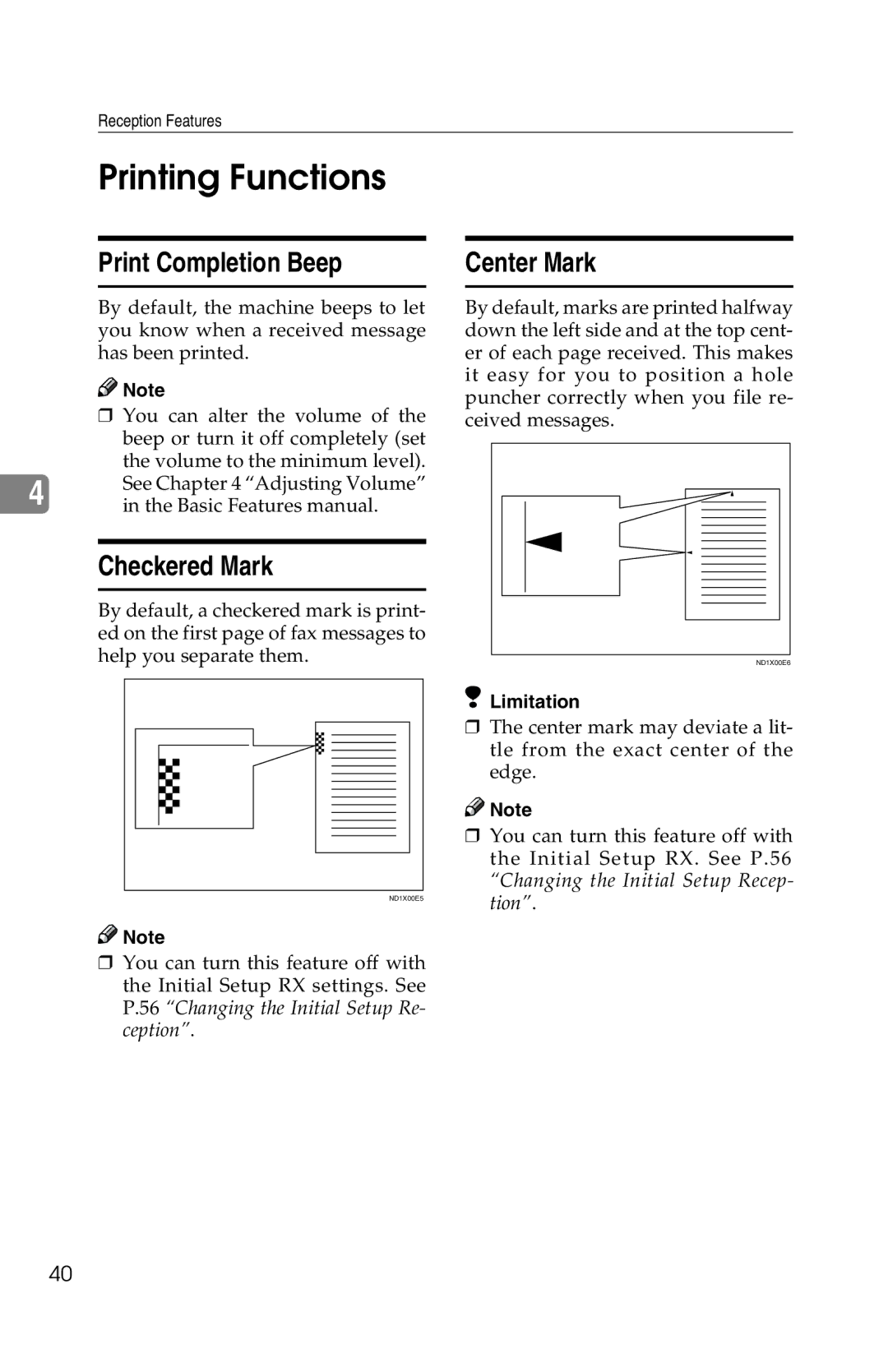
By default, marks are printed halfway down the left side and at the top cent- er of each page received. This makes it easy for you to position a hole puncher correctly when you file re- ceived messages.
ND1X00E6 |
 Limitation
❒The center mark may deviate a lit- tle from the exact center of the edge.

 Note
Note
❒You can turn this feature off with the Initial Setup RX. See P.56 “Changing the Initial Setup Recep- tion”.
40