Getting Started
Starting the Machine
To start the machine, turn on the op-
1eration switch.

 Note
Note
❒This machine automatically enters Energy Saver mode or turns itself off if you do not use the machine for a while. See Chapter 2 “Settings You Can Change with the User Tools” in the System Settings.
This machine has two power switch- es: See P.3 “Guide to Components”.
❖Operation switch
Turn on this switch to activate the machine. When the machine has warmed up, you can make copies or send faxes.
❖Main power switch
If the machine dose not operate af- ter turning on the operation switch, check if the main power switch is turned on. If it is off, turn it on.
 Important
❒If you leave the Main Power switch off for more than one hour, all fax files in memory are deleted. See P.9 “Turning Off the Power”.
Turning On the Power
A Confirm that the power cord is plugged into the wall outlet firm- ly and the Main Power switch is on.
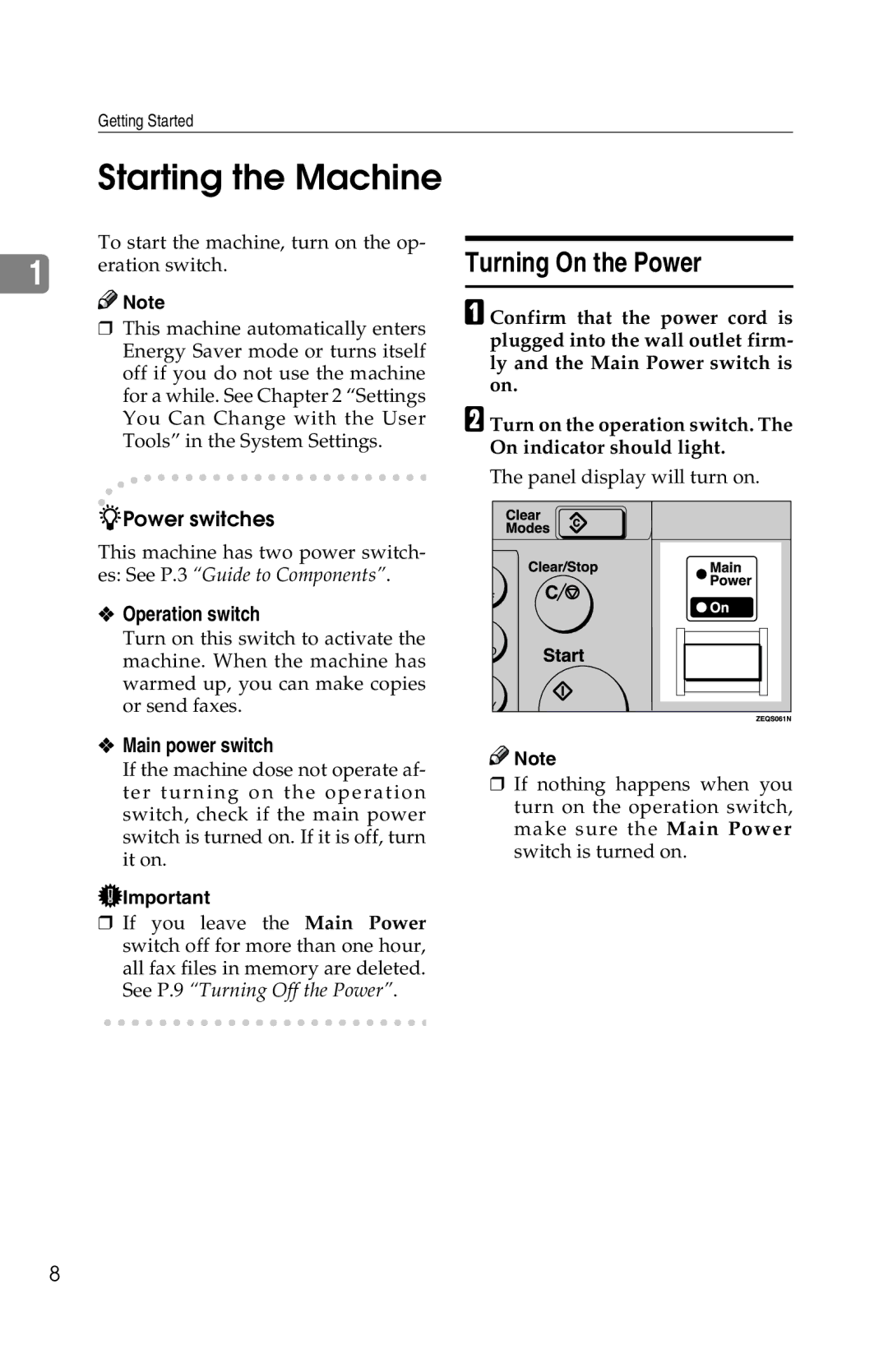
BTurn on the operation switch. The On indicator should light.
The panel display will turn on.

 Note
Note
❒If nothing happens when you turn on the operation switch, make sure the Main Power switch is turned on.
8