Setup
Speed Dial
Registering Speed Dial
If you register a destination in a Speed Dial, you can dial that number by just pressing the {Speed Dial} key followed by a two digit code.
Use these steps to program a new
3 Speed Dial or overwrite an existing one. You can register the following items in a Speed Dial:
• Destination fax number (up to 100 numbers, up to 254 digits for each number)
• Destination name (up to 20 charac- ters)
• A Telephone Directory search let- ter (A to Z)
• Label Insertion (whether to print the destination name on faxes sent to this number)
 Important
❒We recommend that you print the Speed Dial list and keep it when you register or change a destina- tion.
Limitation
❒When a registered Speed Dial is be- ing used for a standby Memory Transmission, the message "This Dial is in Use. Cannot Change." is shown and you cannot change the destination for this Quick Dial. See Chapter 5 “Printing Reports/Lists” in the Advanced Features manual.

 Note
Note
❒You can specify codes 00 to 99.
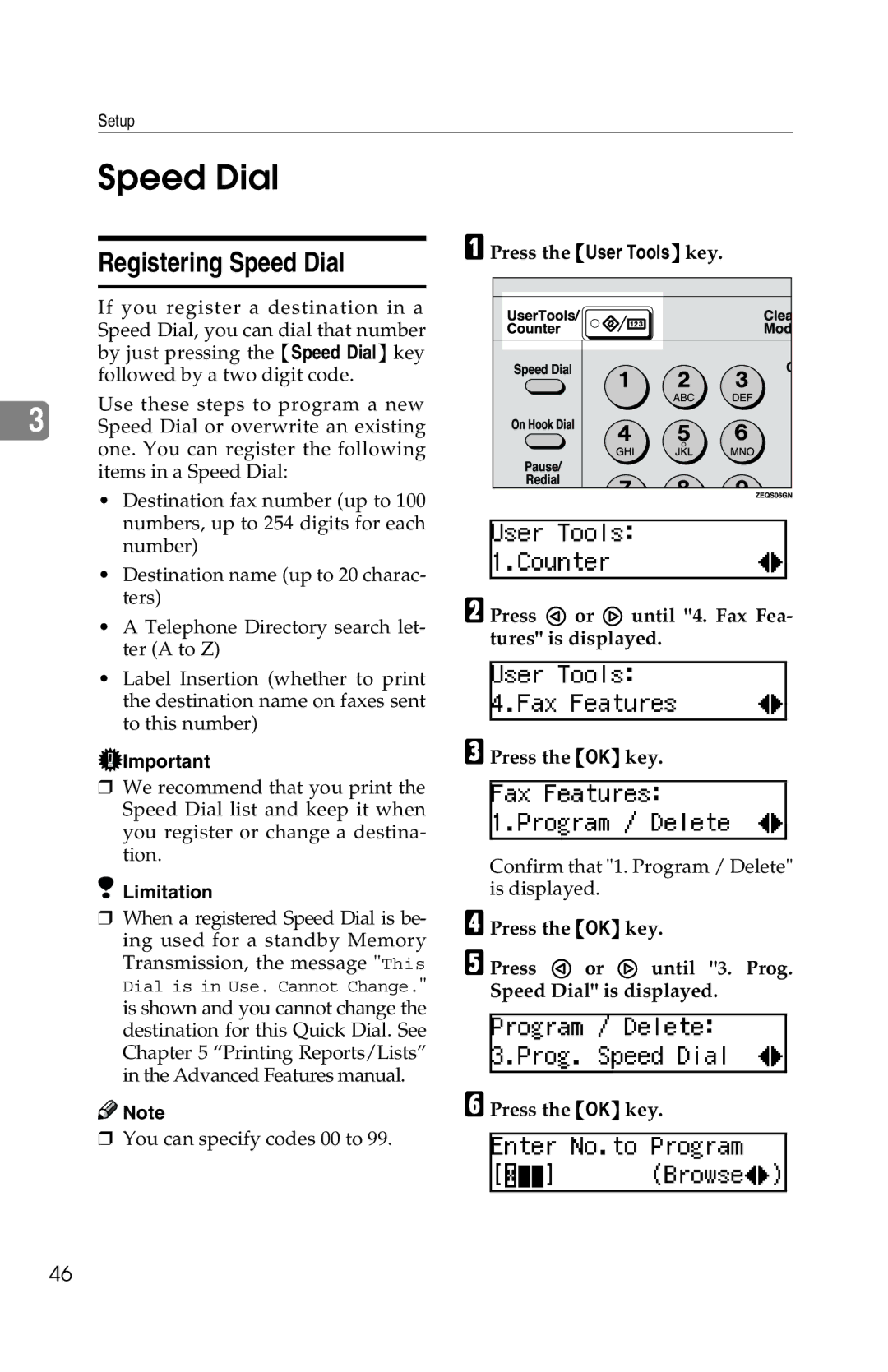
APress the {User Tools} key.
B Press 0 or 1 until "4. Fax Fea- tures" is displayed.
CPress the {OK} key.
Confirm that "1. Program / Delete" is displayed.
DPress the {OK} key.
E Press 0 or 1 until "3. Prog. Speed Dial" is displayed.
FPress the {OK} key.
46