Configure the Web Site
The first step is to configure the Web site on the perimeter network segment. In a production environment, the Web site will already be configured and be ready to publish. In this current example, we need to create a default Web site document and set a few parameters so that we can test it successfully.
Perform the following steps to configure the Web site on the IIS server on the perimeter network:
1.Click Start and point to Administrative Tools. Click Internet Information Services (IIS) Manager.
2.In the Internet Information Services (IIS) Manager console, expand the server name and the Web sites node.
3.Right click the Default Web Site node and click Properties.
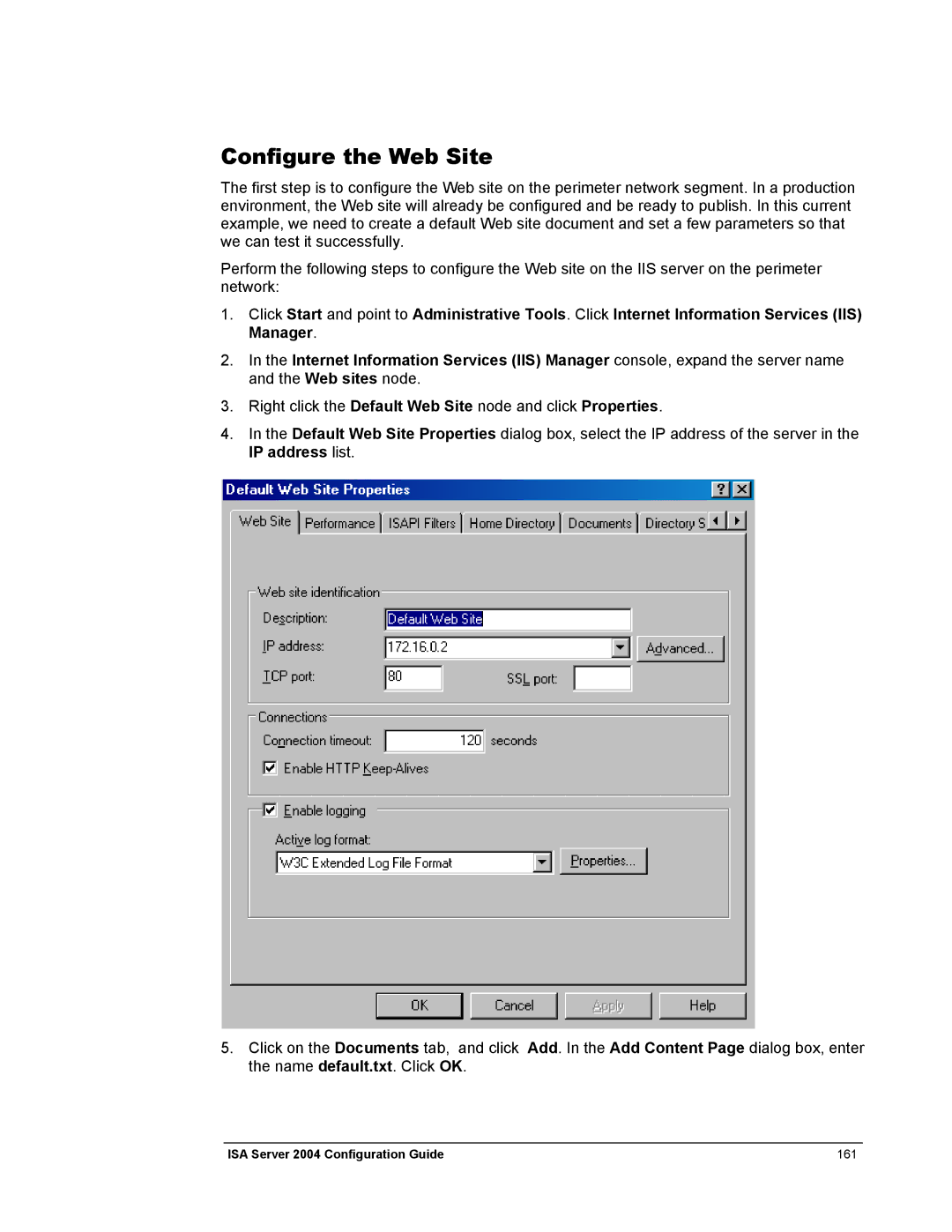
4.In the Default Web Site Properties dialog box, select the IP address of the server in the IP address list.
5.Click on the Documents tab, and click Add. In the Add Content Page dialog box, enter the name default.txt. Click OK.
ISA Server 2004 Configuration Guide | 161 |